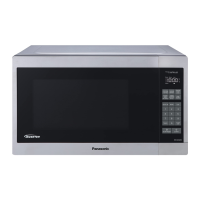
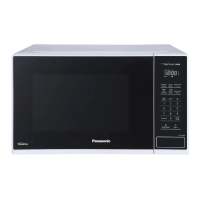
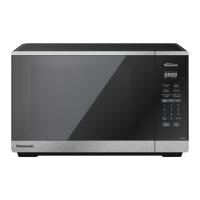
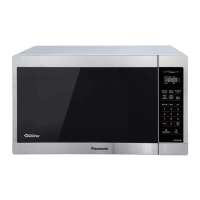
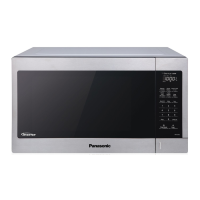
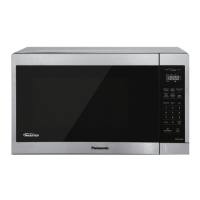
This document is the Owner's Manual for Panasonic Microwave Ovens, specifically models NN-SC678S, NN-SC688S, and NN-SC669S, designed for household use. It provides comprehensive information on safety, installation, operation, maintenance, and general specifications of the appliance.
Function Description:
The Panasonic Microwave Oven is a cooking appliance designed to heat or cook food using microwave energy. It features an "Inverter" technology and "Genius" sensor cooking for optimized performance. The oven is not intended for industrial or laboratory use, home canning, sterilizing objects, or drying foods. It is equipped with a control panel that allows users to set cooking times, power levels, and utilize various automatic functions.
Important Technical Specifications:
- Power Source: 120V, 60 Hz
- Power Consumption: 12 Amps, 1,400 W
- Cooking Power: 1,200 W
- Operating Frequency: 2,450 MHz
- Outside Dimensions (W x H x D): 20 7/16" x 12 3/8" x 16" (519 mm x 315 mm x 407 mm)
- Oven Cavity Dimensions (W x H x D): 13 13/16" x 9 13/16" x 15 3/16" (351 mm x 249 mm x 386 mm)
- Net Weight: Approx. 27.6 lbs (12.5 kg)
- Maximum Weight for Auto Defrost: 6 lbs (2.7 kg)
Usage Features:
The microwave oven offers a variety of cooking and convenience features:
- Setting the Clock: A 12-hour display that retains time when plugged in and powered. The oven will not operate if the colon (:) is flashing during clock setting.
- Child Safety Lock: This feature prevents electronic operation of the oven until cancelled. It does not lock the door physically. It is activated and deactivated by pressing the Start or Stop/Reset pad three times within 10 seconds.
- Manual Cooking: Users can set desired cooking time (up to 99 minutes, 99 seconds) and power levels (P10 HIGH to PL1 LOW).
- Standing Time: Allows setting a period after cooking for food to complete cooking by conduction.
- Delayed Start: Enables users to program the oven to start cooking at a later time.
- Quick 30: Adds cooking time in 30-second increments, up to 5 minutes, with a pre-set power level of PL10. Can also be used to add time during manual cooking.
- Keep Warm: Keeps food warm for up to 30 minutes after cooking. Cannot be used with sensor or auto features.
- Popcorn: Features three levels (3.5 oz/100g, 1.75 oz/50g, 3.0 oz/85g) for popping pre-packaged microwave popcorn. Users are cautioned not to leave the oven unattended and to stop if popping slows to 2-3 seconds between pops to prevent burning.
- Auto Defrost: Defrosts meat, poultry, and seafood by weight (up to 6 lbs/2.7 kg). Users enter the weight in pounds and tenths of a pound. The oven signals midway through defrosting for turning or rearranging food.
- Sensor Reheat: Automatically reheats various foods (casseroles, canned foods, plate of food) by detecting steam. Users can adjust reheating time by 20% using More/Less pads. Not suitable for bread, pastry, raw/uncooked foods, beverages, or frozen foods.
- Sensor Cook: Automatically cooks specific food categories (Potato, Fresh Vegetables, Frozen Vegetables, Frozen Pizza, Frozen Entrées, Casserole, Ground Meat) by detecting steam. Users can adjust cooking time by 20% using More/Less pads.
- Cooking Techniques: The manual provides guidelines for piercing foods with nonporous skins, browning, spacing, covering, stirring, rearranging, turning, and allowing standing time for optimal results.
- Food Characteristics: Explains how factors like bone and fat content, density, quantity, shape, size, and starting temperature affect microwave cooking.
- Cookware Guide: Provides guidance on which types of containers and materials (e.g., glass jars, metal bakeware, paper towels, plastic wrap, thermometers) are safe for microwave use, including a "Container Test" for unlabeled items.
Maintenance Features:
Regular care and cleaning are essential for the oven's proper functioning and longevity.
- General Cleaning: Unplug the oven before cleaning. After cleaning, ensure the Roller Ring and Glass Tray are in place and press Stop/Reset.
- Outside Oven Surfaces: Clean with a damp cloth.
- Labels: Wipe with a damp cloth; do not remove.
- Inside the Oven: Wipe with a damp cloth after use; mild detergent may be used. Avoid harsh detergents or abrasives.
- Oven Door: Wipe with a soft dry cloth to remove steam accumulation.
- Oven Cavity Floor: Clean with mild detergent, water, or window cleaner, and dry. The heat and vapor barrier film on the inside surface should not be removed.
- Wave Guide Cover: Keep clean; do not remove.
- Control Panel: Clean with a soft dry cloth if it gets wet. A removable protective film may be present; remove it gently if bubbles appear.
- Glass Tray: Remove and wash in warm soapy water or in a dishwasher.
- Roller Ring: Wash in mild soapy water or a dishwasher.
- Important Note: It is crucial to keep the oven clean and dry to prevent rusting, arcing, and damage from food residue and condensation. All surfaces, including vent openings, oven seams, and under the glass tray, should be wiped dry after use.
The manual also includes a troubleshooting section for common issues like TV interference, steam accumulation, oven not turning on, oven not starting cooking, and noise from the Glass Tray, offering simple solutions before requesting service.

 Need help?
 General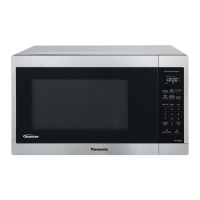



 To Next Page