15
●
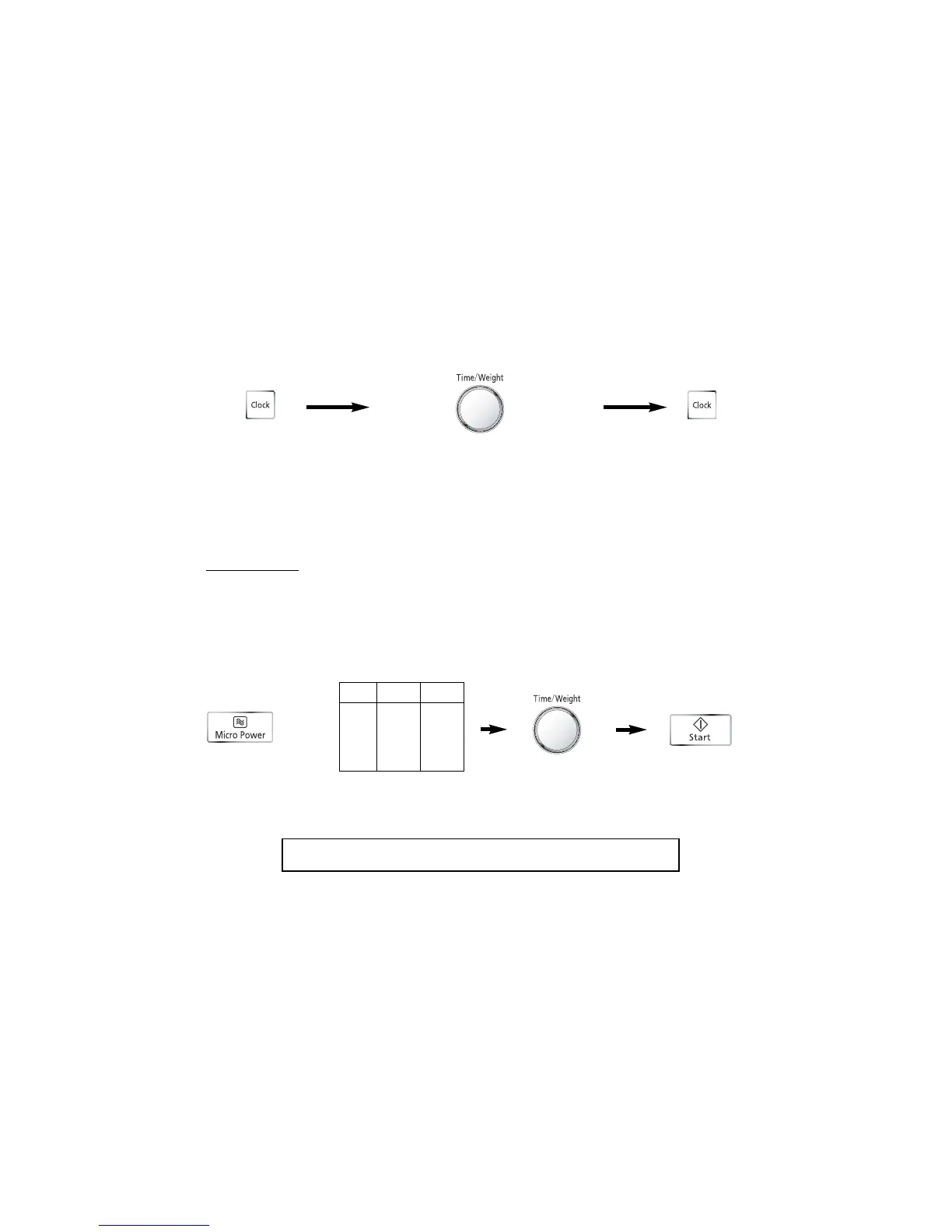
Press Clock Pad
“SET TIME” will appear in the display window,
and the colon starts to blink.
●
Turn Time/Weight Dial
Enter time of day by using the Time/Weight
Dial. Time counts up in minutes. Turning the
dial slowly will count up in 1 minute steps.
Turning the dial quickly will count up in 10
minute steps. Set as a 12 hour clock.
●
Press Clock Pad
Colon stops blinking. Time of day is now locked
into the display.
● Enter the cooking time by using the
Time/Weight Dial. 0-8 minutes, time
counts up in seconds. Upwards from 8
minutes, time counts up in minutes.
(HIGH Power: Up to 30 minutes).
(Other Powers: Up to 99 minutes).
Setting the Clock
Microwave Cooking and Defrosting
There are 6 different microwave power levels available.
Selecting Microwave Power Level
N.B.
1. To reset time of day, repeat step 1 through to step 3.
2. The clock will keep the time of day as long as the oven is plugged in and electricity is supplied.
3. This is a 12 hour clock.
Power
Press Level Wattage
once High 900 W
twice Defrost 270 W
3 times Medium 600 W
4 times Low 440 W
5 times Simmer 250 W
6 times Warm 100 W
CAUTION: The oven will automatically work on HIGH microwave power if a
cooking time is entered without the power level previously being selected.
● Press Start.
● Press this Pad
until the power you
require appears in
the display window.



 To Next Page