EasyManua.ls Logo

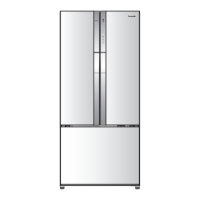
Panasonic NR-CW530J - User Manual

Panasonic NR-CW530J
56 pages
Print Icon
To Next Page IconTo Next Page
Loading...
Operating Instructions
Refrigerator
For Household Use
Model No.: NR-CW530H, NR-CW530J
Contents
Safety Precautions .................................. 2
Usage Precautions .................................. 6
Installation ............................................... 8
Parts Identication
.................................
19
Operation Panel ....................................
23
Temperature Control ..............................
25
ECONAVI Operation
..............................
26
nanoe
TM
X ..............................................
26
Quick Ice/ Freezing ................................
27
Quick Freezing .......................................
27
Prime Fresh+ .........................................
28
Prime Freeze .........................................
29
Quick Ice Making....................................
32
Auto Ice O󰀨 and Auto Ice Clean.............
32
Filter Change .........................................
33
Child Lock ..............................................
33
Fridge Compartment ..............................
34
Prime Fresh Case .................................
36
Freezer Compartment ...........................
37
Water Filter Cartridge
Installation and Replacement ................
42
How to Clean the Refrigerator ...............
44
Troubleshooting .....................................
50
Specications ........................................ 55
NON-CFC
This unit uses totally NON-CFC MATERIALS both for refrigerant (R600a) and for
insulation (Cyclo-Pentane). So, this refrigerator does not damage the Earth’s ozone layer.
Thank you for purchasing the Panasonic product.
Please read these instructions carefully and follow safety precautions on page 2-7 before
using this product.
Please make sure the date and name of store of purchase are stamped in warranty card
and keep it with this operating instructions.
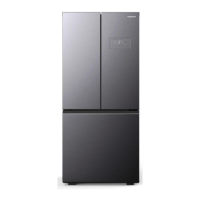
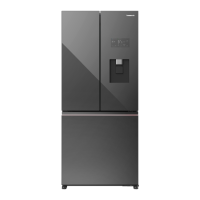
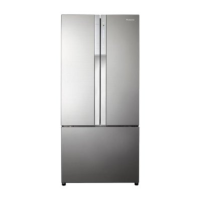
NR-CW530J
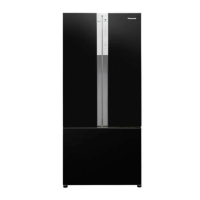
NR-CW530H
ARAH1E203061
P0322-1072
Printed in Vietnam
AU/NZ


Questions and Answers

  • D
    Donna MuellerAug 14, 2025
    Why is my Panasonic Refrigerator not cooling enough?
    • K
      kevin01Aug 14, 2025
      If your Panasonic refrigerator isn't cooling adequately, make sure the light in the Operation Panel is correctly displayed. Check that the refrigerator isn't overloaded and doesn't contain hot food. Ensure it's not exposed to direct sunlight or heat. Confirm the door is completely closed and not opened too frequently. Also, wipe up any spills with a dry cloth.
  • A
    Amanda WrightAug 17, 2025
    What to do if my Panasonic Refrigerator is generating noise?
    • S
      Sean SmithAug 18, 2025
      If your Panasonic refrigerator is making noise, ensure it's on a stable floor and properly installed. Verify that nothing is touching the refrigerator. A cracking sound from parts adjusting temperature is normal. Loud noises may occur after installation and should lessen as the refrigerator cools. The refrigerator draws in air through a pipe on the backside to balance air circulation, which can also cause noise.
  • L
    Linda LongAug 20, 2025
    Why does my Panasonic Refrigerator not get cold and has no freezing?
    • D
      ddavisAug 21, 2025
      If your Panasonic refrigerator is not cold and has no freezing, try resetting Prime Freeze.
  • K
    Kyle JonesAug 25, 2025
    What to do if my Panasonic NR-CW530J Refrigerator does not operate?
    • R
      Rachel CollinsAug 25, 2025
      If your Panasonic refrigerator isn't working, first ensure the plug and socket are in good condition. Then, check the main fuse and electrical system in your house for any issues. As an additional step, unplug the refrigerator, wait for about 7 minutes, and then plug it back in.
  • A
    Andrew MelendezAug 28, 2025
    What to do if my Panasonic NR-CW530J Refrigerator does not make ice?
    • J
      Jesse GriffinAug 28, 2025
      If your Panasonic refrigerator isn't making ice, check that the Water Connection System is correctly installed and the water supply is open. Note that ice making starts after the inside is cold enough, potentially taking over 24 hours. Ensure Auto Ice Off mode is not set. Avoid leaving food in the ice maker, and do not frequently install or remove the ice tray. Clean up any water spills in the ice box.
  • J
    Jeffrey GarciaAug 31, 2025
    Why are the surfaces of my Panasonic NR-CW530J Refrigerator hot?
    • A
      Amy LongAug 31, 2025
      The surfaces of your Panasonic refrigerator may get warmer because it has dew prevention and heat radiation tubes. The back and side plates might be warmer, especially when starting up or if the door is opened and closed frequently.
  • A
    Amanda ScottSep 3, 2025
    Why is my food becoming frozen in my Panasonic NR-CW530J?
    • V
      Vanessa CampbellSep 3, 2025
      If food in your Panasonic refrigerator is freezing, check if it's placed near cold air holes. You may need to adjust to a higher temperature. Also, consider if the food is stored in the Prime Fresh case.
  • S
    Steven ButlerSep 6, 2025
    What causes unusual shape of ice cubes in my Panasonic NR-CW530J Refrigerator?
    • B
      Bonnie DixonSep 7, 2025
      Unusual ice cube shapes in your Panasonic refrigerator can occur if the ice tray grooves are frozen, or if the ice has been stored for an extended period. Also, the water amount for Auto Ice making depends on the water pressure measured by the Flow Sensor.
  • S
    Steven RodriguezSep 10, 2025
    Why does the Operation Panel flash on my Panasonic Refrigerator?
    • R
      Robert RyanSep 10, 2025
      The Operation Panel on your Panasonic refrigerator flashes during adjustments. The flashing will stop after you complete the setting or after 10 seconds.

Summary

Safety Precautions

General Safety Warnings

Critical safety advice for electrical, operational, and handling precautions.

Specific System Warnings

Warnings concerning refrigerant, water systems, and installation hazards.

Usage Precautions

Daily Operation and Care

Guidelines for door use, food storage, moving, and cleaning.

Optimal Performance Tips

Advice for efficient operation, energy saving, and food preservation.

Installation Guide

Installation Requirements and Preparation

Space requirements, electrical safety, moving, and water system cautions.

Water Connection System Setup

Detailed steps for installing the water connection system.

Final Adjustments and Initial Cooling

Procedures for leveling, securing, and initial cooling.

Parts Identification

Component Identification

Visual identification of refrigerator components.

Component Descriptions

Detailed explanations for refrigerator parts.

Operation Panel

Panel Layout and Controls

Explanation of the operation panel's buttons, indicators, and display.

Model-Specific Panel Features

Details specific panel functions for CW530J models.

Temperature Control

Adjusting Compartment Temperatures

How to set and adjust temperatures for fridge, fresh, and freezer compartments.

Specialized Functions

ECONAVI and nanoe X Features

Explains energy saving and air purification functions.

Quick Cooling and Freezing Modes

Operation of quick cooling and freezing modes.

Prime Fresh+ and Prime Freeze

Usage of Prime Fresh+ and Prime Freeze for food preservation.

Ice Making and Water Filter Management

Ice making, auto cleaning, filter change, and child lock operations.

Compartment Usage

Fridge Compartment Features

Information on slide trays, vegetable cases, and food preservation tips.

Water Dispenser Operation

How to use the water dispenser.

Prime Fresh Case Usage

Guidelines for using the Prime Fresh case for optimal food storage.

Freezer Compartment and Ice Making

Freezer Compartment Tips

Tips for freezing food and locking in flavor.

Ice Making Procedures

How to make ice, use the ice maker, and common issues.

Cleaning and Maintenance

Ice Maker Cleaning

How to clean the ice maker and ice box.

Water Filter Replacement

Steps for installing and replacing the water filter cartridge.

Refrigerator Cleaning Procedures

Instructions for cleaning various parts of the refrigerator.

Troubleshooting

Common Operational Issues

Solutions for common problems like no operation, insufficient cooling, frost, and noise.

Advanced Function Issues

Troubleshooting for panel errors, frozen food, ECONAVI, and Prime Freeze issues.

Specifications and Disposal

Product Specifications

Technical details including model, capacity, dimensions, and refrigerant type.

Product Disposal Information

Guidance on how to dispose of the refrigerator responsibly.

Panasonic NR-CW530J Specifications

General IconGeneral
BrandPanasonic
ModelNR-CW530J
CategoryRefrigerator
LanguageEnglish

Related product manuals