
 Need help?
Do you have a question about the Panasonic NV-G40 Series and is the answer not in the manual?
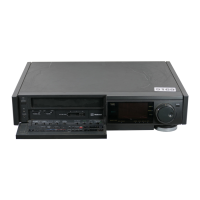
Describes the space-saving front loading design for video cassette placement.
Explains the display indicating activated functions and operation modes.
Highlights playback quality features free from noise and jitter.
Details the built-in tuner's capability to pre-tune numerous TV stations.
Covers the remote unit for convenient operation from a viewing position.
Features an exact reading of elapsed tape time in hours, minutes, and seconds.
Enables programming timer recordings via bar codes on a Programming Sheet.
Programmable timer up to one month in advance with calendar functionality.
Details convenient features like Auto Start, Auto Play, and Auto Eject.
Easily programmes TV recordings with immediate start or within 24 hours.
Ensures compatibility and enhanced picture quality with VHS systems.
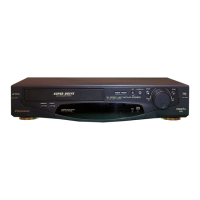
Detailed description of all controls and indicators on the front of the VTR.
Explains the layout and indicators of the VTR's multi-function display.
Details the various input and output sockets on the rear of the VTR.
Instructions on setting up and operating the digital scanner.
Guide on how to trace bar codes for programming the VTR.
Instructions for cleaning the digital scanner tip for optimal bar code reading.
Information on battery replacement and power source for the remote and scanner.
Steps for connecting the VTR to a television set.
Guidance on adjusting the RF signal level switch for optimal reception.
How to select channels and tune the VTR to the video playback channel.
Instructions for fine-tuning the VTR for weak or strong signal reception.
Step-by-step guide for setting the VTR's current date and time.
Procedure for tuning TV stations and fine-tuning reception.
Instructions for inserting and automatically drawing in a video cassette.
Guide on blanking unoccupied positions and cancelling clear function.
Operations for tape rewinding, fast forwarding, and tracking elapsed time.
Using the clock/counter selector and memory/search lock functions.
Details on automatic cueing, normal playback, and stopping playback.
How to achieve still pictures and perform cue/review playback.
Using slow motion playback and adjusting slow tracking control.
Advancing the still picture one field at a time.
Tips for preventing the recording of unwanted material during broadcast recording.
How to record one TV programme while watching another.
Step-by-step instructions for setting up one-touch timer recordings.
Guide for programming OTR recordings with immediate start times.
Preparing the VTR and the step-by-step process for timer recording.
How to set up daily timer recordings for programmes.
Procedures for confirming programmed timer recordings and cancelling them.
Instructions on tracing bar codes to program timer recordings.
How to transmit programmed data from the scanner to the VTR.
Programming multiple timer recordings and everyday recordings using the scanner.
Procedures for confirming and cancelling timer recordings programmed via scanner.
Steps to prepare the VTR and camera for recording.
Instructions on how to start, pause, and stop camera recording.
Preparing the VTRs and making necessary connections for dubbing.
Step-by-step guide for copying from one video cassette to another.
Resolving problems related to power, operation, and recording.
Troubleshooting OTR, timer recording, and cassette-related issues.
Addressing problems encountered during video playback.
Solutions for issues like no color or snowy pictures during playback.
Troubleshooting problems with the remote controller and digital scanner.
Resolving issues with bar code reading and data transmission.
Precautions regarding temperature, humidity, dust, ventilation, and heat.
Safety guidelines for cleaning, stacking, and protecting from lightning.
Information on video head clogging and dew condensation warnings.




 To Next Page
 General