38
SLIDE
1
SLIDE
2
2
1
M
E
N
U
BLC
Slide Show
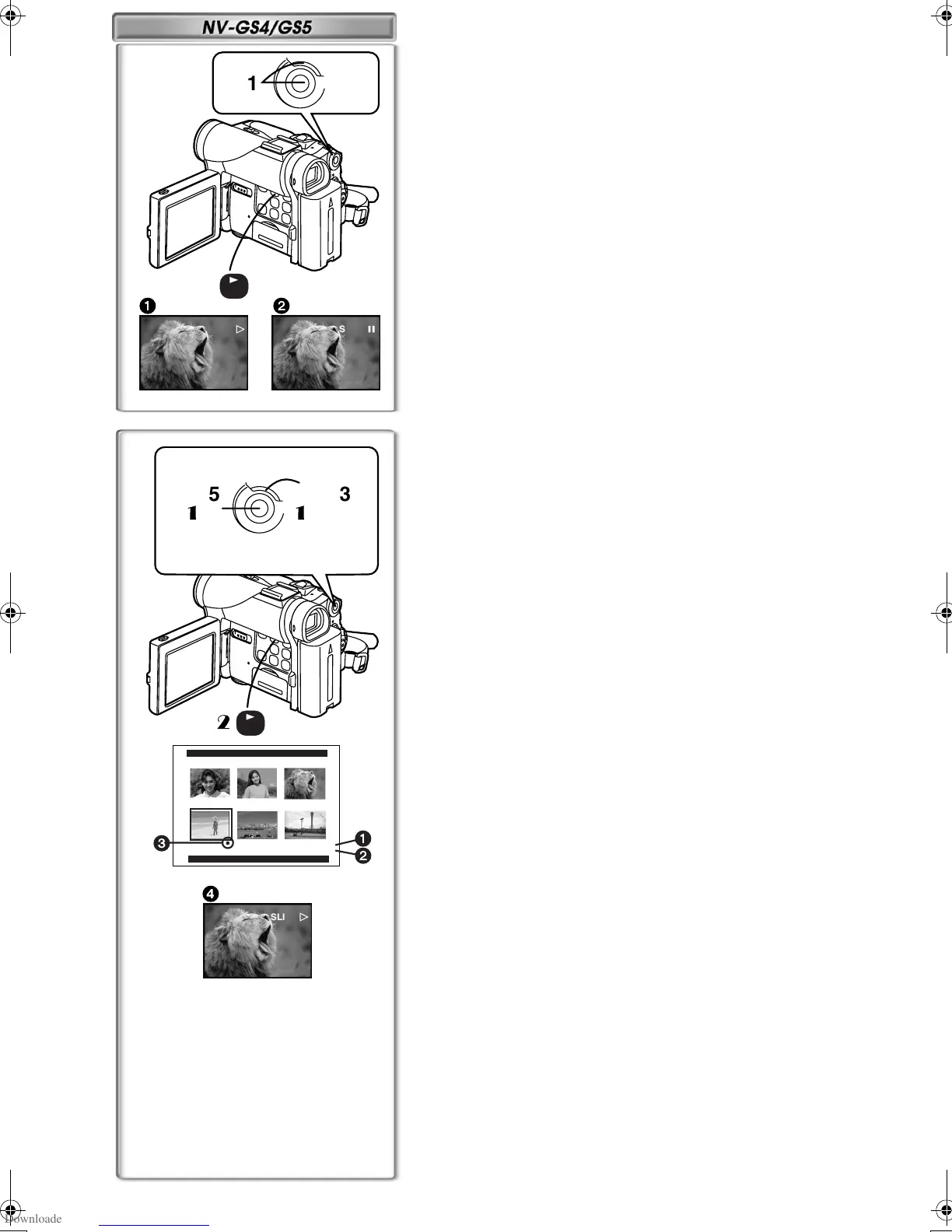
The recorded still pictures in the Card can be played back like a Slide Show.
To Play Back All the Pictures Continuously
1
Set [CARD FUNCTIONS] >> [CARD EDITING] >>
[SLIDE SHOW] >> [YES] >> [SLIDE SHOW] >> [ALL].
≥This step is skipped when there is no picture that has set for the Slide
Show.
2
Press the [
1
] Button.
≥The [SLIDE!] Indication is displayed.
1
≥All of the pictures are played back for several seconds each.
To Pause the Slide Show
Press the [;] Button.
The [SLIDE;] Indication is displayed.
2
To Stop the Slide Show
Press the [∫] Button.
~~~~~~~~~~~~~~~~~~~~~~~~
Editing a Slide Show
You can set up a Slide Show or change the content.
To Select Pictures to Play Back in Your Slide Show
1
Set [CARD FUNCTIONS] >> [CARD EDITING] >>
[SLIDE SHOW] >> [YES] >> [EDIT] >> [YES].
2
Turn the [PUSH] Dial to select a picture and then press the
dial.
3
Turn the [PUSH] Dial to select playback order and then press
the dial.
≥This step is skipped when there is no picture that has set for the Slide
Show.
≥Playback Order Indication
1
4
Turn the [PUSH] Dial to adjust the playback time and press
the dial.
≥Playback Time (Second) Indication
2
≥The [¥] Indication
3
is displayed to the picture set.
≥To select the next picture, repeat the Steps 2 to 4 above.
5
Press the [MENU] Button to end the setup.
To Play Back the Slide Show That Has Been Set
You must set [SLIDE SHOW] >> [EDIT] first.
1
11
1
Set [CARD FUNCTIONS] >> [CARD EDITING] >>
[SLIDE SHOW] >> [YES] >> [SLIDE SHOW] >> [PRESET].
2
22
2
Press the [
1
] Button.
≥The [M.SLIDE!] Indication is displayed.
4
To Verify the Selected Picture
Set [CARD FUNCTIONS] >> [CARD EDITING] >> [SLIDE SHOW] >> [YES]
>> [VERIFY] >> [YES].
≥Only the selected pictures are displayed in Multi-Picture Mode in the
Playback order.
To Delete the Selected Picture
1
Set [CARD FUNCTIONS] >> [CARD EDITING] >>
[SLIDE SHOW] >> [YES] >> [DELETE] >> [YES].
2
Select the picture you wish to delete and press the [PUSH]
Dial.
≥The selected picture is marked with a frame.
To Reset the Slide Show Setup
Set [CARD FUNCTIONS] >> [CARD EDITING] >> [SLIDE SHOW] >> [YES]
>> [RESET] >> [YES] >> [YES].
≥Slide Show settings are reset.
≥For other notes concerning this item, see page 47.
EDIT
PRESS MENU TO RETURN
No.4
5SEC
2
1
3
M.SLIDE
4
2
1, 2, 3, 4
1
1, 2
1, 5
1
1
M
E
N
U
BLC
B.book38ページ2002年1月28日 月曜日 午後3時48分








 To Next Page