Before Use
-7-
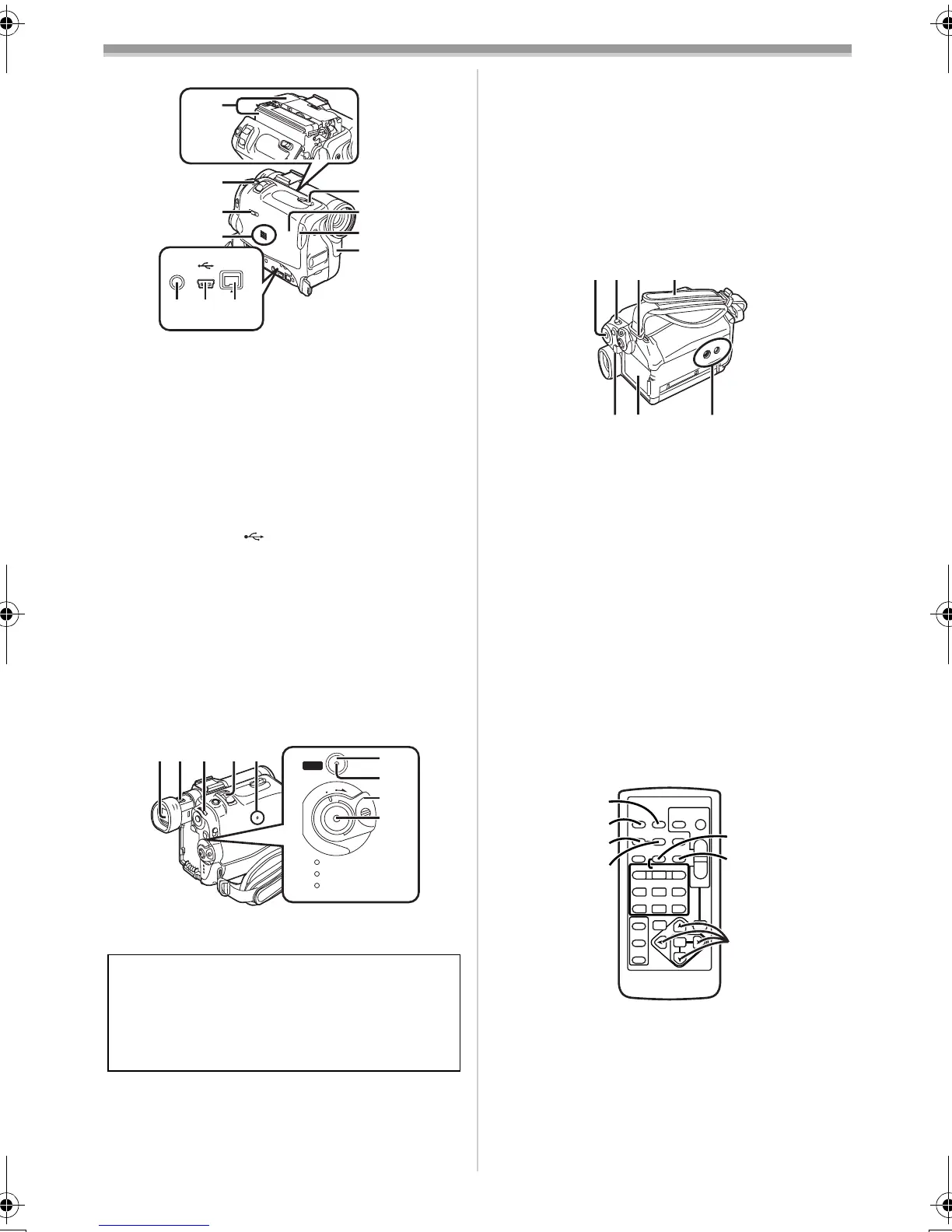
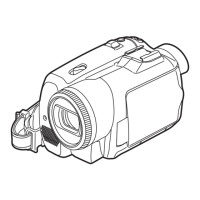
(25) Cassette Holder
(26) Photoshot Button [PHOTO SHOT]
-20-, -39-, -43-
(27)
Tape/Card Selector
[TAPE/CARD/CARD MODE]
-38-
(28)
Speaker -30-
(29)
S-Video Input/Output Socket
[S-VIDEO IN/OUT] (Input function on
NV-GS50 Model only)
-35-
(30)
USB Socket [ ] -49-
(31)
DV Terminal [DV] (Input function on
NV-GS50 Model only)
-37-
≥Connect this to the digital video equipment.
(32) Cassette Eject Lever [OPEN/EJECT] -12-
(33)
Cassette Compartment Cover -12-
(34)
Cassette Holder Close Button
[PUSH CLOSE]
-12-
(35)
White Balance Sensor -25-
Remote Control Sensor -9-
(36)
Viewfinder -12-, -64-
(37)
Eyepiece Corrector Knob -13-
(38)
Multi-Function Dial [PUSH] -13-, -30-
(39)
Zoom Lever [W/T] -21-
(40)
Reset Button [RESET] -53-
Due to limitations in LCD production
technology, there may be some tiny bright or
dark spots on the Viewfinder screen.
However, this is not a malfunction and does
not affect the recorded picture.
DV
S-VIDEO
IN/OUT
(25)
(26)
(27)
(28)
(29)
(30)(31)
(32)
(33)
(34)
(35)
START
QUICK
CAMERA
VCR
CARD
PB
O
F
F
O
N
M
O
D
E
(36)(37)(38)(39)(40)
(41)
(42)
(43)
(44)
(45)
(41)
Quick Start Recording Button
[QUICK START]
-19-
(42)
Quick Start Recording Lamp -19-
(43)
Off/On Mode Selector Switch
[OFF/ON/MODE]
-12-, -18-, -61-
(44)
Recording Start/Stop Button -18-, -40-
(45)
Operation Mode Lamps
[CAMERA/VCR/CARD PB]
-12-, -18-, -30-, -41-
(46)
Menu Button [MENU] -13-
(47)
Mode Selector Switch
[AUTO/MANUAL/FOCUS]
-18-, -24-
(48)
Shoulder Strap Holders -11-
(49)
Grip Belt (One Touch Free Style Grip
Belt)
-10-
(50)
Battery Eject Button [PUSH BATT] -10-
(51)
Battery Holder
(52) Tripod Receptacle
≥Used for mounting the Movie Camera on an
optional tripod.
ª Remote Controller
Using the wireless Remote Controller that is
supplied with the Movie Camera, most of the
Movie Camera functions can be operated from a
distance.
(53) Date/Time Button [DATE/TIME] -52-
(54)
Indication Output Button [OSD] -35-
(55)
Counter Indication Shift Button
[COUNTER]
-52-
(56)
Reset Button [RESET] -67-
(57)
Recording Button [REC] (Available only
with NV-GS50)
-37-
(58)
Audio Dubbing Button [A.DUB] -35-
(46)(47)(48)(49)
(50)
(51) (52)
ZOOM
INDEX INDEX
SELECT
STORE
STOP
KL
∫
OSD
COUNTER
V
/REW
STILL ADV
OFF/ON
P.B.DIGITAL
DATE/
TIME
RESET
TITLE
T
W
sVOL r
¥REC
MULTI/
P-IN-P
PHOTO
SHOT
START/
STOP
A.DUB
PLAY
PAUSE
FF/
W
STILL ADV
MENU
ITEM
SET
61 5
;
ED
VAR .
SEARCH
P.B.
ZOOM
(53)
(54)
(55)
(56)
(57)
(58)
(59)
50B-ENG.book 7 ページ 2003年1月17日 金曜日 午後5時29分



 To Next Page