EasyManua.ls Logo

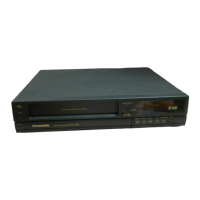
Panasonic NV-J1 Series - User Manual

Panasonic NV-J1 Series
29 pages
Print Icon
To Next Page IconTo Next Page
Loading...
Question and Answer IconNeed help?

Do you have a question about the Panasonic NV-J1 Series and is the answer not in the manual?

Summary

Safety Information and Cautions

General Safety Precautions

Essential safety instructions for VTR operation, including not removing the outer cover.

VTR Cautions and Handling

Controls and Components Identification

Front Panel Controls

Identifies and describes the function of controls located on the front panel of the VTR.

Infra-red Remote Controller Functions

Remote Controller Layout and Buttons

Identifies and explains the function of each button on the infra-red remote controller.

Installation and TV Connection Guide

Connecting the VTR to a Television Set

Guides on how to connect the VTR to a TV set for video playback.

Video Playback Channel Setup

Explains how to select and set the video playback channel on the TV.

Setting the VTR Tuner

Tuning Procedure

Step-by-step instructions for tuning TV stations into the VTR's tuner.

Fine Tuning Adjustment

Details how to perform fine-tuning for weak or adjacent TV stations.

Setting the Clock and Date

Manual Clock and Date Setting

Step-by-step guide for manually setting the VTR's clock and date.

Clock Setting Using Bar Codes

Bar Code Clock Programming

Details how to set the VTR's clock and date using the remote's digital scanner and bar codes.

Video Cassette Handling

Playback Operations

Basic Playback Modes

Covers normal playback, finishing playback, and double speed playback.

Advanced Playback Features

Recording from TV Broadcasts

Basic Recording Procedure

Step-by-step guide for recording TV programmes directly from the broadcast signal.

Super OTR (One-Touch Timer Recording)

OTR Programming Procedure

How to set up a one-touch timer recording for immediate or future broadcasts.

Timer Recording Setup

Basic Timer Recording Programming

Step-by-step guide to program multiple timer recordings up to a month in advance.

Advanced Timer Recording Modes

Timer Recording via Remote Controller

Time Search Function

Dubbing (Copying) Video Cassettes

Before Requesting Service

Power and Operation Issues

Troubleshooting steps for power-related problems and unit non-operation.

Recording and OTR Function Problems

Solutions for issues related to recording, OTR function, and timer recording.

Troubleshooting Common Problems

Picture and Reception Issues

Solutions for problems with picture reproduction, color, and snow.

Remote Controller and Bar Code Issues

Troubleshooting for remote controller malfunctions and bar code reading errors.

Summary

Safety Information and Cautions

General Safety Precautions

Essential safety instructions for VTR operation, including not removing the outer cover.

VTR Cautions and Handling

Controls and Components Identification

Front Panel Controls

Identifies and describes the function of controls located on the front panel of the VTR.

Infra-red Remote Controller Functions

Remote Controller Layout and Buttons

Identifies and explains the function of each button on the infra-red remote controller.

Installation and TV Connection Guide

Connecting the VTR to a Television Set

Guides on how to connect the VTR to a TV set for video playback.

Video Playback Channel Setup

Explains how to select and set the video playback channel on the TV.

Setting the VTR Tuner

Tuning Procedure

Step-by-step instructions for tuning TV stations into the VTR's tuner.

Fine Tuning Adjustment

Details how to perform fine-tuning for weak or adjacent TV stations.

Setting the Clock and Date

Manual Clock and Date Setting

Step-by-step guide for manually setting the VTR's clock and date.

Clock Setting Using Bar Codes

Bar Code Clock Programming

Details how to set the VTR's clock and date using the remote's digital scanner and bar codes.

Video Cassette Handling

Playback Operations

Basic Playback Modes

Covers normal playback, finishing playback, and double speed playback.

Advanced Playback Features

Recording from TV Broadcasts

Basic Recording Procedure

Step-by-step guide for recording TV programmes directly from the broadcast signal.

Super OTR (One-Touch Timer Recording)

OTR Programming Procedure

How to set up a one-touch timer recording for immediate or future broadcasts.

Timer Recording Setup

Basic Timer Recording Programming

Step-by-step guide to program multiple timer recordings up to a month in advance.

Advanced Timer Recording Modes

Timer Recording via Remote Controller

Time Search Function

Dubbing (Copying) Video Cassettes

Before Requesting Service

Power and Operation Issues

Troubleshooting steps for power-related problems and unit non-operation.

Recording and OTR Function Problems

Solutions for issues related to recording, OTR function, and timer recording.

Troubleshooting Common Problems

Picture and Reception Issues

Solutions for problems with picture reproduction, color, and snow.

Remote Controller and Bar Code Issues

Troubleshooting for remote controller malfunctions and bar code reading errors.
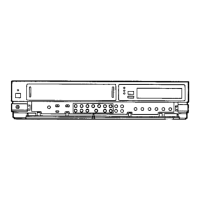
Panasonic NV-J1 Series Specifications

General IconGeneral
BrandPanasonic
ModelNV-J1 Series
CategoryVCR
LanguageEnglish

Related product manuals