EasyManua.ls Logo

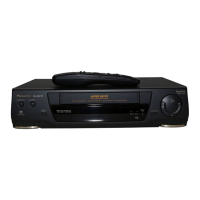
Panasonic NV-SD20 Series - User Manual

Panasonic NV-SD20 Series
40 pages
Print Icon
To Next Page IconTo Next Page
Loading...

Table of Contents

Question and Answer IconNeed help?

Do you have a question about the Panasonic NV-SD20 Series and is the answer not in the manual?

Summary

Precautions

Environmental and Operational Precautions

Guidelines for safe operation considering temperature, humidity, dust, ventilation, magnets, water, cleaning, and stacking.

Safety and Maintenance Warnings

Covers lightning safety, internal access, video head clogging, and dew condensation issues.

Setting Up

Connections

Details on connecting the VTR to an aerial, TV, and other devices.

Tuning the TV to your VTR

Instructions for tuning the television to receive signals from the VTR.

Storing TV Broadcasts into your VTR

Guide to pre-setting the VTR to receive up to 99 TV broadcast stations.

Setting the Clock of the VTR

Procedure for setting the built-in digital clock for automatic recording and other functions.

Description

Controls and Connection Sockets

Detailed explanation of each button, switch, and connection socket on the VTR unit.

Infra-red Remote Controller

Explanation of the functions and operation of the remote control unit.

Basic Operations

Playback

Instructions for playing recorded video cassettes and navigating playback controls.

On-the-spot Recording

Guide to performing immediate recordings from TV or other sources.

Other Functions

Details on automatic VTR off, NTSC playback, and other automatic operational features.

Advanced Operations

Timer Recording

Step-by-step guide to setting up timed recordings for future broadcasts.

Search Function

Explains the VHS Index Search System for finding recorded segments.

Editing

Covers Assembly Editing, Insert Editing, and Audio Dubbing procedures.

Bar Code Operation

Instructions for using the remote controller as a bar code reader for programming.

Helpful Hints

Before Requesting Service

Troubleshooting guide to resolve common VTR operational issues.

Specifications

Technical details and performance characteristics of the NV-SD20A/EA VTR.

Summary

Precautions

Environmental and Operational Precautions

Guidelines for safe operation considering temperature, humidity, dust, ventilation, magnets, water, cleaning, and stacking.

Safety and Maintenance Warnings

Covers lightning safety, internal access, video head clogging, and dew condensation issues.

Setting Up

Connections

Details on connecting the VTR to an aerial, TV, and other devices.

Tuning the TV to your VTR

Instructions for tuning the television to receive signals from the VTR.

Storing TV Broadcasts into your VTR

Guide to pre-setting the VTR to receive up to 99 TV broadcast stations.

Setting the Clock of the VTR

Procedure for setting the built-in digital clock for automatic recording and other functions.

Description

Controls and Connection Sockets

Detailed explanation of each button, switch, and connection socket on the VTR unit.

Infra-red Remote Controller

Explanation of the functions and operation of the remote control unit.

Basic Operations

Playback

Instructions for playing recorded video cassettes and navigating playback controls.

On-the-spot Recording

Guide to performing immediate recordings from TV or other sources.

Other Functions

Details on automatic VTR off, NTSC playback, and other automatic operational features.

Advanced Operations

Timer Recording

Step-by-step guide to setting up timed recordings for future broadcasts.

Search Function

Explains the VHS Index Search System for finding recorded segments.

Editing

Covers Assembly Editing, Insert Editing, and Audio Dubbing procedures.

Bar Code Operation

Instructions for using the remote controller as a bar code reader for programming.

Helpful Hints

Before Requesting Service

Troubleshooting guide to resolve common VTR operational issues.

Specifications

Technical details and performance characteristics of the NV-SD20A/EA VTR.

Panasonic NV-SD20 Series Specifications

General IconGeneral
Remote ControlYes
TunerYes
Timer RecordingYes
Recording SpeedSP, LP
Playback SpeedSP, LP

Related product manuals