
 Need help?
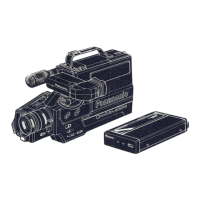
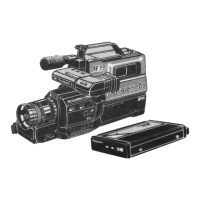
Do you have a question about the Panasonic OmniMovie PV-S445 and is the answer not in the manual?
Shows how to connect to monitor video and audio signals from the camcorder.
Diagrams for connecting the camcorder to record TV programs.
Explains Super VHS system benefits and the electronic viewfinder.
Covers titling, shutter, zoom, flying erase, timers, and dubbing.
Identifies buttons and features on the front of the camcorder.
Explains the purpose of various front-mounted buttons.
Identifies external connection ports on the rear of the camcorder.
Details eject, stop, pause, and mode selector slide functions.
Explains the record, play, and dub button functions.
Explains video/audio output and input connectors on the AC adaptor.
Instructions for adjusting the EVF for optimal viewing.
Steps for inserting and removing the battery pack.
Instructions for inserting and removing video cassettes.
Outlines initial steps for starting camera recording.
Explains S-VHS selector, VCR/CAMERA slide, and white balance.
Details how to start, pause, and manage recordings.
Guides on setting VCR mode and rewinding for playback.
Explains play, stop, and volume controls during playback.
Details connecting and using the AC adaptor and car battery cord.
Explains methods for charging the battery pack.
Explains the advantages of the Super VHS system for image quality.
Details connecting the camcorder to a TV for playback or monitoring.
Illustrates connections from tuner sources for recording TV programs.
Diagrams showing connections required for video dubbing.
Illustrates connecting microphones or audio systems for dubbing.
Shows connections for re-recording between devices.
A chart of common issues and their recommended solutions.
Details what the warranty covers and does not cover.
Basic safety rules for operating the video unit safely.
Explains auto and manual focusing methods.






 To Next Page
 General