E-3E-2E-1 E-4 E-5 E-6 E-7
Thank you for purchasing the Panasonic product.
z
Read the instruction manual carefully for safe use.
z
Before use, read "Safety precautions" (pages 1 and 2).
QE-QL101TMTR
S0512-0
Instruction Manual
Mobile Backup Power
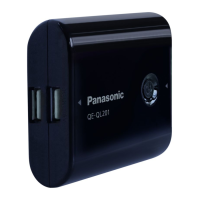
QE-QL201
QE-QL101
Model No.
QE-QL201
Mobile Backup Power (5400)
Model No.
QE-QL101
Mobile Backup Power (2700)
Caution
Do not use the product in
the ambient temperature
outside 0°C to 35°C.
Doing so may cause
leakage, excessive heat or
explosion of the battery.
Avoid much humidity or
dust when using or storing
the product.
Failure to do so may cause
¿UHRUHOHFWULFVKRFN
Do not expose the product
to direct sunlight or high
temperature.
Doing so may cause
excessive heat, explosion
RU¿UH
Do not put something on
the product. Do not put the
product on an unstable place.
Doing so may cause
H[FHVVLYHKHDW¿UHHOHFWULF
shock or personal injury.
Do not charge using a
vehicle power port.
'RLQJVRPD\FDXVH¿UHRU
electric shock.
Do not use the product if the
USB cable or AC adapter is
damaged, or the USB terminal
or outlet is loose.
'RLQJVRPD\FDXVH¿UHRU
electric shock.
Disconnect the USB cable
and AC adapter from the USB
terminal and outlet when not
using the product.
Failure to do so may cause
H[FHVVLYHKHDW¿UHRU
electric shock.
Precautions for use
z
It is possible to use a mobile phone or other device while it is
charged by the Mobile Backup Power. In that case, the remaining
battery may become low because the battery of the mobile phone
or other device is not charged.
z
The Mobile Backup Power cannot be charged during supplying power.
z
:KHQWKHSURGXFWLVXVHGIRUWKH¿UVWWLPHRUZDVQRWXVHGIRUD
long time, be sure to charge it before use.
z
Avoid storing the product with its battery fully charged or empty.
Otherwise performance and lifetime of the battery may be degraded.
z
Use the genuine AC adapter to charge from a household outlet. Using
RWKHUDGDSWHUPD\GDPDJHWKHSURGXFWUHVXOWLQJLQVPRNHRU¿UH
Do not put the product in
¿UHRUKHDW'RQRWFKDUJH
use or store the product at
high temperature.
Doing so may cause
excessive heat, explosion or
¿UH
Danger
Do not charge other
devices while the product is
contacting with your body
(e.g., in a pocket).
Doing so may result in burn
in case of heat generation.
Do not disassemble or
modify the product.
Doing so may cause
H[FHVVLYHKHDW¿UHRU
electric shock.
Charge via a USB type A
output terminal of a computer
or other devices or using the
included AC adapter.
Failure to do so may cause
H[FHVVLYHKHDW¿UHHOHFWULF
shock or injury.
Do not let water or other
liquid get in or contact with
the product.
Doing so may cause
H[FHVVLYHKHDWRU¿UH
No wet
Do not connect or disconnect
the USB cable and AC
adapter with wet hand.
No wet hand
'RLQJVRPD\FDXVH¿UH
or electric shock.
Warning
Give enough instructions
to children for correct use
when necessary.
Failure to do so may cause
electric shock or personal injury.
Insert the USB cable and AC
adapter completely to the
end.
Incomplete insertion may
FDXVH¿UHRUHOHFWULFVKRFN
Do not charge using a
transformer such as a travel
converter.
Doing so may cause excessive
KHDW¿UHRUHOHFWULFVKRFN
Regularly clean dust on the
AC adapter.
Dust on the plug may cause
¿UHRUHOHFWULFVKRFN
Do not damage the AC
adapter.
Using the damaged AC
DGDSWHUPD\FDXVH¿UHRU
electric shock.
Do not insert a metal object
to the terminal.
Doing so may
cause excessive
KHDWRU¿UH
(E.g., QE-QL201)
The symbols below are used to explain the precautions to
prevent risk of people and damage of property.
The symbols below indicate the levels of risk and dam-
age resulting from wrong operation.
Danger
This symbol indicates the high risk of death
or serious injury.
Warning
This symbol indicates the risk of death or
serious injury.
Caution
This symbol indicates the risk of minor injury
or property damage.
The symbols below indicate the contents of instructions
you are requested to observe.
(The symbols below are examples.)
You must not do the action described with
this symbol.
You must do the action described with this
symbol.
Safety precautions
Be sure to follow the instructions
Optical indicator
<Charging>
Indication Color State Remaining battery
On
Red Charging Approx. 30% or less
Orange Charging Approx. 30 to 60%
Green Charging Approx. 60% or more
5DSLGÀDVKLQJ
(Approx. 0.5
sec. intervals)
Red Failure -
Off
*
- Charging complete 100%
*
,QVRPHFDVHVFKDUJLQJPD\QRWEHFRPSOHWHGĺ³7URXEOHVKRRWLQJ´RQSDJH
<Outputting>
Indication Color State Remaining battery
On
Green
DC output
(supplying power)
Approx. 60 to 100%
Orange
DC output
(supplying power)
Approx. 30 to 60%
Red
DC output
(supplying power)
Approx. 30% or less
Off
*
-
No output
(power supply is stopped)
-
7KHSURGXFWPD\EHEURNHQĺ6HH³7URXEOHVKRRWLQJ´RQSDJH
<Indicating battery level>
Indication Color State Remaining battery
On
Green Usable (enough charged) Approx. 60 to 100%
Orange Usable Approx. 30 to 60%
Red Needs charging Approx. 30% or less
Model QE-QL201 QE-QL101
Mobile Backup Power
Rated input
DC 5.0 V 500 mA / 1 A
Rated output
DC 5.0 V 1.5 A MAX
(Total of two USB outputs)
DC 5.0 V 1 A MAX
Dimensions* Approx. 62 x 70 x 22 mm Approx. 39 x 70 x 22 mm
Weight* Approx. 142 g Approx. 78 g
Operating
temperature
0°C to 35°C
Internal battery
Lithium ion battery 3.7 V,
5400 mAh (20 Wh)
Lithium ion battery 3.7 V,
2700 mAh (10 Wh)
* Excluding Accesaries
<AC adapter>
Model QE-AP104CA
Rated input AC 100-240 V, 50-60 Hz, 10-16 VA
Rated output DC 5.0 V 1 A
Dimensions
Approx. 27 x 65 x 38 mm
(excluding projections and cables)
Weight Approx. 90 g
Power consumption Approx. 7.5 W
Standby
consumption
Approx. 0.2 W
Operating
temperature
0°C to 40°C
<Charging/outputting time (guide value)>
Model QE-QL201 QE-QL101
Charging time
USB input Approx. 14 h Approx. 7 h
AC adapter
input
Approx. 7 h Approx. 3.5 h
Outputting time
1 terminal
output
Approx. 5 h Approx. 2.5 h
2 terminal
output
Approx. 2.5 h -
z
The charging time above is a guide value for charging the fully discharged
Mobile Backup Power to the full level.
It changes depending on the indicated battery level of the Mobile Backup
Power and the ambient temperature.
z
7KH³86%LQSXW´FKDUJLQJWLPHDERYHLVWKHWLPHRIZKHQWKHLQFOXGHG86%
cable is used.
z
The outputting time above is a guide value of when the fully charged Mobile
Backup Power is output at DC 5.0 V, 500 mA.
6SHFL¿FDWLRQVTroubleshooting
Check the items of the table below.
Symptoms Causes Corrective actions
Charging
Cannot charge
(via computer)
The computer is not on.
Start the computer.
The computer is in standby
mode.
Exit standby mode. (*1)
Other devices are connected
to the computer's other USB
terminals, resulting in an
electric shortage.
Do not connect other
devices to the computer's
other USB terminals.
The USB cable used is not
applicable.
Use the included USB
cable.
The connection terminal
is dirty or deformed
(connection failure).
Replace the USB cable.
The Mobile Backup Power
is supplying power to a
device.
Charge after supplying
power ends.
Cannot charge
(via AC adapter)
The included AC adapter is
not used.
Use the included AC
adapter.
The power plug of AC
adapter or the USB plug is
not connected completely.
Connect the power plug
and USB plug completely
to the end.
The connection terminal
is dirty or deformed
(connection failure).
Replace the AC adapter.
The Mobile Backup Power
is supplying power to a
device.
Charge after supplying
power ends.
The Mobile Backup
Power gets warm
It gets warm while a
connected device is used
or during and just after
charging.
It is not a failure. Charge
after the Mobile Backup
Power has become cool.
Noise interference
with TV and radio
A radio or TV is in nearby
area of the product.
Keep 1 m or more distance
when charging.
Charging takes
long (compared
WRWKHVSHFL¿HG
charging time)
High or low ambient
temperature results in
longer charging time.
Charge within 0°C to 35°C.
The computer has entered
standby mode during
charging via the USB
terminal.
Exit standby mode. (*1)
Other devices are connected
to the USB terminals of
charging device such as a
computer, or the product is
connected via a USB hub or
any other connection cable
than included USB cable.
Connect the product directly to
the USB terminal of charging
computer.
Do not connect other devices
to the same computer.
Use the included USB cable.
Supplying power to other devices
No output from
the Mobile
Backup Power
The USB cable used is not
applicable.
Use a compatible USB
cable with the device to be
used (see the instruction
manual of the device).
The battery is empty.
Charge the Mobile Backup
Power.
The DC output button was
not pressed.
Press the DC output button
before use.
Operation time
of the Mobile
Backup Power is
short.
The battery is low.
Charge the Mobile Backup
Power.
The battery is out of life.
The battery is out of life if the
operation time is considerably
short even when it is fully
charged. (*2)
(*1) See the instruction manual of the computer to exit standby more.
(*2) The battery life depends on the use conditions. Note that the internal battery
cannot be replaced.
Safety precautions
Be sure to follow the instructions
Features
z
Power Supply for electronic devices
z
2-way charge, AC & USB
z
Battery Indicator with 3 colors
PanasonicCorporation
1
3
2
4
AC adapter (QE-AP104CA)
Accessories
Thank you for purchasing the Panasonic product.
z
Read the instruction manual carefully for safe use.
z
Before use, read "Safety precautions" (pages 1 and 2).
QE-QL101TM
S0512-0
Instruction Manual
Mobile Backup Power
Q
E-
Q
L
2
0
1
QE
-
QL
1
01
Model No.
QE-QL201
Mobile Backup Power (5400)
Model No.
QE-QL101
Mobile Backup Power (2700)
Instruction Manual
USB cable
(Approx. 30 cm)
Part names
Ŷ0RELOH%DFNXS3RZHU
Optical indicator
z
Lights during charging and outputting
VHH³2SWLFDOLQGLFDWRU´RQSDJH
USB type micro-B input terminal (DC IN)
DC output button (indicates battery level)
z
Turns on/off DC output.
z
If pressed with no device connected, the
remaining battery level is displayed for
DSSUR[LPDWHO\PLQXWHVVHH³2SWLFDO
LQGLFDWRU´RQSDJH
USB type A output terminal (x2) (DC OUT)
<QE-QL201>
<QE-QL101>
USB type micro-B input terminal (DC IN)
Optical indicator
z
Lights during charging and outputting
VHH³2SWLFDOLQGLFDWRU´RQSDJH
DC output button (indicates battery level)
z
Turns on/off DC output.
z
If pressed with no device connected, the
remaining battery level is displayed for
DSSUR[LPDWHO\PLQXWHVVHH³2SWLFDO
LQGLFDWRU´RQSDJH
USB type A output terminal (DC OUT)
How to use
1.
Connect the USB type micro-B plug of the
included USB cable to the USB type micro-B input
terminal of the Mobile Backup Power.
2.
Connect the USB type A plug of the included USB
cable to the USB termainal of an active computer
to start charging.
z
7KHRSWLFDOLQGLFDWRULVRQGXULQJFKDUJLQJVHH³2SWLFDOLQGLFDWRU´
on page 5).
(Note)
z
Do not connect other devices to the other USB type A output
terminals of the computer during charging.
3.
The optical indicator goes off when charging is
completed.
z
Estimated charging time:
<QE-QL201> Approx. 14 hours
<QE-QL101> Approx. 7 hours
4.
Disconnect the included USB cable after charging
is completed.
To charge from a computer
To charge from a household outlet
The illustrations show QE-QL201 as an example.
1
2
4
3
Precautions for use
z
Do not overcharge the fully charged Mobile Backup Power. Charge
after using it. Even if the Mobile Backup Power has been fully charged,
the optical indicator lights several seconds when it is recharged.
z
If noise interferes with the radio or TV, distance the Mobile Backup
Power 1 m or more.
z
It is normal that the Mobile Backup Power gets warm during use or charge.
z
It is normal that a small buzzing sound is heard during use or charge.
z
It is normal that the charge indicator of some devices to be used
and that of the Mobile Backup Power do not go off at the same
time. Charging is completed when the charge indicator of the
device to be used goes off.
z
The device to be used may not be fully charged depending on the
battery capacities of the device and the Mobile Backup Power.
The charge indicators of the Mobile Backup Power and the device
to be used go off also when the Mobile Backup Power runs out of
battery.
How to charge the Mobile Backup Power
1.
Connect the USB type micro-B plug to the terminal
of the device to be used.
z
The included USB cable can be used for a device with a USB
type micro-B charging terminal. If the dedicated cable is included
with the device to be used, use it for charging.
2.
Connect the USB type A plug to the USB type A
output terminal of the Mobile Backup Power.
3.
Press the DC output button.
z
Output is done normally when the optical indicator is on (see
³2SWLFDOLQGLFDWRU´RQSDJH
4.
When supplying power ends, press the DC output
button to turn off.
z
The optical indicator goes off.
(Note)
Before use, check compatibility of the device in its instruction manual.
z
It may not work suitably depending on the types.
z
The total output current of the product is 1.5 A. Simultaneous use of
WZRGHYLFHVPD\QRWEHSRVVLEOHGHSHQGLQJRQWKHLUVSHFL¿FDWLRQV
(when using QE-QL201).
z
Some of the devices which communicate with a computer during
being powered via the USB cable may not be used.
z
The Mobile Backup Power cannot be charged during supplying power.
1
2
3
Press
Optical indicator
USB type
A output
terminal
How to supply power to a device
1.
Connect the USB type micro-B plug of the
included AC adapter to the USB type micro-B input
terminal of the Mobile Backup Power.
2.
Connect the power plug of the included AC
adapter to the outlet to start charging.
z
The optical indicator is on during charging
VHH³2SWLFDOLQGLFDWRU´RQSDJH
3.
The optical indicator goes off when charging is
completed.
z
Estimated charging time:
<QE-QL201> Approx. 7 hours
<QE-QL101> Approx. 3.5 hours
4.
After charging is completed, remove the included
AC adapter in the reverse procedure.
T-3T-2T-1 T-4 T-5 T-6 T-7
°»Äªµ¤ÅªÊªµÄÉ°·Êµ¡µµÃ·
z
¦»µ°Éµ¼É¤º°µ¦ÄÊ°¥Éµ¨³Á°¸¥Á¡ºÉ°µ¦Äʵ°¥Éµ¨°£´¥
z
É°Äʦ»µ°ÉµÊ°ª¦¦³ª´Êµªµ¤¨°£´¥®ÊµÂ¨³
¼É¤º°µ¦Äʵ
Á¦ºÉ°Îµ¦°¡¨´µ°»¦Í¡¡µ
QE-QL201
QE-QL101
®¤µ¥Á¨¦»É
QE-QL201
Á¦ºÉ°Îµ¦°¡¨´µ
°»¦Í¡¡µP$K
®¤µ¥Á¨¦»É
QE-QL101
Á¦ºÉ°Îµ¦°¡¨´µ
°»¦Í¡¡µP$K
¦³ª´
®Êµ¤ÄÊÁ¦ºÉ°µ¦ÍÄ¡ºÊ¸É¸É°»®£¼¤·
ŤÉÅÊ°¥¼ÉÄɪ¹°«µÁ¨Á¸¥
Á¡¦µ³°µÎµÄ®ÊÂÁ°¦¸É¦´ÉªÅ®¨
Á·ªµ¤¦Ê°¼®¦º°¦³Á·ÅÊ
®¨¸Á¨¸É¥ªµ¤ºÊ¼®¦º°»É¨³°°
Á¤ºÉ°Äʵ®¦º°´ÁÈ
Á¡¦µ³°µÎµÄ®ÊÁ·Å¢¢ÊµÈ°
®Êµ¤·ÊÁ¦ºÉ°µ¦ÍŪʨµÂ®¦º°¸É
°»®£¼¤·¼
Á¡¦µ³°µÎµÄ®Á·ªµ¤¦Ê°¼
µ¦¦³Á·®¦º°¦³µ¥Å¢
®Êµ¤Îµ·É°°ºÉǤµÄÉÁ¦ºÉ°µ¦Í
Ťɪ¦ªµÁ¦ºÉ°µ¦ÍŪʡºÊ¸É
¸ÉŤɤ´É
Á¡¦µ³°µÁ·ªµ¤¦Ê°¼¦³µ¥Å¢
Å¢¢ÊµÈ°®¦º°µ¦µÁÈÅÊ
®Êµ¤µ¦ÍÅ¢µÂ®¨Éɵ¥Å¢Ä¦¥Í
Á¡¦µ³°µÁ·¦³µ¥Å¢®¦º°
Å¢¢ÊµÈ°
®Êµ¤ÄÊÁ¦ºÉ°µ¦Íʵµ¥86%
®¦º°®¤Ê°Â¨Å¢$&Á¸¥®µ¥®¦º°
É°Á¸¥86%®¨ª¤
Á¡¦µ³°µÁ·¦³µ¥Å¢®¦º°
Å¢¢ÊµÈ°
°µ¥86%¨³®¤Ê°Â¨µ
É°Á¸¥86%¨³¨´ËÅ¢Á¤ºÉ°Å¤ÉÅÊ
Äʵ
Á¡¦µ³°µÁ·ªµ¤¦Ê°¼
¦³µ¥Å¢®¦º°Å¢¢ÊµÈ°
Ê°ª¦¦³ª´Äµ¦Äʵ
z
µ¤µ¦ÄÊæ«´¡Í¤º°º°®¦º°°»¦Í°ºÉdz¸Éε¨´µ¦ÍÅ¢ÅÊ
Ħ¸´¨ÉµªÂÁ°¦¸É°Ã¦«´¡Í®¦º°°»¦Í°ºÉÇ°µÁ®¨º°Ê°¥
Á¡¦µ³Å¤É¼µ¦ÍŢijÄʵ
z
Ťɵ¤µ¦µ¦ÍÁ¦ºÉ°Îµ¦°¡¨´µ³¸Éε¨´Éµ¥Å¢
z
Á¤ºÉ°³Äʵ°»¦ÍÁȦ´Ê¦®¦º°Å¤ÉÅÊÄʤµÁÈÁª¨µµÄ®Ê嵦µ¦ÍÉ°Äʵ
z
®¨¸Á¨¸É¥µ¦ÁÈ°»¦ÍÁ¤ºÉ°µ¦ÍÅ¢ÁȤ¨ʪ®¦º°Å¤É¤¸Å¢°¥¼ÉÁ¨¥¤·³´Ê
¦³··£µ¡Â¨³°µ¥»µ¦Äʵ³¨¨
z
ÄÊÁ¦ºÉ°Â¨Å¢$&°3DQDVRQLFÁ¡ºÉ°µ¦Íµ¨´ËÅ¢µ¦ÄÊ
Á¦ºÉ°Â¨Å¢°ºÉÇ°µÎµÄ®ÊÁ¦ºÉ°µ¦ÍÁ¸¥®µ¥Á·ª´®¦º°¦³µ¥Å¢
®Êµ¤ÎµÁ¦ºÉ°µ¦ÍÅÁµÅ¢®¦º°¼
ªµ¤¦Ê°®Êµ¤µ¦ÍÅ¢Äʵ®¦º°
ÁÈÁ¦ºÉ°µ¦Íĸɸɤ¸°»®£¼¤·¼
°µÎµÄ®ÊÁ·ªµ¤¦Ê°¼µ¦¦³Á·
®¦º°¦³µ¥Å¢
°´¦µ¥
°¥Éµµ¦ÍŢij¸É´ªÁ¦ºÉ°
¤¸Ã°µ´¤´´¦Éµµ¥
ÁÉÄÉĦ³Á̵
°µÎµÄ®Ê·ª®´Å®¤ÊʵÁ·ªµ¤¦Ê°
®Êµ¤Â¥·Êɪ®¦º°´Â¨·Êµ
°µÎµÄ®Êªµ¤¦Ê°¼Á·¦³µ¥Å¢
®¦º°Å¢¼
µ¦ÍɵµÉ°É°86%·$
°Á¦ºÉ°°¤¡·ªÁ°¦Í®¦º°°»¦Í
·°ºÉ®¦º°Éµ®¤Ê°Â¨Å¢
®µÅ¤É·´·µ¤¸Ê°µÎµÄ®ÊÁ·
ªµ¤¦Ê°¼¦³µ¥Å¢Å¢È°
®¦º°µ¦µÁÈÅÊ
®Êµ¤Ä®ÊÁ¦ºÉ°µ¦Í´¤´´°Á®¨ª
®¦º°Êε
Á¡¦µ³°µÎµÄ®ÊÁ·ªµ¤¦Ê°¼®¦º°
¦³µ¥Å¢
®Êµ¤Á¸¥Êε
®Êµ¤ÁºÉ°¤É°®¦º°°µ¥86%¨³
®¤Ê°Â¨Å¢$&³¤º°Á¸¥
®Êµ¤´¤´³¤º°Á¸¥
Á¡¦µ³°µÁ·¦³µ¥Å¢®¦º°
Å¢¢ÊµÈ°
εÁº°
Ä®Êε³ε¸É¼Ê°Á¤ºÉ°ÁÈÄʵ
Á¡¦µ³°µÁ·Å¢¢ÊµÈ°Â¨³
°µµ¦µÁÈÅÊ
Á¸¥µ¥86%®¦º°µ¥®¤Ê°Â¨Å¢
$&Įʻ´Êªµ¥
Á¡¦µ³µ¥¸É®¨ª¤°µÁ·¦³µ¥Å¢
®¦º°Å¢¢ÊµÈ°
®Êµ¤µ¦ÍŢɵ°»¦Í¨
´µÅ¢ÁÉÁ¦ºÉ°Â¨Å¢
¡¡µ
Á¡¦µ³°µÁ·ªµ¤¦Ê°¼
¦³µ¥Å¢®¦º°Å¢¢ÊµÈ°
¦´¬µªµ¤³°µ®¤Ê°Â¨Ä®Ê¦µ«µ
»É°¥¼ÉÁ¤°
Á¡¦µ³»É¸É°¥¼É®¤Ê°Â¨°µÎµÄ®Ê
Á·Å¢¢ÊµÈ°
ª¦¦³ª´¤·Ä®Ê®¤Ê°Â¨Å¢$&Åʦ´
ªµ¤Á¸¥®µ¥
Á¡¦µ³µ¦ÄÊ®¤Ê°Â¨Å¢$&¸ÉÅʦ´
ªµ¤Á¸¥®µ¥°µÎµÄ®ÊÁ·¦³µ¥Å¢
®¦º°Å¢¢ÊµÈ°
®Êµ¤ÎµÃ¨®³´¤´¸É´ÊªÂÁ°¦¸É
Á¡¦µ³°µÎµÄ®ÊÁ·ªµ¤¦Ê°¼
®¦º°¦³µ¥Å¢
´ª°¥Éµ¦»É4(4/
´¨´¬ÍÉ°Å ¸ÊÄÊ° ·µ¥Ê°ª¦¦³ª´ÉµÇÁ¡ ºÉ°Ê°´ªµ¤Á ¸É¥¸É°µÉ°Ä®ÊÁ ·°´¦µ¥É° ¼ÊÄÊ
¨³ªµ¤Á ¸¥®µ¥É°¦´¡¥Í ·
´¨´¬ÍɰŸÊ¦³´ªµ¤Á¸É¥Â¨³ªµ¤Á¸¥®µ¥¸É³Á·¹Ê
µªµ¤·¡¨µÄµ¦Äʵ
°´¦µ¥
´¨´¬Í¸Ê¹ªµ¤Á¸É¥¼É°µ¦Á¸¥¸ª·®¦º°
µÁȵ®´
εÁº°
´¨´¬Í¸Ê¹ªµ¤Á¸É¥É°µ¦Á¸¥¸ª·®¦º°
µÁȵ®´
¦³ª´
´¨´¬Í¸Ê¹ªµ¤Á¸É¥É°µ¦µÁÈÁ¨ÈÊ°¥
®¦º°ªµ¤Á¸¥®µ¥É°¦´¡¥Í·
´¨´¬ÍɰŸÊ¹¦µ¥¨³Á°¸¥ÎµÁº°¸Éª¦´Á»
´¨´¬ÍɰŸÊ夵ÂÁ¡ºÉ°ÁÈ´ª°¥Éµ
Ê°®¨¸Á¨¸É¥µ¦¦³Îµ¸É¦³»µ¤´¨´¬Í
ʰε·É¸É´¨´¬Í¸Ê¦³»
Ê°ª¦¦³ª´Êµªµ¤¨°£´¥
¦»µ ·´·µ¤ÎµÂ³Îµ
Å¢´µ
³µ¦Í!
Å¢´µ ¸ µ³ ÂÁ°¦¸ÉÁ®¨º°
·
 ε¨´µ¦Í ¦³¤µ®¦º°Ê°¥ªÉµ
ʤε¨´µ¦Í ¦³¤µ¹
Á¸¥ª ε¨´µ¦Í ¦³¤µ®¦º°¤µªÉµ
¦³¡¦·°¥ÉµÁ¦Èª
ªµ¤¸É¦³¤µ
ª·µ¸
 ¨Ê¤Á®¨ª
´
-
µ¦Í¤¼¦Í
ĵ¦¸µ¦µ¦Í°µÅ¤ÉÁ¦È·Ê¤¼¦Íæ¼vµ¦ÂÊ´®µw®Êµ
µ¦Éµ¥¡¨´µ!
Å¢´µ ¸ µ³ ÂÁ°¦¸ÉÁ®¨º°
·
Á¸¥ª
ɵ¥Å¢'&
ε¨´Éµ¥¡¨´µ
¦³¤µ¹
ʤ
ɵ¥Å¢'&
ε¨´Éµ¥¡¨´µ
¦³¤µ¹
Â
ɵ¥Å¢'&
ε¨´Éµ¥¡¨´µ
¦³¤µ®¦º°Ê°¥ªÉµ
´
Ťɤ¸µ¦Éµ¥Å¢
®¥»Éµ¥Å¢
·Êµ°µÎµ¦»Ã¦¼vµ¦ÂÊ´®µw®Êµ
µ¦Â¦³´ÂÁ°¦¸É!
Å¢´µ ¸ µ³ ÂÁ°¦¸ÉÁ®¨º°
·
Á¸¥ª ÄʵÅÊ·µ¦ÍÁ¡¸¥¡° ¦³¤µ¹
ʤÄʵÅÊ· ¦³¤µ¹
 ʰµ¦ÍÅ¢ ¦³¤µ®¦º°Ê°¥ªÉµ
¦»É 4(4/ 4(4/
Á¦ºÉ°Îµ¦°¡¨´µ°»¦Í¡¡µ
Å¢Áʵ '&9P$$
ɵ¥Å¢°°
'&9$0$;
ɵ¥Å¢´Ê®¤°É°86%
'&9$0$;
µ·Êµ ¦³¤µ[[¤¤ ¦³¤µ[[¤¤
Êε®´ ¦³¤µ¦´¤ ¦³¤µ¦´¤
°»®£¼¤·
µ¦Îµµ
ï&¹ï&
ÂÁ°¦¸É£µ¥Ä
/LWKLXPLRQEDWWHU\9
P$K:K
/LWKLXPLRQEDWWHU\9
P$K:K
Ťɦª¤°»¦ÍÁ¦·¤
®¤Ê°Â¨Å¢$&!
¦»É 4($3&$
Å¢Áʵ $&9+]9$
ɵ¥Å¢°° '&9$
µ·Êµ
¦³¤µ[[¤¤
Ťɦª¤Éª¸É¥ºÉ¨³µ¥ÉµÇ
Êε®´ ¦³¤µ¦´¤
µ¦ÄÊ¡¨´µ ¦³¤µª´Í
µ¦ÄÊ¡¨´µ
Äî¤Â͵¥
¦³¤µª´Í
°»®£¼¤·µ¦Îµµ ï&¹ï&
Áª¨µÄµ¦µ¦Íɵ¥Å¢ÉµÁ¨¸É¥!
¦»É 4(4/ 4(4/
Áª¨µµ¦Í
µ¦Íµ86% ¦³¤µ´ÉªÃ¤ ¦³¤µ´ÉªÃ¤
µ¦Íµ
®¤Ê°Â¨$&
¦³¤µ´ÉªÃ¤ ¦³¤µ´ÉªÃ¤
Áª¨µÉµ¥Å¢
ɵ¥Å¢É° ¦³¤µ´ÉªÃ¤ ¦³¤µ´ÉªÃ¤
ɵ¥Å¢É° ¦³¤µ´ÉªÃ¤
z
Áª¨µÄµ¦µ¦Í¸É¦³»ÊµÁȵ¦µ¦ÍÁ¦ºÉ°Îµ¦°¡¨Êµ¸É¼ÄÊ¡¨Êµ®¤Ä®Ê¨´¤µ°¥¼É
Ħ³´ÁȤ¹ÉÁ¨¸É¥Â¨Åʹʰ¥¼É´´ª°¦³´ÂÁ°¦¸É°Á¦ºÉ°Îµ¦°¡¨´µÂ¨³°»®£¼¤·
¸Éª¨Ê°¤
z
Áª¨µÄµ¦µ¦Ívµ86%wÁÈÁª¨µÄ¦¸¸ÉÄʵ¥86%¸É¤ĮÊ
z
Áª¨µµ¦Éµ¥Å¢¸É¦³»ÊµÁÈɵÁ¨¸É¥Á¤ºÉ°Á¦ºÉ°Îµ¦°¡¨´µ¼µ¦ÍÁȤ¸É³Éµ¥Å¢¸É'&9
P$
Ê°¤¼¨ÎµÁ¡µ³µ¦ÂÊ´®µ
¦ª°¦µ¥µ¦ÉµÇĵ¦µÊµ¨Éµ
°µµ¦ µÁ®» µ¦ÂÊ´®µ
µ¦µ¦Í
Ťɵ¤µ¦µ¦Í
ɵ°¤¡·ªÁ°¦Í
ŤÉÅÊÁ·°¤¡·ªÁ°¦Í Á·°¤¡·ªÁ°¦Í
°¤¡·ªÁ°¦Í°¥¼ÉÄî¤
Â͵¥
°°µÃ®¤Â͵¥
¤¸°»¦Í°ºÉÇÁºÉ°¤É°°¥¼É´
É°É°86%°ºÉεĮÊÁ·
Å¢¢ÊµÈ°
°¥ÉµÁºÉ°¤É°°»¦ÍÄÇ
´É°É°86%°ºÉ
µ¥86%ÄʵŤÉÅÊ Äʵ¥86%¸É¤¤µ
´ÊªÉ°¦®¦º°·Á¸Ê¥ª
µ¦ÁºÉ°¤É°¨Ê¤Á®¨ª
Á¨¸É¥µ¥86%Ä®¤É
Á¦ºÉ°Îµ¦°¡¨´µÎµ¨´
ɵ¥Å¢Ä®Ê°»¦Í¡¡µ°¥¼É
Á¤ºÉ°·Ê»µ¦Éµ¥Å¢Â¨Êª
Ä®Ê嵦µ¦Í
°¸¦´Ê
Ťɵ¤µ¦µ¦ÍÅ¢
ɵ®¤Ê°Â¨$&
®¤Ê°Â¨$&¸ÉĮʤµ
ŤɼÄʵ
Ä®ÊÄʵ®¤Ê°Â¨$&¸ÉĮʤµ
ÁºÉ°¤É°¨´ËÅ¢®¤Ê°Â¨$&
®¦º°86%Ťɼʰ
ÁºÉ°¤É°¨´ËÅ¢®¤Ê°Â¨$&
®¦º°86%Ä®ÊÂÉ
´ÊªÉ°¦®¦º°·Á¸Ê¥ª
µ¦ÁºÉ°¤É°¨Ê¤Á®¨ª
Á¨¸É¥µ¥$&Ä®¤É
Á¦ºÉ°Îµ¦°¡¨´µÎµ¨´
ɵ¥Å¢Ä®Ê°»¦Í¡¡µ°¥¼É
Á¤ºÉ°·Ê»µ¦Éµ¥Å¢Â¨Êª
Ä®Ê嵦µ¦Í°¸¦´Ê
Á¦ºÉ°Îµ¦°¡¨´µ
Á·ªµ¤¦Ê°
Á¨ÈÊ°¥
Á¦ºÉ°³Á·ªµ¤¦Ê°Á¨È
Ê°¥
¦³®ªÉµ®¦º°®¨´µµ¦Í®¦º°
Á¤ºÉ°¤¸µ¦Äʵ°»¦Í¸ÉÁºÉ°¤
É°°¥¼É
ŤÉÁÈÊ°·¡¨µÄ®Êµ¦Í
®¨´µ¸ÉÁ¦ºÉ°Îµ¦°¡¨´µ
¤¸°»®£¼¤·Á¥È¨
Á·Á¸¥¦ª
´Ã¦´«Í®¦º°ª·¥»
¤¸Ã¦´«Í®¦º°ª·¥»°¥¼ÉĨÊÇ
´Á¦ºÉ°Îµ¦°¡¨´µ
Ä®Êε°»¦Í°°µÃ¦´«Í
®¦º°ª·¥»Á·¦³¥³Á¤¦
ÄÊÁª¨µµ
ĵ¦µ¦Í
Á¸¥´Áª¨µ
µ¦µ¦Í¸É¦³»
µ¦°¥¼ÉÄ°»®£¼¤·¸É¼®¦º°Éε
°µÎµÄ®ÊÁª¨µÄµ¦µ¦
͵¹Ê
µ¦ÍÄ°»®£¼¤·¦³®ªÉµ&¹
&
°¤¡·ªÁ°¦ÍÁʵ¼Éî¤
Â͵¥¦³®ªÉµµ¦µ¦Í
ɵɰɰ86%
°°µÃ®¤Â͵¥
¤¸°»¦Í°ºÉÇÁºÉ°¤É°¸ÉÉ°
É°86%°°»¦Í¸Éε
µ¦µ¦ÍÁÉ°¤¡·ªÁ°¦Í
®¦º°Á¦ºÉ°µ¦ÍÁºÉ°¤É°°¥¼É´
86%KXE®¦º°µ¥´µ°ºÉÇ
°Á®º°µ¸ÉĮʤµ
ÁºÉ°¤É°Á¦ºÉ°µ¦ÍÃ¥¦
´É°É°86%°
°¤¡·ªÁ°¦Í¸É嵦µ¦Í
®Êµ¤ÁºÉ°¤É°°»¦Í°ºÉÇ´
Á¦ºÉ°°¤¡·ªÁ°¦ÍÁ¸¥ª´
Ä®ÊÄʵ¥86%¸ÉĮʤµ
µ¦Éµ¥¡¨´Ä®Ê°»¦Í°ºÉ
Á¦ºÉ°Îµ¦°¡¨´µ
°»¦Í¡¡µ
Ťɤ¸µ¦Éµ¥Å¢
µ¥86%Äʵ¦Å¤ÉÅÊ
Äʵ¥86%¸ÉÁʵ´ÅÊ´
°»¦Í¸É³Îµµ¦Éµ¥Å¢Ä®Ê
¼¼É¤º°µ¦ÄÊ°°»¦Í
´¨Éµª
ÂÁ°¦¸ÉŤɤ¸¡¨´µ 嵦µ¦ÍÁ¦ºÉ°Îµ¦°¡¨´µ
ŤÉÅʻɤ'&RXWSXW »É¤'&RXWSXWÉ°Äʵ
Á¦ºÉ°Îµ¦°¡¨´µ
¤¸Áª¨µÄµ¦
ɵ¥Å¢ÅÊŤɵ
ÂÁ°¦¸ÉÁ®¨º°Ê°¥ 嵦µ¦ÍÁ¦ºÉ°Îµ¦°¡¨´µ
ÂÁ°¦¸É®¤°µ¥»µ¦Äʵ
³º°ªÉµÂÁ°¦¸É®¤°µ¥»
µ¦Äʵʵµ¦Éµ¥Å¢µ¤µ¦
Î
µÅÊÁ¡¸¥Áª¨µÅ¤ÉµÂ¤ÊªÉµ³
µ¦Í¡¨´µÁȤ¨ʪȵ¤
漼ɤº°µ¦ÄÊÁ¦ºÉ°°¤¡·ªÁ°¦ÍÁ¡ºÉ°°°µÃ®¤Â͵¥
°µ¥»µ¦ÄʵÂÁ°¦¸É¹Ê°¥¼É´£µ¡µ¦Äʵ
®¤µ¥Á®»ÂÁ°¦¸É£µ¥ÄŤɵ¤µ¦Á¨¸É¥ÅÊ
Ê°ª¦¦³ª´Êµªµ¤¨°£´¥
¦»µ ·´·µ¤ÎµÂ³Îµ
»¤´·
z
ÁÈÁ¦ºÉ°Îµ¦°¡¨´µÎµ®¦´°»¦Í°·Á¨È¦°·Í
z
µ¦ÍÅʴʵ$&¨³86%
z
´µ°µ³ÂÁ°¦¸ÉÅ¢¸
PanasonicCorporation
1
3
2
4
®¤Ê°Â¨Å¢$&4($3&$
°»¦ÍÁ¦·¤
·Ãµµ¡µÊ·°ÉĵªÊªÅ¤µªÄ»°
]]
¥´£°¨µÉ¥°µÊĦµ°Éº¡Á¥¸°Á³¨µÉ¥°ÊĦµ°º¤É¼µÉ°µ»¦
]]
)2 ³¨Â 1 µÊ®( ¥´£°¨¤µªµÊ´ª³¦¦ª°ÊµÉ°µ»¦ÊÄ°É
µÊĦµ°º¤É¼
¶°Éº¦Áµ µ¡¡Í¦»°µ´¨¡°¦
Q
E
-
Q
L2
0
1
QE
-QL10
1
É»¦¨Á¥µ¤®
QE-QL201
¶°Éº¦Áµ µ´¨¡°¦
)hAm 0045( µ¡¡Í¦»°
É»¦¨Á¥µ¤®
QE-QL101
¶°Éº¦Áµ µ´¨¡°¦
)hAm 0072( µ¡¡Í¦»°
¼É¤ º°µ¦Äʵ
µ¥86%
¦³¤µ¤
°»¦ÍɵÇ
Ŷ
Á¦ºÉ°Îµ¦°Å¢
Å¢´µ
z
³·¹ÊÁ¤ºÉ°µ¦Í®¦º°Éµ¥Å¢
Įʰ»¦Íæ¼Å¢´µ¸É®Êµ
É°¦´86%·PLFUR%'&,1
»É¤Éµ¥Å¢'&¦³´ÂÁ°¦¸É
z
Á··µ¦Éµ¥Å¢'&
z
ʵ»É¤¸ÊåŤÉÅÊÁºÉ°¤É°°»¦ÍÄÇ
³Â¦³´ÂÁ°¦¸ÉÁ®¨º°ÁÈÁª¨µµ¸
æ¼Å¢´µ¸É®Êµ
É°µ°°86%·$['&287
4(4/!
4(4/!
É°¦´86%·PLFUR%'&,1
Å¢´µ
z
·¹ÊÁ¤ºÉ°µ¦Í¨³Éµ¥Å¢Ã¦¼Å¢´µ¸É®Êµ
»É¤Éµ¥Å¢'&¦³´ÂÁ°¦¸É
z
Á··µ¦Éµ¥Å¢'&
z
ʵ»É¤¸ÊåŤÉÅÊÁºÉ°¤É°°»¦ÍÄÇ
³Â¦³´ÂÁ°¦¸ÉÁ®¨º°ÁÈÁª¨µµ¸
æ¼Å¢´µ¸É®Êµ
É°µ°°86%·$'&287
ª·¸ÄÊ
1.
ÁºÉ°¤É°¨´Ë86%·PLFUR%°µ¥86%¸ÉĮʤµÁʵ´´ÊªÉ°86%
·PLFUR%°Á¦ºÉ°Îµ¦°¡¨´µ
2.
ÁºÉ°¤É°¨´Ë86%·$°µ¥86%¸ÉĮʤµÁʵ´´ÊªÉ°86%°
Á¦ºÉ°°¤¡·ªÁ°¦Í¸ÉÁ·Äʵ°¥¼ÉÁ¡ºÉ°Á¦·É¤µ¦Í
z
´µÅ¢³·¹Ê³µ¦Íæ¼Å¢´µ¸É®Êµ
z
®Êµ¤ÁºÉ°¤É°°»¦Í·°ºÉÁʵ´´ÊªÉ°86%·$°Á¦ºÉ°°¤¡·ªÁ°¦Í³µ¦Í
3.
Å¢´µ³´¨Á¤ºÉ°Á¦È·Êµ¦µ¦Í
z
¦³¤µÁª¨µÄµ¦µ¦Í
4(4/!¦³¤µ´ÉªÃ¤
4(4/!¦³¤µ´ÉªÃ¤
4.
¹µ¥86%°°Á¤ºÉ°µ¦ÍÁ¦È¨ʪ
ª·¸µ¦ÍµÁ¦ºÉ°°¤¡·ªÁ°¦Í
ª·¸µ¦Íµ¨´ËÅ¢
£µ¡Âª·¸ÄÊ4(4/ÁÈ´ª°¥Éµ
1
2
4
3
Ê°ª¦¦³ª´Äµ¦Äʵ
z
®Êµ¤µ¦ÍÅ¢Á¤ºÉ°Á¦ºÉ°Îµ¦°¡¨´µµ¦ÍÁȤ¨ʪĮʵ¦Í®¨´µ
ÄʵÁ¤ºÉ°Á¦ºÉ°Îµ¦°¡¨´µµ¦ÍÁȤ¨ʪŢ´µ³¥´·°¥¼É
ÁÈÁª¨µ®¨µ¥ª·µ¸Á¤ºÉ°Îµ¤µµ¦ÍÄ®¤É
z
ʵ¤¸¨ºÉÁ¸¥¦ªµª·¥»®¦º°Ã¦´«ÍÄ®ÊÁ¨ºÉ°¥Êµ¥Á¦ºÉ°Îµ¦°
¡¨´µ°°Å°¥ÉµÊ°¥Á¤¦
z
ÁÈ·¸ÉÁ¦ºÉ°Îµ¦°¡¨´µ³¤¸°»®£¼¤·¼¹Ê³Äʵ®¦º°³µ¦Í
z
ÁÈ·¸É³ÅÊ¥·Á¸¥¨ºÉªµ¤¸É¼³Äʵ®¦º°³µ¦Í
z
ÁÈ·¸É´µ°µ¦µ¦Í°°»¦Í¨³°Á¦ºÉ°Îµ¦°
¡¨´µ³´Å¤É¡¦Ê°¤´µ¦µ¦Í³Á¦È¤¼¦ÍÁ¤ºÉ°Å¢´µ¸É
°»¦Í´¨
z
°»¦Í°µµ¦ÍŤÉÁȤ¸É´Ê¸Ê¹Ê°¥¼É´ªµ¤»°ÂÁ°¦¸É°°»¦Í
¨³Á¦ºÉ°Îµ¦°¡¨´µÅ¢´µ°µ¦µ¦Í´Ê°°»¦Í¨³
°Á¦ºÉ°Îµ¦°¡¨´µ³´Å¡¦Ê°¤´Ä¦¸¸É¡¨´µÄÁ¦ºÉ°
ε¦°¡¨´µ®¤
ª·¸µ¦ÍÁ¦ºÉ°Îµ¦°¡¨´µ°»¦Í¡¡µ
1.
ÁºÉ°¤É°¨´Ë86%·PLFUR%Áʵ´´ÊªÉ°°°»¦Í¸É³ÄÊ
z
µ¥86%¸ÉĮʤµµ¤µ¦ÄÊ´°»¦Í¸É¤¸´ÊªÉ°µ¦Í86%·PLFUR%
ʵ¤¸µ¥¸ÉĮʤµ´°»¦ÍÄ®ÊÄʵ¥´¨ÉµªÄµ¦µ¦Í
2.
ÁºÉ°¤É°¨´Ë86%·$Áʵ´´ÊªÉ°Éµ¥Å¢86%·$°
Á¦ºÉ°Îµ¦°¡¨´µ
3.
»É¤'&RXWSXW
z
Á¤ºÉ°Å¢´µ·®¤µ¥¹¤¸µ¦Éµ¥¡¨´µµ¤·Ã¦¼Å¢´µ¸É®Êµ
4.
Á¤ºÉ°Ê°µ¦®¥»µ¦Éµ¥¡¨´µ»É¤'&RXWSXWÁ¡ºÉ°·Á¦ºÉ°
z
Å¢´µ´¨
®¤µ¥Á®»É°ÄÊĮʦª°ªµ¤Áʵ´ÅÊ°°»¦Íµ¼É¤º°µ¦ÄÊ
z
ÁºÉ°µªÉµ°µÅ¤ÉÁ®¤µ³¤Äµ¦Äʵ´Ê¸Ê¹Ê°¥¼É´·°»¦Í
z
¦³ÂŢɰ°´Ê®¤º°$µ¦Äʦɪ¤´°»¦Í°·Ê¡¦Ê°¤´°µÎµÅ¤ÉÅÊ
´Ê¸Ê¹Ê°¥¼É´Ê°¤¼¨ÎµÁ¡µ³Á¤ºÉ°ÄÊ4(4/
z
°»¦Íµ°¥Éµ¹É¤¸µ¦ºÉ°µ¦´°¤¡·ªÁ°¦Í¦³®ªÉµµ¦¦´¡¨´µµµ¥86%
°µÅ¤Éµ¤µ¦ÄʵÅÊ
z
Á¦ºÉ°Îµ¦°¡¨´µ°»¦Í¡¡µÅ¤Éµ¤µ¦µ¦ÍÅ¢Åʳɵ¥Å¢
1
2
3
ª·¸Éµ¥Å¢Ä®Ê°»¦Í
1.
ÁºÉ°¤É°¨´Ë86%·PLFUR%°®¤Ê°Â¨$&¸ÉĮʤµÁʵ´´ÊªÉ°
86%·PLFUR%°Á¦ºÉ°Îµ¦°¡¨´µ
2.
Á¸¥®¤Ê°Â¨$&Áʵ´Áʵ¦´Å¢ÊµÁ¡ºÉ°Á¦·É¤µ¦Í
z
´µÅ¢³·¹Ê³µ¦Íæ¼Å¢´µ¸É®Êµ
3.
Å¢´µ³´¨Á¤ºÉ°Á¦È·Êµ¦µ¦Í
z
¦³¤µÁª¨µÄµ¦µ¦Í
4(4/!¦³¤µ´ÉªÃ¤
4(4/!¦³¤µ´ÉªÃ¤
4.
¹®¤Ê°Â¨Å¢°°Á¤ºÉ°µ¦ÍÁ¦È¨ʪ

 Need help?
 General


 To Next Page