Need help?
Do you have a question about the Panasonic RQ-L340 and is the answer not in the manual?
Instructions for calibrating the device before measurement and adjustment procedures.
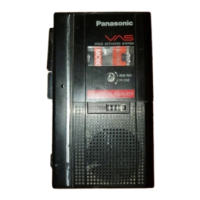
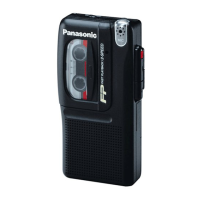
This document outlines the operational and maintenance procedures for the Panasonic RQ-L340 Mini Cassette Recorder, a compact and portable device designed for audio recording and playback. The manual provides a comprehensive guide for users, covering everything from basic controls to detailed disassembly and adjustment instructions.
The RQ-L340 serves as a versatile tool for capturing and replaying audio, making it suitable for a variety of personal and professional applications. Its intuitive design emphasizes ease of use, ensuring that both novice and experienced users can operate it effectively. The device's primary function is to record sound onto mini cassette tapes and play back recorded audio. This functionality is supported by a range of controls that allow for precise management of recording and playback processes.
The core functionality of the RQ-L340 revolves around its ability to record and play back audio. Users can initiate recording by pressing the dedicated "REC" button, which, in conjunction with the "PLAY" button, engages the recording mechanism. The device features a built-in microphone for convenient, on-the-go audio capture, as well as a microphone jack for connecting an external microphone, offering flexibility for different recording environments and quality requirements. An external DC input jack allows for power supply from an AC adaptor, complementing the battery-powered portability.
Playback is initiated by pressing the "PLAY" button. The device includes a monitor jack for private listening through headphones, and an integrated speaker for shared audio playback. Volume control is managed via a dedicated "VOLUME/VAS LEVEL" knob, which also controls the Voice Activated System (VAS) sensitivity. The VAS feature is particularly useful for hands-free recording, as it automatically starts recording when sound is detected and pauses when silence occurs, conserving tape and battery life.
Navigation through recorded material is facilitated by "REW/REV" (rewind/review) and "FF/CUE" (fast forward/cue) buttons. These controls allow users to quickly locate specific sections of a recording or to review content at an accelerated pace. A "STOP" button is provided for halting any ongoing operation. The device also incorporates a "TAPE SPEED" control, enabling adjustments to the playback and recording speed, which can be useful for various applications, such as transcribing or extending recording time.
For enhanced audio quality, the RQ-L340 includes a "TONE/SLE" (Tone/Sound Level Equalizer) switch. This feature allows users to adjust the audio characteristics to suit their preferences or the specific listening environment. An indicator light, "REC/BATT," serves a dual purpose: it illuminates during recording to confirm active recording and also functions as a battery check indicator, alerting the user to low battery levels. A "SOUND LEVEL EQUALIZER INDICATOR" (SLE) further assists in optimizing audio output.
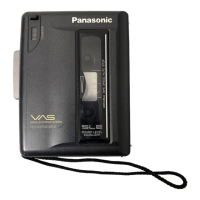
A "TAPE COUNTER" and "RESET BUTTON" are integrated to help users keep track of their position on the tape, making it easier to reference specific recordings or sections. The cassette compartment cover protects the tape and mechanism, while a hand strap enhances portability and security during transport. The device operates on two "AA" size batteries, ensuring its usability in locations without access to an electrical outlet.
The RQ-L340 is designed with user convenience in mind, offering several features that enhance its usability. The Voice Activated System (VAS) is a standout feature, allowing for efficient recording by only capturing audio when sound is present. This is particularly beneficial for lectures, interviews, or personal notes, where periods of silence would otherwise consume tape and battery. The "VAS/PAUSE" switch provides direct control over this function, allowing users to toggle it on or off as needed.
The inclusion of both a built-in microphone and an external microphone jack provides flexibility for different recording scenarios. The built-in microphone is ideal for quick, impromptu recordings, while the external jack allows for the use of higher-quality microphones or directional microphones for more focused audio capture. Similarly, the monitor jack enables private listening, which is crucial for reviewing sensitive material or for use in quiet environments without disturbing others.
The "TONE/SLE" switch allows for basic audio equalization, enabling users to adjust the sound to their preference. This can be particularly useful for improving the clarity of speech or for making music sound more pleasant during playback. The tape counter, coupled with its reset button, is a practical tool for organization, helping users to quickly navigate their recordings and mark important sections.
The compact and lightweight design of the RQ-L340, combined with its battery operation and hand strap, makes it highly portable. Users can easily carry it for recording on the go, whether for personal use, academic purposes, or professional tasks. The clear labeling of controls and indicators ensures that even first-time users can quickly grasp the device's operation.
The manual provides detailed instructions for basic maintenance and disassembly, ensuring the longevity and optimal performance of the RQ-L340. Key maintenance aspects include the removal of the rear cabinet and the cassette lid, which are essential for accessing internal components for cleaning or repair.
For instance, the process of removing the cassette lid is carefully outlined, emphasizing the need to avoid breaking the cassette feet. This involves opening the lid, using a screwdriver to gently push the cassette feet, and then carefully pulling out the lid. This procedure is crucial for cleaning the tape head, pinch roller, and capstan, which are vital for maintaining recording and playback quality. Regular cleaning of these components is recommended to prevent audio distortion and tape damage.
The manual also details the removal of the rear cabinet, which involves unscrewing specific screws and carefully detaching the cover. This step is necessary for accessing the internal circuit board and other mechanical components for more advanced maintenance or repair. The instructions for replacing the cassette lid spring are also provided, indicating a common wear-and-tear component that users might need to address over time.
Furthermore, the document includes sections on "Measurement and Adjustments," which are critical for maintaining the device's performance specifications. These sections cover alignment instructions, such as setting the volume control to maximum, ensuring the power source voltage is correct, and setting the TONE/SLE switch to OFF. Crucially, it highlights the importance of clean heads, capstan, and pinch roller before attempting any adjustments, underscoring the role of regular cleaning in overall device health.
Specific adjustments like "Head azimuth" and "Tape speed" are detailed, providing instructions on how to use test tapes and adjust internal potentiometers (VR4) to ensure accurate recording and playback. These adjustments are typically performed by service technicians but are documented for comprehensive understanding. The "Replacement Parts List" further supports maintenance by providing a catalog of components, aiding in the identification and procurement of necessary parts for repair. This comprehensive approach to maintenance ensures that the RQ-L340 can be kept in optimal working condition for an extended period.
 General
| Type | Microcassette Recorder |
|---|---|
| Recording Media | Microcassette |
| Power Supply | 2 x AA batteries |
| Headphone Output | Yes |
| Recording Time | Up to 120 minutes |
| Features | Built-in microphone |
| Microphone Input | Yes |
| Earphone jack | Yes |
| Playback Speed | Normal |
| Weight (without batteries) | 190 g |

 To Next Page