EasyManua.ls Logo

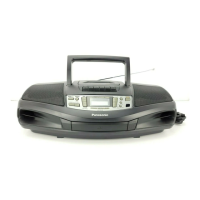
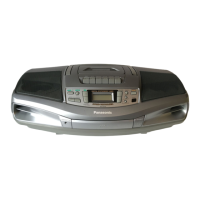
Panasonic RX-D26 - User Manual

Panasonic RX-D26
8 pages
Print Icon
To Next Page IconTo Next Page
Loading...
Portable Stereo CD System
Operating Instructions
Model No. RX-D26
EB E
GN GU GC GS
RQTT0622-1B
Note
“EB” on the packaging indicates the United Kingdom.
Dear customer
Thank you for purchasing this product.
Before connecting, operating or adjusting this product, please read these
instructions completely.
Please keep this manual for future reference.
Avoid using or placing this unit near sources of heat. Do not leave
it in an automobile exposed to direct sunlight for a long time with
the doors and windows closed as this may deform the cabinet.
Avoid cuts, scratches, or poor connections in the AC mains lead,
as they may result in possible fire or electric shock hazard. Also,
excessive bending, pulling or splicing of the lead should be avoided.
Do not unplug the AC mains lead by pulling on the lead. To do so
may cause premature failure or shock hazard.
Do not operate this unit in a bathroom, as a potential shock hazard
may result.
When not in use, disconnect the AC mains lead from the household
mains socket.
Precautions
If this unit is not used for a long period of time or is used only
from an AC power source, remove all the batteries to prevent
potential damage due to possible battery leakage.
Align the poles (+ and –) properly when inserting the batteries.
Do not mix old and new batteries or different types of batteries.
Do not recharge ordinary dry cell batteries.
Do not heat or disassemble the batteries. Do not allow them to
contact flame or water.
Do not keep together with metallic objects such as necklaces.
Do not use rechargeable type batteries.
Do not use batteries if the covering has been peeled off.
Mishandling of batteries can damage other items, cause damage to
the unit, and may cause a fire through short-circuiting or electrolyte
leakage.
If electrolyte leaks from the batteries, consult your dealer.
Wash thoroughly with water if electrolyte comes in contact with any
part of your body.
Use of batteries
Memory back-up
When the power supply is interrupted, radio stations you have set
are saved if you have inserted back-up batteries (not included).
These batteries do not power the unit.
When to change the batteries
The batteries last about a year.
Connect the unit to AC power before replacing the batteries.
Before connecting or disconnecting the AC mains lead, press
[TAPE/OFF] and stop the tape to turn the unit off. The memory
batteries are worn out faster if the cord is disconnected with the power
still on.
Removing the batteries
Open the battery cover and insert
your finger in the hole on the
bottom of the unit and push out.
(Remove the power batteries first.)
(R6/LR6, AA, UM-3)
shop@
www.panasonic.co.uk (for UK customers only)
Order accessory and consumable items for your product with ease
and confidence by telephoning our Customer Care Centre Mon–
Friday 9:00 am–5:30 pm. (Excluding public holidays.)
Or go on line through our Internet Accessory ordering application.
Most major credit and debit cards accepted.
All enquiries transactions and distribution facilities are provided
directly by Panasonic UK Ltd.
It couldn’t be simpler!
Customer Care Centre
For UK customers: 08705 357357
For Republic of Ireland customers: 01 289 8333
Technical Support
For UK customers: 0870 1 505610
This Technical Support Hot Line number is for Panasonic PC
software related products only.
For Republic of Ireland, please use the Customer Care Centre
number listed above for all enquiries.
For all other product related enquiries, please use the Customer
Care Centre numbers listed above.
For the United Kingdom and Republic of Ireland
Supplied accessories
Please check and identify the supplied accessories.
Use numbers indicated in parentheses when asking for replacement parts.
AC mains lead ........................................................................ 1pc.
For United Kingdom, Saudi Arabia and Kuwait: (RJA0053-2X)
For Australia and New Zealand: (RJA0035-X)
For others: (RJA0019-2K)
RX-D261B-2-3 04.1.29, 14:16Page 1 AdobePageMaker6.5J/PPC

Questions and Answers

  • W
    williamwilcoxJul 29, 2025
    Why is the sound quality poor on my Panasonic Portable Stereo System?
    • H
      hduffyJul 29, 2025
      Poor sound quality may occur if the heads need cleaning. Additionally, ensure that the batteries are not flat; replace them or connect the unit to household AC power.
  • A
    Allison ParkerAug 2, 2025
    What to do if my Panasonic RX-D26 doesn’t work on batteries?
    • B
      Brenda CastilloAug 2, 2025
      First, check that the AC mains lead is disconnected from the unit when using batteries. Then, verify that the batteries have been inserted correctly, ensuring the poles (+ and –) are correctly aligned.
  • L
    Larry BarnettAug 6, 2025
    Why is my Panasonic Portable Stereo System making a lot of noise?
    • K
      Kelly HartAug 6, 2025
      If you are experiencing a lot of noise, it may be due to interference from another remote control being used nearby; try using it further away from the unit. Also, check if a TV is on, as it can cause interference; move the unit away from the TV or turn the TV off.
  • D
    Deborah SuttonAug 11, 2025
    What to do if my Panasonic RX-D26 cannot read CD-RW?
    • S
      Samantha MitchellAug 11, 2025
      If your Panasonic Portable Stereo System cannot read a CD-RW, ensure the disc was fully formatted using the recording equipment before recording and clean the CD. If issues persist, wait an hour for condensation to dry, ensure the label is facing up, and replace the CD if it is scratched, warped, or irregularly shaped.
  • L
    Lisa DuarteAug 15, 2025
    What does “UO1” mean on my Panasonic Portable Stereo System?
    • S
      Sheri SnyderAug 15, 2025
      The display “UO1” indicates that you should replace the batteries or use household AC power.
  • C
    Corey RodriguezAug 19, 2025
    Why is recording not possible on my Panasonic RX-D26?
    • J
      John WilliamsAug 19, 2025
      If recording is not possible, check if the cassette’s tab has been removed. If it has, cover the hole with adhesive tape.
  • A
    allengregoryAug 25, 2025
    What does “ERROR” mean on my Panasonic RX-D26 Portable Stereo System?
    • S
      sandra16Aug 25, 2025
      The “ERROR” display indicates an incorrect operation. Read the instructions.

Summary

Supplied Accessories

AC Mains Lead

Details the included AC power cord for the unit.

Precautions

Use of Batteries

Battery Handling and Safety

Guidelines for safe battery insertion, mixing, and charging.

Power Sources

Household Mains Connection

Instructions for connecting the unit to a household mains socket.

Battery Operation

Details on how to power the unit using batteries.

Controls

Control Panel Overview

Identification and description of the unit's buttons and controls.

CDs

Normal CD Playback

Instructions for playing a CD from the first track to the last.

Safety and Usage Precautions

Laser Safety Warning

Precautions regarding hazardous laser radiation exposure.

Installation and Ventilation Guidelines

Advice on unit placement and ensuring adequate ventilation.

Fire and Electric Shock Hazards

Warnings about fire and electric shock risks due to overheating or misuse.

Moisture and Liquid Hazard

Protecting the apparatus from rain, moisture, and liquid-filled objects.

Using Headphones

Listening Safety Warning

Warning against prolonged listening to prevent hearing damage.

Maintenance

Caution for AC Mains Lead

Mains Plug and Fuse Safety

Details on plug suitability, fuse replacement, and safety markings.

Handling Unsuitable Plugs

Actions to take if the fitted mains plug is unsuitable for the socket.

Mains Lead Wiring Instructions

Correct wiring procedures for connecting the mains lead.

Earth Terminal Connection Warning

Strict warning against connecting any wire to the earth terminal.

Audio Software Care

Troubleshooting Guide

Common Operational Issues

Basic checks for common unit malfunctions and error messages.

CD Playback Problems

Solutions for issues related to CD reading, playback, and errors.

Panasonic RX-D26 Specifications

General IconGeneral
BrandPanasonic
ModelRX-D26
CategoryPortable Stereo System
Speakers2
Speaker TypeFull Range
CD PlayerYes
Cassette PlayerYes
RadioYes
Tuner BandsFM/AM
BluetoothNo
USB PortNo
Battery OperatedYes
AC PowerYes
Headphone JackYes

Related product manuals