EasyManua.ls Logo

Panasonic SC-BTT195 User Manual

Panasonic SC-BTT195
52 pages
To Next Page IconTo Next Page
Page #1 background imageLoading...
Page #1 background image
VQT3X51-2
Owners Manual
Blu-ray Disc
TM
Home Theater Sound System
Model No. SC-BTT196
SC-BTT195
SC-BTT190
Thank you for purchasing this product.
For optimum performance and safety, please read these instructions carefully.
Please keep this manual for future reference.
If you have any questions, contact:
U.S.A. and Puerto Rico : 1-800-211-PANA(7262)
Canada : 1-800-561-5505
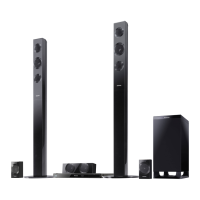
Unless otherwise indicated, illustrations in this Owner’s Manual are of SC-BTT196 for U.S.A.
until
2012/03/07
P PC
SC-BTT190P_eng.book 1 ページ 2012年2月20日 月曜日 午後5時5分

Other manuals for Panasonic SC-BTT195

Question and Answer IconNeed help?

Do you have a question about the Panasonic SC-BTT195 and is the answer not in the manual?

Panasonic SC-BTT195 Specifications

General IconGeneral
BrandPanasonic
ModelSC-BTT195
CategoryHome Theater System
LanguageEnglish

Summary

Important Safety Instructions

Unit Safety Precautions

Safety instructions for the main unit, including ventilation and heat sources.

Placement Guidelines

Instructions on proper placement to prevent fire, shock, or damage, and ensure ventilation.

Speaker Handling and Safety

Safe handling procedures for speakers, including avoiding short circuits and proper carrying.

Battery Safety Precautions

Guidelines for safe battery use and disposal to prevent leakage or fire hazards.

Getting Started Guide

Package Contents and Accessories

Lists and describes all items included in the product package.

Unit and Media Care Instructions

Guidelines for cleaning the unit, its lens, and proper handling of discs.

Supported Playable Media

Details the types of discs and memory cards supported by the unit.

Remote Control Operations

Guide to using the remote control, including button functions and battery insertion.

Speaker Positioning for Optimal Sound

Guidance on placing front, center, and surround speakers for the best audio experience.

Speaker Preparation and Connection

Instructions for assembling front speakers and connecting speaker cables correctly.

System Connections Guide

Details on connecting speakers, TV via HDMI, and optical audio connections.

Network and Power Connection

Steps for connecting to a network via wireless LAN or LAN cable, and connecting to AC power.

Initial Setup and Network Configuration

Setup process for initial configuration, including network and easy settings.

Remote Control and Firmware Management

Media Handling and TV Audio Setup

Navigating the HOME Menu

Multi User Mode Configuration

Playback Operations Guide

3D Video, Slideshows, and BD-Live

iPod and iPhone Integration

VIERA Link and HDAVI Control

TV and STB Audio Output

Radio Tuning and Presetting

Network Services and Internet Access

Home Network and DLNA Playback

Playback Option Menu Functions

Playback Information and Video Settings

Comprehensive Audio Settings

3D Display and Setup Menu Options

Advanced Video and Audio Settings

HDMI Audio, 3D, and Language Settings

Network Configuration and Language Options

System Settings and Access Control

Unit Settings and Speaker Level Adjustment

Speaker Delay Time and Sound Effects

Speaker Wall Mounting Options

Speaker Assembly and Fall Prevention

Troubleshooting Common Issues

Picture Display Troubleshooting

Sound and Playback Troubleshooting

Network Troubleshooting and Error Messages

Troubleshooting: Error Codes and Status

Product Specifications

File Formats and Language Support

Regulatory Compliance and Legal Notices

Trademarks and Software Licenses

Software Information and Copyright Notices

USA and Puerto Rico Limited Warranty

Canada Limited Warranty

Related product manuals