EasyManua.ls Logo

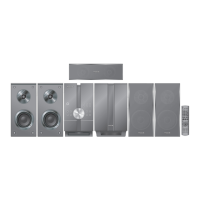
Panasonic SC-BTT405EG9 - User Manual

Panasonic SC-BTT405EG9
4 pages
Print Icon
To Next Page IconTo Next Page
Loading...
VQT5F47
EG
until
2014/05/24
Svenska
Magyar
Polski
Italiano
Français
English
Español
Dansk
Suomi
Česky
Nederlands
Model No. SC-BTT465
SC-BTT405
SC-BTT105
Owners Manual <Basic>
Blu-ray Disc
TM
Home Theater Sound System
Mode d’emploi <de base>
Système Cinéma Maison Blu-ray Disc
TM
Istruzioni per l’uso <Base>
Sistema Home Theater Blu-ray Disc
TM
Instrucciones de funcionamiento <Básico>
Blu-ray Disc
TM
Sistema de sonido “Home Theater” (Teatro en casa)
Gebruiksaanwijzing <Basiskennis>
Blu-ray Disc
TM
Home Theater Geluidssysteem
Bruksanvisning <Grundläggande>
Blu-ray Disc
TM
Hemmabio ljudsystem
Betjeningsvejledning <Grundlæggende>
Blu-ray Disc
TM
Lydsystem til hjemmebiograf
Käyttöohjeet <Perusasetukset>
Blu-ray Disc
TM
-kotiteatterijärjestelmä
Instrukcja obsługi <Czynności podstawowe>
Zestaw kina domowego Blu-ray Disc
TM
Návod k obsluze <Základní režimy>
Zvuková aparatura domácího kina Blu-ray Disc
TM
Felhasználói kézikönyv <Kezdő>
Blu-ray
TM
lemez Házi Mozi Hangrendszer
Please also read through the “Owner’s Manual <Setup>” and the “Owner’s Manual <Operations> (CD-ROM)”.
Veuillez également lire entièrement le “Mode d’emploi <Configuration>” et le “Mode d’emploi <Opérations> (CD-ROM)”.
Consultare inoltre le “Istruzioni per l’uso <Setup>” e le “Istruzioni per l’uso <Operazioni> (CD-ROM)”.
También lea detenidamente el “Instrucciones de funcionamiento <Configuración>” y el “Instrucciones de funcionamiento <Operaciones> (CD-ROM)”.
Lees ook de “Gebruiksaanwijzing <Setup>” en de “Gebruiksaanwijzing <Bediening> (CD-ROM)”.
Läs också genom “Bruksanvisning <Inställning>” och “Bruksanvisning <Manövrer> (CD-ROM)”.
Læs også “Betjeningsvejledning <Opsætning>” og “Betjeningsvejledning <Betjening> (CD-ROM)” grundigt.
Lue myös huolellisesti “Käyttöohjeet <Asetus>” ja “Käyttöohjeet <Toimenpiteet> (CD-ROM)”.
Należy również przeczytać “Instrukcja obsługi <Ustawienia>” oraz “Instrukcja obsługi <Działania> (na płycie CD)”.
Přečtěte si také “Návod k obsluze <Nastavení>” a “Návod k obsluze <Ovládání zařízení> (CD-ROM)”.
Ne feledje a “Felhasználói kézikönyv <Beállítás>” és a “Felhasználói kézikönyv <Műveletek> (CD-ROM)” alapos áttanulmányozását sem.
SC-BTT465
SC-BTT465&405&105EG-VQT5F47.book 1 01年128 火日 後252

Questions and Answers

  • V
    Valerie MoralesAug 11, 2025
    Why is my Panasonic Home Theater System remote control not working?
    • E
      Emma FoxAug 12, 2025
      If your Panasonic Home Theater System remote control isn't working properly, first, try changing the batteries. If that doesn't work, display the HOME menu and try again; the unit's condition may be affecting the remote's functionality.
  • M
    Madison MendozaAug 17, 2025
    What to do if my Panasonic Home Theater System cannot eject disc?
    • L
      Leslie AriasAug 17, 2025
      If your Panasonic Home Theater System won't eject the disc, try pressing and holding the [OK], yellow, and blue buttons on the remote control simultaneously for more than 5 seconds. If that doesn't work, press [1] (right) repeatedly on the remote control until “06FtO” is displayed on the unit’s display, and then press [OK].
  • S
    shawkristiAug 23, 2025
    What to do if my Panasonic Home Theater System doesn't recognize USB connection?
    • J
      Julie ThomasAug 23, 2025
      If your Panasonic Home Theater System doesn't recognize the USB connection, try disconnecting and reconnecting the USB cable. Also, avoid using USB hubs or extension cables (other than the one supplied with the Wireless LAN Adaptor DY-WL5) as they may prevent the unit from recognizing the USB device correctly.
  • B
    Brittany Allen MDAug 29, 2025
    How to fix Panasonic Home Theater System when it doesn't respond to remote or buttons?
    • J
      Jo AllenAug 30, 2025
      If your Panasonic Home Theater System unit isn't responding to the remote control or the unit's buttons, disconnect the AC power supply cord, wait 1 minute, and then reconnect it.
  • S
    sabrinabradshawSep 5, 2025
    Why does my Panasonic Home Theater System TV screen turns black?
    • C
      Christopher AguilarSep 5, 2025
      When “24p Output” is set to “On” on your Panasonic Home Theater System, HDMI authentication takes place, and a black screen is displayed on the TV.

Panasonic SC-BTT405EG9 Specifications

General IconGeneral
TypeHome Cinema System
Total Power Output1000 W
Speaker Configuration5.1
BluetoothYes
USB PlaybackYes
Blu-ray playerYes
3DYes
Smart TVNo
Wi-FiNo
EthernetYes
HDMIYes
USBYes
NFCNo
Wireless SubwooferNo
HDMI Output1
3D ReadyYes
4K Pass-throughNo
DLNA CertifiedYes
Audio Formats SupportedDolby Digital

Related product manuals