EasyManua.ls Logo

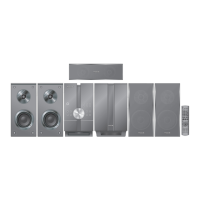
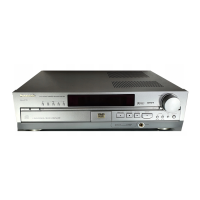
Panasonic SC-NC9 - User Manual

Panasonic SC-NC9
48 pages
Print Icon
To Next Page IconTo Next Page
Loading...
Operating Instructions
DVD Stereo System
Model No.
SC-NC9
SC-NC6
Before connecting, operating or adjusting this
product, please read these instructions completely.
SC-NC9 is used in the illustrations unless otherwise
indicated.
Please keep this manual for future reference.
Your unit may not look exactly the same as
illustrated.
SC-NC9
High-quality picture
HDMI capability
#
, Advanced
progressive scan and more
High-performance
sound effects
Sound quality
enhancement, Bi-Amp TS
#
USB plug-and-play
Using USB playback
function
10
34
40
RQTX0072-B
EB
Operations Guide
#
Only available for SC-NC9.
Note
“EB” on the packaging indicates the United
Kingdom.
Region number
The player plays DVD-Video marked with labels
containing the region number 2” or ALL”.
Example:
2 ALL
3
5
2
NC9_NC6 EB Draft.indb 1 2/26/2007 1:44:27 PM

Questions and Answers

  • D
    Devon WoodAug 17, 2025
    Why is there no sound coming from my Panasonic SC-NC9 Home Cinema speakers?
    • R
      Richard ScottAug 17, 2025
      If you're experiencing no sound or distorted sound from your Panasonic Home Cinema speakers, there could be several reasons. First, check all the connections to ensure they are secure. Then, make sure the volume is turned up. Note that there may be a pause in sound when changing the play speed. Also, DivX Audio may not be output due to how the files were created. If using an HDMI output, audio may not be output from other terminals. If more than 4 devices are connected with HDMI cables, reduce the number of connected devices. Finally, when using the HDMI connection, ensure that “Audio Output” in the “HDMI” menu is set to “On.”
  • S
    Stephanie PrinceAug 20, 2025
    What to do if my Panasonic SC-NC9 remote control is not working?
    • M
      Michael RamosAug 20, 2025
      If your Panasonic Home Cinema speakers remote control isn't working, first, verify that the batteries are installed correctly and replace them with new ones if they are depleted. Also, make sure that you point the remote control at the remote control sensor.
  • M
    Maria EllisAug 23, 2025
    How to fix no picture on Panasonic Home Cinema speakers?
    • C
      Cynthia DunlapAug 23, 2025
      If there is no picture on your Panasonic Home Cinema speakers, check the connection and ensure the television’s video input setting is correct. Also, while the HDMI cable is being used, there will be no video output from the SCART and COMPONENT VIDEO OUT terminals. If the SCART and COMPONENT VIDEO OUT terminals are to be used, remove the HDMI cable and power on/off this unit again.
  • C
    Chase RileyAug 26, 2025
    Why won't my Panasonic SC-NC9 Home Cinema speakers play the disc?
    • J
      Jennifer DixonAug 26, 2025
      If play doesn’t start (or stops immediately) when you press [q, DVD/CD] on your Panasonic Home Cinema speakers, it could be due to condensation having formed; wait 1 to 2 hours for it to evaporate. Also, this unit cannot play discs other than the ones listed in these operating instructions. Ensure that the disc is loaded with the label of the side to be played facing right, and the disc may be dirty and may require cleaning. Finally, check that the DVD-RAM has something recorded on it.
  • H
    Hannah HowardAug 28, 2025
    Why is the picture on my Panasonic SC-NC9 not displayed correctly?
    • J
      Joseph ReevesAug 28, 2025
      If the picture on the television is not displayed correctly or disappears when using your Panasonic Home Cinema speakers, it could be because the unit and television are using different video systems, so use the multi-system or PAL television. Another reason might be that the system used on the disc does not match your television; this unit can convert NTSC signals to PAL 60 for viewing on a PAL television (“NTSC Disc Output” in “Video” tab.) Also, change “Source Select” in Picture Menu.
  • K
    Karen MorenoAug 31, 2025
    What should I do if my Panasonic Home Cinema speakers do not respond when buttons are pressed?
    • M
      Melissa NewmanAug 31, 2025
      If your Panasonic Home Cinema speakers do not respond when any buttons are pressed, it may be because some operations are prohibited by the disc. The unit may not be operating properly due to lightning, static electricity or some other external factor, so turn the unit OFF and then back to ON. Alternatively, press [^] to switch the unit to standby mode, disconnect the AC mains lead, and then reconnect it.
  • T
    Tina BauerSep 2, 2025
    How do I adjust the picture size on my Panasonic SC-NC9 Home Cinema speakers?
    • T
      Tiffany HancockSep 2, 2025
      If the picture size doesn’t fit the screen on your Panasonic Home Cinema speakers, change the “TV Aspect” in the “Video” tab. You can also change the Zoom setting.
  • C
    Christopher ParkerSep 5, 2025
    What to do if my Panasonic SC-NC9 cannot eject the disc?
    • K
      Kimberly WalkerSep 5, 2025
      If your Panasonic Home Cinema speakers cannot eject the disc, it may not operate properly if the disc is damaged or dirty. Press [^] and after the display disappears, wait a few seconds, then press [^] again and eject the disc.
  • C
    Chris CastroSep 8, 2025
    Why does my Panasonic SC-NC9 automatically switch to standby mode?
    • C
      Colleen ParkSep 8, 2025
      Your Panasonic Home Cinema speakers may be automatically switching to standby mode because the unit was switched to standby by the sleep timer or auto-off function.
  • T
    Timothy RileySep 12, 2025
    Why does my Panasonic Home Cinema speakers display “NO PLAY”?
    • S
      Suzanne RoseSep 12, 2025
      If your Panasonic Home Cinema speakers display “NO PLAY”, it means you inserted a disc or USB device which the unit cannot play, or you inserted a blank disc or USB device. Also, you may have inserted a disc that has not been finalized.

Summary

Safety and Fuse Information

AC Mains Lead Precautions (UK)

Essential safety advice for UK mains lead, including fuse replacement and warnings.

General Safety Precautions

Unit Placement and Voltage Safety

Guidelines on proper unit placement, voltage use, and avoiding foreign matter.

AC Mains Lead and Service Safety

Covers safe handling of the AC lead, servicing advice, and unit care.

Included Accessories

Disc Handling and DivX VOD

Proper Disc Handling Procedures

Instructions on how to handle discs to prevent damage and ensure playback.

Speaker Setup and Positioning

Optimizing Speaker Placement

Guidance on positioning speakers for optimal sound field and bass response.

Connecting the Speaker System

Speaker Cable Connection Guide

Illustrates speaker cable connections for SC-NC9 and SC-NC6 models, emphasizing correct polarity.

Connecting External Devices

TV, Antenna, and AC Power Connections

How to connect the TV, AM/FM antennas, and the AC mains lead.

Advanced TV Connections

HDMI Connection for High-Quality Output

Guide to connecting via HDMI for superior audio and video transmission.

Video Outputs and Remote Control

Remote Control Overview and Usage

Introduces the remote control functions and basic operation.

Initial Setup Procedures

Quick Setup Wizard

Step-by-step guide for initial system setup using the Quick Setup feature.

Remote Control Reference

SC-NC9 Remote Functions

Detailed explanation of buttons and functions for the SC-NC9 remote control.

SC-NC6 Remote Functions

Detailed explanation of buttons and functions for the SC-NC6 remote control.

Unit Controls and Indicators

Main Unit Interface Explained

Description of buttons, indicators, and ports on the main unit.

Disc Information and Compatibility

Basic Disc Playback Operations

Playing Discs with the Unit

Step-by-step guide for loading and playing discs using the main unit.

Playing Discs with the Remote

Instructions for initiating and controlling disc playback using the remote control.

Playback Control Features

Playback Commands (Stop, Pause, Skip)

How to use stop, pause, skip, and search functions during playback.

Convenient Playback Functions

Navigation Menu Usage

On-Screen Menu Customization

Picture and Playback Adjustments

Player Settings Configuration

Disc Menu Settings

Configuring audio language, subtitles, menu language, and parental ratings.

Video and Audio Output Configuration

HDMI, Display, and Other Settings

HDMI Menu Options

Adjusting HDMI settings like RGB Range, Video Mode, Audio Output, and VIERA Link.

Radio Tuning and Presets

Preset Tuning Methods

Guide to automatic and manual preset tuning for FM and AM radio stations.

Radio and Cassette Operations

Cassette Tape Playback Guide

Instructions for inserting, playing, and adjusting volume for cassette tapes.

Cassette Tape Recording and Management

Recording Cassette Tapes

How to record from radio, disc, or USB to cassette tapes, including preparation.

Sound Field and Quality Settings

Surround Sound Effects and Levels

Surround Sound Enhancements

Using SRND, Center Focus, and Dolby Pro Logic II effects for immersive audio.

Subwoofer and Speaker Level Calibration

Adjusting subwoofer level and calibrating individual speaker levels for optimal surround sound.

Convenient Timer and Sleep Functions

VIERA Link HDAVI Control

System Integration and Control

Explains VIERA Link for synchronized operation with Panasonic TVs and remote control.

External Equipment Connectivity

USB Playback and Device Management

USB Playback Functionality

How to connect and play music, photos, and videos from USB storage devices.

Troubleshooting Common Issues

Power and Basic Operation Problems

Solutions for power issues, unit response, remote control, and disc playback.

Disc and Menu Playback Errors

Troubleshooting disc loading, program/random play, and menu display problems.

Troubleshooting Playback and Picture Issues

Playback Control and Sound Problems

Addressing issues with A-B repeat, markers, and distorted or no sound.

Picture Display and Fitting Problems

Troubleshooting no picture, incorrect display, and picture size fitting issues.

Advanced Troubleshooting Scenarios

Error Codes, Reset, and Maintenance

Specific Error Code Solutions

Providing solutions for specific error codes and television display messages.

System Specifications Overview

Safety, Laser, and Disposal Information

General Safety and Ventilation Warnings

Crucial warnings on installation, ventilation, and fire prevention.

Laser Product Safety Precautions

Safety measures related to the laser product, including avoiding direct exposure.

Panasonic SC-NC9 Specifications

General IconGeneral
DVD PlayerNo
BluetoothYes
Wall MountableYes
TypeHome Theatre System
Speaker System2.1
ConnectivityBluetooth

Related product manuals