BAND
2_
This timer records the radio at the set time.
For U.S.A.: 12-hour clock
For others: 24-hour clock
The example shows settings on the 12-hour clock for recording from
6:30 p.m. (18:30) to 8:00 p.m (20:00).
Preparation:
• Press ['_/I, POWER] to tum the unit on, set the time (=, page 12).
• Press [TUNER, BAND] and tune in the desired station•
1
2
11MEfl
%
3
4
• 5
6
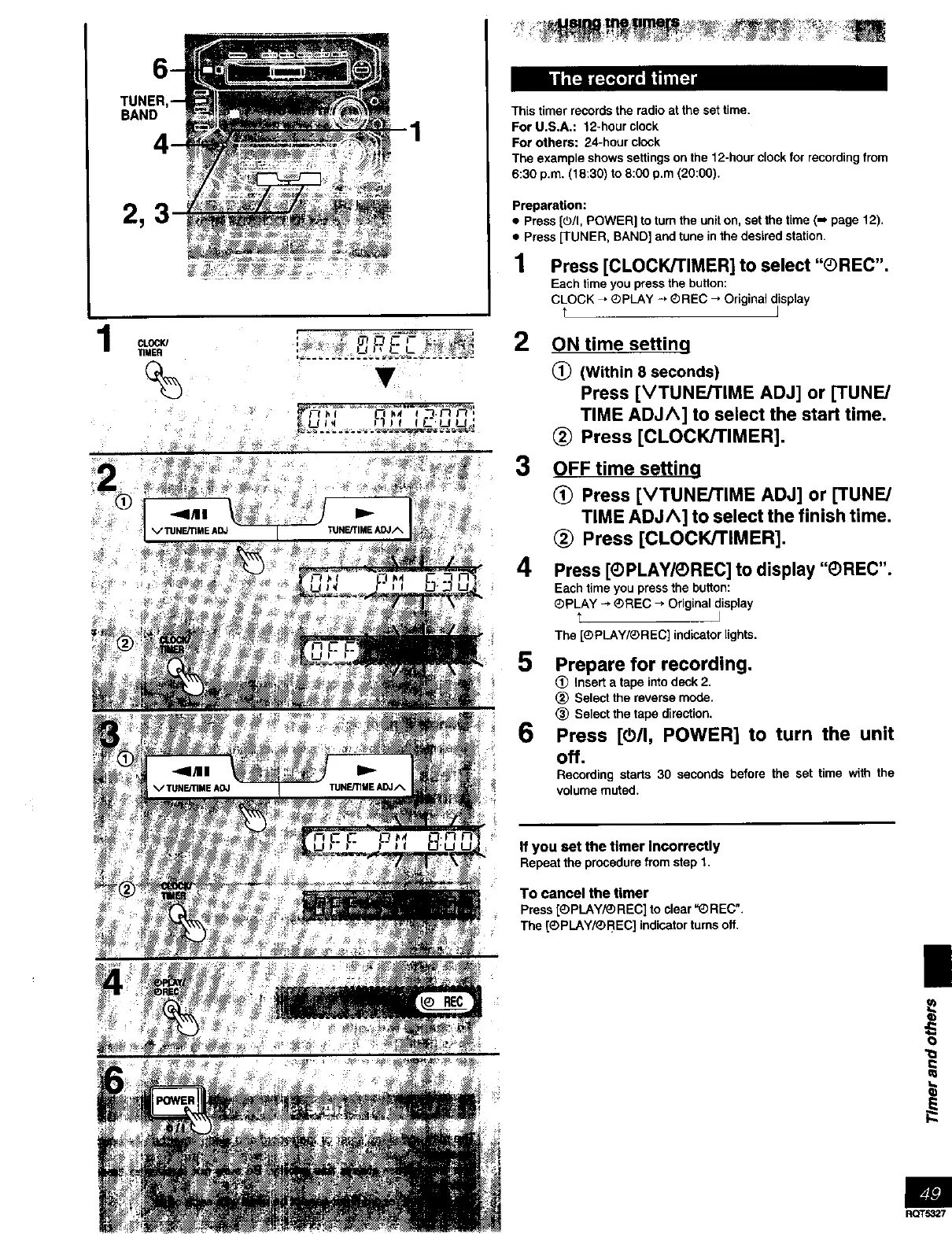
Press [CLOCK/TIMER] to select "®REC".
Each time you press the button:
CLOCK _ ®pLAY -, QREC _ Original display
t I
ON time setting
(_ (Within 8 seconds)
Press [VTUNE/TIME ADJ] or [TUNE/
TIME ADJA] to select the start time.
(_ Press [CLOCK/TIMER].
OFF time settino
(_ Press [VTUNErrlME ADJ] or [TUNE/
TIME ADJ^] to select the finish time.
(_) Press [CLOCK/TIMER].
Press [®PLAY/®REC] to display "®REC".
Each time you press the button:
_PLAY -* ®REC _ Original display
I
The [®PLAY/®REC] indicator lights.
Prepare for recording•
Insert a tape into deck 2.
(_) Select the reverse mode.
(_ Select the tape direction.
Press [O/I, POWER] to turn the unit
off.
Recording starts 30 seconds before the set time with the
volume muted.
If you set the timer Incorrectly
Repeatthe procedurefromstep 1,
To cancel the timer
Press [_)PLAY/® REC] to clear '_ REC'.
The [_PLAY/®REC] indicator turns off.
|
O
RQT5327



 To Next Page