Thisunitcan playback discs bearing any of the marks:
€0
,,, o, o [o, rrALV,DEOI
DIGITAL aUOIO
This unit does not have a DTS decoder so it cannot play audio en-
coded with DTS.
This unit cannot play the following discs:
• DVD with an unsuitable region • VSD
number (.o page 5) • CD-ROM
• DVD-Audio • CDV
• DVD-ROM • CVD
• DVD-R • CD-G
• DVD-RAM • CD-RW
• DVD+RW • SACD
• DVD-RW • SVCD
• DIVX Video Disc • CD-R
• Photo CD, etc.
DVDs and Video CDs are recorded using either PAL or NTSC.
Refer to this table when s_t3cting discs.
Example of how the picture appears on the screen
.......x.......
TV type
Multi-
system TV
NTSC"IV
PAL "rv_1
TV Monitor
Disc For Asia For Australia
tnd New Zealand
PAL v" v'
NTSC v" v'_2
PAL x x
NTSC I/ X
PAL v" V
NTSC V _3 V E4
For others
x
v"
x
v'
x
x
®
• Insert so the poles (+ and --) match those in the remote control.
• Do not use rechargeabFe type batteries.
Do not;
• mix old and new batteries.
• use different types at the same time.
• heat or expose to flame.
• take apart or short circuit.
• attempt to recharge alkaline or manganese batteries.
• use battedas if the covedng has been peeled off.
• keep together with metallic objects such as necklaces.
Mishandling of batteries can cause electrolyte leakage which can
damage items the fluid contacts and may cause a fire.
If electrolyte leaks from the batteries, consult your dealer.
Wash thoroughly with water if electrolyte comes in contact with any
part of your body.
Remove ifthe remote control is not going to be used for a long period
of time. Store in a cool, dark place.
Replace if the unit does not respond to the remote control even when
held close to the front panel.
_1 Only for Asia
Screens shown while the unit is stopped (e.g. initial settings) may
not be displayed correctly.
_2 If you select "2 NTSC" in =9 Other Settings" - "6 NTSC Disc
Output", the picture may be clearer (-_ page 54).
_3 In "9 Other Settings" - =6 NTSC Disc Output", select "1 PAL 60"
(-_ page 54). Ifyour television is not equipped to handle PAL 525/
60 signals the picture will not be shown correctly.
_4 The factory setting for NTSC disc output is "PAL 60", so no
changes to the initial setting are necessary.
The bottom part of the picture may be cut off it the Video CD played
does not comply with standards.
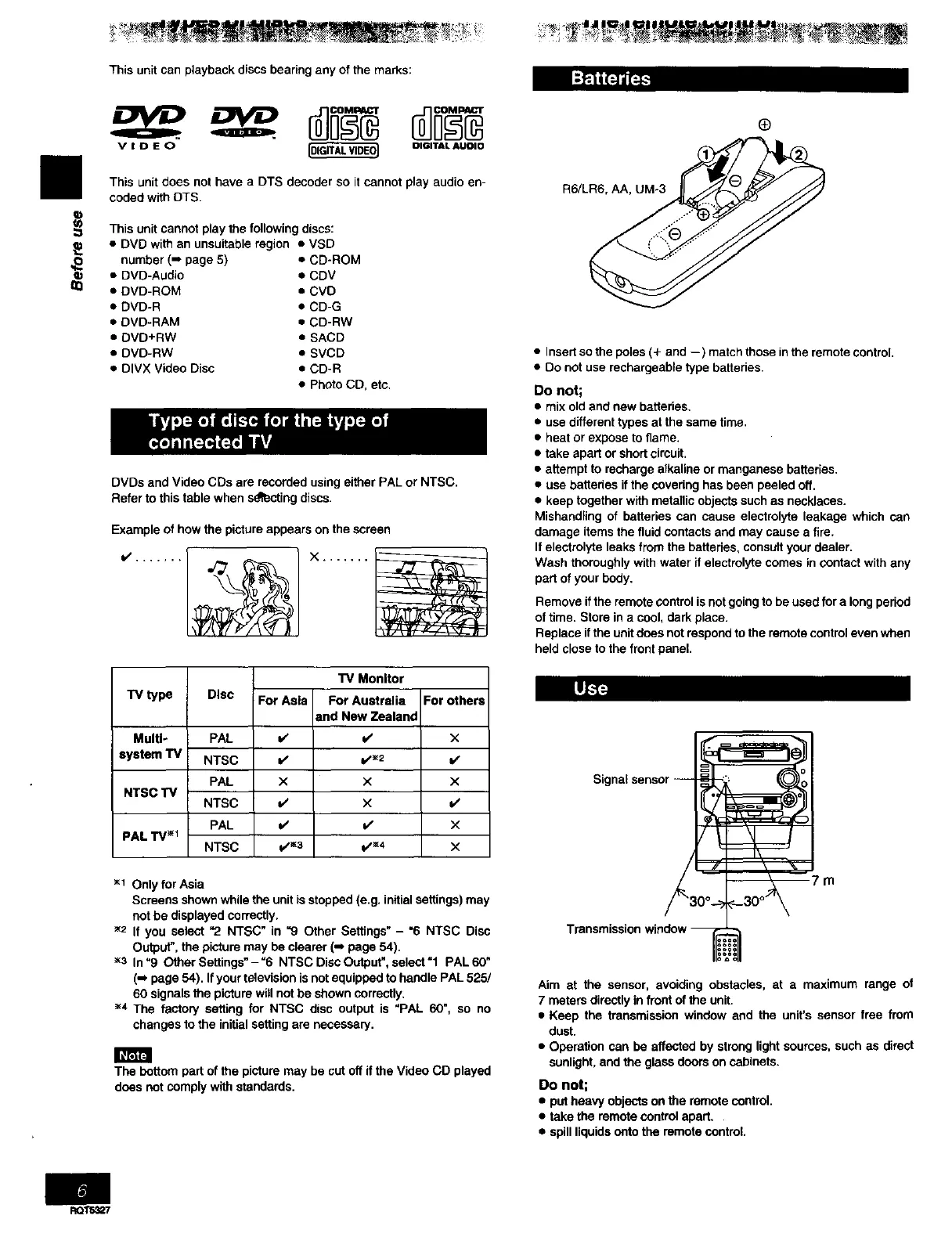
Aim at the sensor, avoiding obstacles, at a maximum range of
7 meters directly in front of the unit,
• Keep the transmission window and the unit's sensor free from
dust.
• Operation can be affected by strong light sources, such as direct
sunlight, and the glass doors on cabinets.
Do not;
• put heavy objects on the remote control.
• take the remote control apart.
• spill liquids onto the remote control,
RQ_


 To Next Page
 Loading...











