EasyManua.ls Logo

Panasonic TC-15DT2 - User Manual

Panasonic TC-15DT2
72 pages
Print Icon
To Next Page IconTo Next Page
Loading...
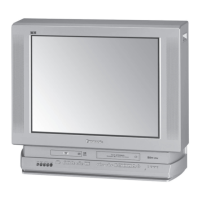
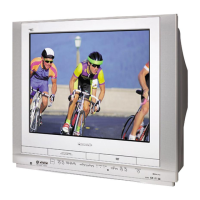
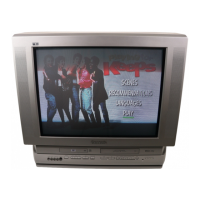
Combination 15.2˝ LCD
TV/DVD Player
Operating Instructions
TC-15DT2
Model No.
TQBC0256
Before connecting, operating or adjusting this product, please read these instructions completely. Please keep this
manual for future reference.
G
-
P
O
W
E
R
A
S
P
E
C
T
R
-
S
T
A
N
D
B
Y
O
N
P
O
W
E
R
I
N
P
U
T
V
O
L
U
M
E
C
H
A
N
N
E
L
T
C
-
1
5
D
T
2
G-POWER
POWER
OPEN
/CLOSE
DISPALY
T
O
P
M
E
N
U
ANGLE
D
V
D
M
E
N
U
ENTER
TV
MENU
RETURN
SKIP
SLOW
/SEARCH
STOP
PAUSE PLAY
ASPECT
TV/VIDEO MUTE
SLEEP
CH
VOL
SURROUND
CANCEL
REPEAT MODE A-B REPEAT PLAY MODE
R-TUNE
ASPECT
R-STANDBY
ON
POWER
INPUT VOLUME CHANNEL
TH-15DT1
This manual is divided into two parts, the “Install and TV Adjusts” and “DVD Operation Guide” :
Install and TV Adjusts: Details on installation of the unit and adjustments to achieve optimum quality of the TV.
DVD Operation Guide: Details on operating instructions for playing disks such as DVDs and CDs.
For assistance, please call : 1-800-211-PANA (7262)
or send e-mail to : consumerproducts@panasonic.com
or visit us at www.panasonic.com (U.S.A)
For assistance, please call : 787-750-4300
(Puerto Rico)


Table of Contents

Other manuals for Panasonic TC-15DT2

Questions and Answers

  • Z
    zadamsAug 18, 2025
    Why won't my Panasonic TV DVD Combo play DVDs?
    • A
      Amanda BerryAug 19, 2025
      If your Panasonic TV DVD Combo fails to start playing when you press PLAY, or if it starts but stops immediately, consider the following: 1. Condensation may have formed; wait about 1 to 2 hours for it to evaporate. 2. This player can only play DVDs, Video CDs, and CDs. 3. The disc may be dirty and require cleaning. 4. Ensure the disc is installed with the label side facing upwards.
  • J
    Jennifer HicksAug 21, 2025
    How to fix Panasonic TV DVD Combo when power does not turn on?
    • T
      Terri PadillaAug 21, 2025
      If your Panasonic TV DVD Combo isn't powering on, make sure the power plug is properly plugged into the outlet and that the AC adapter is securely connected to the unit. Also, if you're using the remote, ensure the TV itself is turned on.
  • J
    James HernandezAug 23, 2025
    Why is my Panasonic TV DVD Combo remote control not working?
    • K
      kcarrAug 23, 2025
      If the remote control for your Panasonic TV DVD Combo isn't working, check if the batteries are dead or inserted incorrectly. Also, make sure the remote control sensor isn't in direct light from fluorescent lamps or other strong light sources.
  • T
    Travis BlanchardAug 26, 2025
    What to do if Panasonic TC-15DT2 image shakes or has no color?
    • L
      Lisa MillerAug 26, 2025
      If the image on your Panasonic TV DVD Combo shakes, isn't clear, or has no color, check whether the antenna cable is properly connected. If you're using a VCR and selecting channels on the TV, ensure the TV/VIDEO mode for the VCR is set to TV.
  • J
    johnsoncourtneyAug 28, 2025
    How to resolve a doubled or tripled image on Panasonic TC-15DT2?
    • S
      Sean MckinneyAug 28, 2025
      If the image on your Panasonic TV DVD Combo appears doubled or tripled, check the cable signal, connections, or wiring.
  • T
    Tammy PalmerAug 30, 2025
    Why is there no surround sound on my Panasonic TV DVD Combo?
    • G
      gwendolynmurrayAug 30, 2025
      If you're not getting surround sound on your Panasonic TV DVD Combo, first, choose the speaker setting that matches your speaker system. Also, no surround sound is output when the virtual surround effect is activated. Ensure that “VSS OFF” or “Headphone VSS OFF” is selected.
  • E
    egriffinSep 1, 2025
    Why can't I select alternative languages on my Panasonic TC-15DT2 TV DVD Combo?
    • D
      Daniel CarterSep 2, 2025
      If you're unable to select alternative audio or subtitle languages on your Panasonic TV DVD Combo, it could be because the disc doesn't contain more than one language. Also, for some discs, the alternative language cannot be selected directly; try selecting it from the DVD menu if available.
  • E
    Erica StephensSep 4, 2025
    What to do if Panasonic TC-15DT2 TV DVD Combo audio or subtitle language is wrong?
    • A
      Austin SchaeferSep 4, 2025
      If the audio soundtrack and/or subtitle language on your Panasonic TV DVD Combo isn't the one you selected in the initial settings, it's possible that the disc doesn't have the language you selected.
  • S
    Sandra MillsSep 6, 2025
    Why is the image cut off in ZOOM or JUST modes on my Panasonic TV DVD Combo?
    • D
      Danny FranklinSep 6, 2025
      If the image is cut off at the top and bottom during ZOOM or JUST modes on your Panasonic TV DVD Combo, the screen position may have been changed. Try adjusting the screen positioning.
  • R
    Robert ThompsonSep 8, 2025
    How do I change the menu language on my Panasonic TC-15DT2 TV DVD Combo?
    • J
      Jonathan JonesSep 9, 2025
      If the menu on your Panasonic TV DVD Combo is displayed in French, the setup “3 Menus” of “1 Disc Languages” is likely set to French. Change the setting to English.

Summary

Important Safety Instructions

LCD TV Safety Instructions

Essential safety precautions for operating the LCD TV.

Installation Guide

Power ON; OFF Operations

Remote Control Functions

Channel Tuning

Picture Adjustments

Audio Adjustments

Parental Lock Feature

DVD Operation Guide

DVD Features Overview

Highlights of the player's capabilities, including picture and sound quality.

DVD Operation: Basic Playback

Starting and Stopping Playback

How to open the disc tray, place a disc, and start playback.

DVD Operation: Skipping and Pausing

Initial Settings Configuration

Selecting Disc Languages and Ratings

Setting preferred languages for audio, subtitles, menus, and parental ratings.

Speaker Setup and Calibration

Troubleshooting Common Issues

Panasonic TC-15DT2 Specifications

General IconGeneral
Screen Size15 inches
Display TypeLCD
Aspect Ratio4:3
DVD PlayerYes
TV TunerNTSC
InputsComposite video, S-Video, RF

Related product manuals