
 Need help?
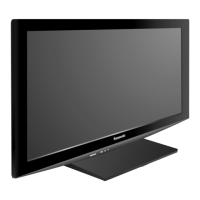
Do you have a question about the Panasonic TC-P42S1X and is the answer not in the manual?
Essential safety guidelines to follow before operating the TV.
Critical warnings regarding electric shock, setup, and handling.
Instructions for safe TV setup, power cord handling, and placement.
Advice on transporting the unit, caring for the display panel, and general safety.
List of included accessories for the TV setup and operation.
Details and safety notes for installing the optional wall-mounting bracket.
Step-by-step instructions for assembling the TV pedestal using screws.
Guidance on securely setting up the pedestal and associated safety precautions.
How to correctly attach and detach the AC power cord from the TV.
Diagrams showing connections for antenna, pin, and HDMI terminals.
How to connect the TV to antenna sources or a cable box.
Guide for connecting DVD recorders or VCRs for playback and recording.
Instructions for connecting satellite receivers and DVD recorders simultaneously.
Using HDMI and Component cables for high-quality video and audio.
Using S-Video and Composite cables for standard video connections.
Location and function of buttons and indicators on the TV itself.
Overview of buttons and their operations on the remote control.
Steps for turning on the TV for the first time and selecting the display language.
Choosing the correct viewing mode for home use or store demonstration.
How to set the correct date and time on the TV.
Configuring antenna/cable input and performing auto channel scanning.
Selecting scan types and labeling input terminals for easier identification.
Turning on the TV, selecting channels, and using basic viewing functions.
Adjusting audio settings (SAP) and managing closed caption display.
Displaying channel information and adjusting picture aspect ratios.
Setting up and calling up favorite channels for quick access.
How to display and navigate the VIERA TOOLS shortcut menu.
How to insert an SD card and configure settings for viewing photos.
Selecting and viewing photos and other data from the SD card.
Customizing picture settings like mode, contrast, and brightness for photos.
Setting up slideshow speed, repeat function, and other playback options.
Choosing the correct input source for connected video devices.
Using the TV remote to control connected external video sources.
Steps to activate and configure VIERA Link for integrated device control.
How to access and navigate the TV's main menu structure.
Modifying picture and sound parameters via the menu system.
Detailed settings for picture modes, brightness, contrast, and audio.
Exploring settings related to language, clock, and connected devices.
Quick access to common functions like channel surf mode and signal meter.
Configuring image retention prevention and VIERA Link power options.
Managing power saving features and auto power on/off settings.
Overview of the HDAVI Control feature for integrated device operation.
Details on supported equipment and their controllable operations.
Diagrams illustrating recommended connection methods for AV devices via HDMI.
Steps to set VIERA Link to 'On' after physical connections are made.
Setting VIERA Link, power links, and default speaker configurations.
How the TV automatically switches inputs based on connected equipment.
Information on settings that can be transmitted to connected equipment.
Navigating the VIERA Link menu to select functions and items.
Choosing between TV speakers or home theater system audio output.
Operating connected devices using the TV's remote control.
How to lock specific channels or programs based on ratings.
Configuring lock modes (All, Custom) and managing the password.
Detailed steps for locking channels and setting rating restrictions.
Performing an automatic scan to find and set available channels.
Manually adding/skipping channels and checking signal strength.
Customizing channel identifiers and managing favorite channels.
Procedures for cancelling changes and troubleshooting signal issues.
Enabling and configuring the display of closed caption text.
Customizing text size, font, color, and opacity for captions.
Assigning custom labels to input terminals for easier identification.
Configuring the TV to automatically turn off after a set duration.
Scheduling the TV to turn on or off at specific times.
Diagrams illustrating recommended connection methods for different devices.
Details on US MPAA and TV program rating systems for content locking.
Information on Canadian English and French rating systems for content locking.
Technical specifics on CC display requirements and aspect ratio modes.
Information on zoom adjustments and supported input signal formats.
Specifications for JPEG files and compatible SD card types.
Guidelines for safely handling SD cards and understanding warning messages.
Technical aspects of HDMI connections and VIERA Link interoperability.
Descriptions of different picture modes (Vivid, Standard, Cinema, Game).
Details on adjusting horizontal size and managing 4:3 side bars.
Information on scrolling bar function and compatible input signal frequencies.
Instructions for gently cleaning the TV screen surface.
Methods for cleaning the TV's exterior cabinet and pedestal.
Solutions for common problems like noise, distorted pictures, and remote control issues.
Guidance on addressing issues related to screen display and audio output.
Key specifications including power, dimensions, and terminals for all models.
Contact information for customer service and technical assistance.
 General
| Brand | Panasonic |
|---|---|
| Model | TC-P42S1X |
| Category | Viera® plasma hdtvs |
| Language | English |

 To Next Page
