EasyManua.ls Logo

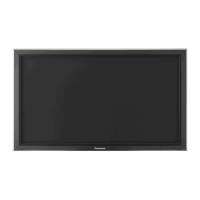
Panasonic TH-42PF20ER - User Manual

Panasonic TH-42PF20ER
24 pages
Print Icon
To Next Page IconTo Next Page
Loading...
Model No.
TH-42PF20ER
TH-50PF20ER
Please read these instructions before operating your set
and retain them for future reference.
English
Contents
Operating Instructions
High De nition Plasma Display
For more detailed instructions, refer to the Operating
Instructions on the CD-ROM.
To view the Operating Instructions on the CD-ROM, you
need a computer equipped with a CD-ROM drive, and
Adobe
®
Reader
®
(Version 7.0 or later is recommended)
installed on your computer.
Depending on the operating system or settings on your computer,
the Operating Instructions may not start automatically.
In this case, open the PDF le under the "MANUAL" folder manually
to view the instructions.
Important Safety Notice .......................................... 2
Safety Precautions .................................................. 3
Accessories ............................................................ 6
Connections ............................................................ 7
Power On / Off ...................................................... 12
Selecting the input signal ...................................... 14
Basic Controls ....................................................... 15
On-Screen Menu Displays .................................... 17
Using Network Function ........................................ 19
Speci cations ........................................................ 20
Question and Answer IconNeed help?

Do you have a question about the Panasonic TH-42PF20ER and is the answer not in the manual?

Overview

This document provides operating instructions for the Panasonic TH-42PF20ER and TH-50PF20ER High Definition Plasma Displays. It covers setup, connections, basic controls, on-screen menus, network functions, and specifications.

Function Description

The Panasonic Plasma Display is a high-definition display designed for various applications, including video playback, computer display, and network control. It supports multiple input signals and offers advanced display settings. The display can be controlled via a remote control, on-unit buttons, or a connected computer through serial or network connections.

Important Technical Specifications

Power Source: 220 - 240 V AC, 50/60 Hz

Power Consumption:

  • TH-42PF20ER: Power on: 375 W; Stand-by: 1.1 W (Save off), 0.6 W (Save on); Power off: 0.3 W
  • TH-50PF20ER: Power on: 445 W; Stand-by: 1.1 W (Save off), 0.6 W (Save on); Power off: 0.3 W

Plasma Display Panel:

  • TH-42PF20ER: 42-inch, 16:9 aspect ratio, 921 mm (W) x 518 mm (H) active display area, 1,057 mm (diagonal). 2,073,600 pixels (1,920 (W) x 1,080 (H)), 5,760 x 1,080 dots.
  • TH-50PF20ER: 50-inch, 16:9 aspect ratio, 1,105 mm (W) x 622 mm (H) active display area, 1,268 mm (diagonal). 2,073,600 pixels (1,920 (W) x 1,080 (H)), 5,760 x 1,080 dots.

Operating Condition:

  • Temperature: 0 °C - 40 °C
  • Humidity: 20% - 80%

Applicable Signals:

  • Colour System: NTSC, PAL, PAL60, SECAM, Modified NTSC
  • Scanning Format: 525 (480) / 60i, 60p; 625 (575) / 50i, 50p; 750 (720) / 60p, 50p; 1125 (1080) / 60i, 60p, 50i, 50p, 24p, 25p, 30p, 24sF; 1250 (1080) / 50i
  • PC Signals: VGA, SVGA, XGA, SXGA, UXGA (compressed). Horizontal scanning frequency 15 - 110 kHz; Vertical scanning frequency 48 - 120 Hz.

Connection Terminals:

  • LAN: RJ45 10BASE-T/100BASE-TX, compatible with PJLink™.
  • AV IN (VIDEO): BNC (1.0 Vp-p (75 Ω)), RCA Pin jack x 2 (0.5 Vrms).
  • HDMI: Type A Connector.
  • COMPONENT/RGB IN: Y/G BNC (with sync 1.0 Vp-p (75 Ω) or without sync 0.7 Vp-p (75 Ω)), PB/CB/B BNC (0.7 Vp-p (75 Ω)), PR/CR/R BNC (0.7 Vp-p (75 Ω)), RCA Pin jack x 2 (0.5 Vrms).
  • DVI-D IN: DVI-D 24 Pin (Compliance with DVI Revision 1.0, Compatible with HDCP 1.1), Stereo mini jack (M3) x 1 (0.5 Vrms).
  • PC IN: High-Density Mini D-sub 15 Pin (Y or G with sync 1.0 Vp-p (75 Ω) or without sync 0.7 Vp-p (75 Ω), PB/CB/B: 0.7 Vp-p (75 Ω), PR/CR/R: 0.7 Vp-p (75 Ω), HD/VD: 1.0 - 5.0 Vp-p (high impedance) with picture 1.0 Vp-p (high impedance) without picture 0.3 Vp-p (high impedance)), Stereo mini jack (M3) x 1 (0.5 Vrms).
  • SERIAL: External Control Terminal D-sub 9 Pin (RS-232C compatible).
  • EXT SP: Speaker Terminal (6 Ω, 16 W [8 W + 8W] (10% THD)).
  • Dimensions (W x H x D):
    • TH-42PF20ER: 1,020 mm x 610 mm x 89 mm
    • TH-50PF20ER: 1,210 mm x 724 mm x 89 mm
  • Mass (weight):
    • TH-42PF20ER: approx. 24.0 kg net (main unit only), approx. 28.0 kg (with speakers).
    • TH-50PF20ER: approx. 31.0 kg net (main unit only), approx. 36.0 kg (with speakers).

Usage Features

Setup:

  • Requires optional accessories like speakers, pedestal, mobile stand, wall-hanging brackets, ceiling-hanging brackets, and various terminal boards (BNC Dual Video, HD-SDI with audio, Dual Link HD-SDI, Dual HDMI, Ir Through, DVI-D, AV Terminal Box, Touch Panel).
  • Installation should be performed by a qualified technician.
  • The display should not be placed on sloped or unstable surfaces.
  • Transport the unit only in an upright position to prevent damage.
  • Ensure proper ventilation by leaving adequate space around the display (10 cm top, left, right; 7 cm rear for pedestal use, or as specified by other mounting manuals).
  • When installing vertically, turn up the power switch for upward direction and set "Display orientation" to "Portrait" in the Setup menu.

Power On / Off:

  • Connect the AC cord securely to the display and a wall outlet.
  • The power indicator turns green when on, red in standby, and orange during power management functions or when "Slot power" is on or "Control I/F Select" is set to "LAN".
  • Power on/off can be controlled via the remote control or the power switch on the unit.
  • Initial setup includes selecting OSD language, setting the present time, and display orientation.

Input Signal Selection:

  • Input signals can be selected sequentially using the INPUT button on the remote control or unit.
  • Available inputs include PC, VIDEO, COMPONENT/RGB IN, HDMI, and DVI.
  • Optional terminal boards expand input options (SLOT INPUT A/B).
  • "Component/RGB-in select" setting in the Setup menu determines whether the input is treated as Component or RGB.
  • Image retention (image lag) can occur with still pictures; a screen darkening function is activated to mitigate this, but it's not a complete solution.

Basic Controls:

  • Remote Control: Features include ACTION (selection), ASPECT (aspect ratio adjustment), Standby (ON/OFF), POS./SIZE, PICTURE, SOUND, MUTE, N (numeric input), POSITION, INPUT, RECALL (system status display), MULTI Window, AUTO SETUP (automatic screen adjustment), SET UP, and OFF TIMER (preset standby).
  • On-Unit Controls: Power On/Off switch, INPUT, MENU, -/VOL+, ENTER/ (aspect).
  • On-Screen Menu Displays: Accessed via the MENU button. Navigation is done using the remote control's directional buttons and ENTER, or the unit's -/VOL+ and ENTER/ buttons. Menus include Pos./Size, Picture, Sound, Setup, and Signal.

Network Function:

  • Allows control of the display via a network-connected computer.
  • Requires "Control I/F Select" in the "Network Setup" menu to be set to "LAN".
  • Supports 10BASE-T/100BASE-TX.
  • Uses category 5 LAN cable for 100BASE-TX connections.
  • Commands used for serial control are also supported via the network.
  • Ferrite cores are supplied to comply with EMC standards when connecting LAN cables.

Serial Control:

  • The SERIAL terminal (D-sub 9p) allows control of the display by a computer.
  • Requires "Control I/F Select" in the "Network Setup" menu to be set to "RS-232C".
  • Uses an RS-232C straight cable.
  • Communication parameters: Asynchronous, 9600 bps, No parity, 8 bits character length, 1 bit stop bit, No flow control.
  • Control data format: STX (02h), 3-character command, 1-5 byte parameters (optional), ETX (03h).

Maintenance Features

Cleaning and Maintenance:

  • Display Panel: Wipe gently with a soft, lint-free cloth. For dirt, use a cloth soaked in pure water or water with 100x diluted neutral detergent, then wipe dry. Avoid scratching, hitting, or using volatile substances (insect sprays, solvents, thinner).
  • Cabinet: Wipe with a soft, dry cloth. For dirt, use a cloth soaked in water with a small amount of neutral detergent, then wring dry and wipe. Avoid direct contact with detergent on the display panel and volatile substances. Do not leave rubber or PVC articles in contact with the cabinet for long periods.
  • Power Cable: Clean regularly with a dry cloth to prevent dust buildup, which can cause insulation damage and fire. Disconnect from the wall outlet before cleaning.
  • General Safety: Do not remove the cover or modify the unit. Refer servicing to qualified personnel. Unplug the power supply if the display will not be used for a prolonged time.

Safety Precautions:

  • Fire/Shock Hazard: Do not expose to dripping or splashing. Do not place water containers or naked flame sources on/above the set. Do not remove the earthing pin on the power plug. Ensure the earthing pin is securely connected.
  • Overheating: Do not cover ventilation holes.
  • Foreign Objects: Do not insert metal or flammable objects into ventilation holes.
  • Power Supply: Use only the supplied power supply cord. Insert the plug securely. Do not handle with wet hands. Do not damage the power cable.
  • Moving: Disconnect all cables before moving the display.
  • Batteries: Do not burn or break up batteries. Dispose of batteries in an environment-friendly manner. Replace batteries in pairs, using new ones of the same type.
  • Troubleshooting: If problems (no picture/sound, smoke, abnormal odor) occur, immediately unplug the power supply and contact a Panasonic dealer. Do not attempt self-repair.
  • Infrared Radiation: The display radiates infrared rays, which may affect other infrared communication equipment. Install infrared sensors away from direct or reflected light from the display.

Environmental Information:

  • Symbols on products, packaging, and documents indicate that used electrical/electronic products and batteries should not be mixed with general household waste.
  • Follow national legislation and Directives 2002/96/EC and 2006/66/EC for proper disposal and recycling.
  • For business users in the EU, contact your dealer/supplier for disposal information.
  • For countries outside the EU, contact local authorities for disposal methods.
  • The battery symbol with "Cd" indicates compliance with chemical requirements.

Panasonic TH-42PF20ER Specifications

General IconGeneral
BrandPanasonic
ModelTH-42PF20ER
CategoryPlasma display
LanguageEnglish