
 Need help?
Do you have a question about the Panasonic TH-43GX800H and is the answer not in the manual?
Information on digital broadcasting capabilities and regional limitations.
Details on customer data collection, usage, and privacy policies.
Essential warnings and instructions for safe use of the power cord and plug.
Cautions for TV placement, moisture, and physical impact to prevent damage.
Warnings for suffocation, screen damage, pedestal stability, and insect ingress.
Cautions for built-in wireless LAN, Bluetooth, and ensuring adequate TV ventilation.
Lists and describes common accessories provided with the TV.
Safety instructions for moving the TV and power management during long periods of inactivity.
Notes on tropical climate use, headphone volume limits, and battery safety.
Step-by-step guide for attaching and detaching the TV's stand.
Information on purchasing and installing recommended wall-hanging brackets safely.
Instructions for covering pedestal holes with tape before wall mounting.
Tips for connecting external equipment and ensuring cable compatibility.
Procedure for removing and replacing the TV's terminal cover for connections.
Instructions for securely connecting the TV's power cord to the mains socket.
Guidance for connecting aerials, set-top boxes, and AV devices like DVD recorders.
Requirements for setting up a broadband network for internet services.
Instructions for setting up wired and wireless network connections.
How to connect 4K/HDR equipment via HDMI for optimal image quality.
Fine-tuning HDMI settings for better compatibility with 4K sources.
Guides for connecting DVD players, camcorders, game consoles, and amplifiers.
Instructions for cable organization and connecting USB HDDs for recording.
Information on connecting devices for VIERA Link functionality and control.
Procedure for attaching the cable cover, noting port restrictions.
Detailed explanation of each button on the TV remote control.
How to install batteries and understand TV indicator lights and panel controls.
First steps for plugging in the TV and performing automatic channel tuning.
Guide to selecting viewing environment, language, and network setup.
Simple guide to using the remote for basic TV setup and navigation.
Steps for turning on the TV and changing channels.
How to display and browse the built-in electronic help system.
Methods for searching and selecting specific items within eHELP.
Techniques for navigating multi-page descriptions and accessing reference screens in eHELP.
Solutions for TV not turning on, remote issues, and no image displayed.
Troubleshooting unusual images, sound from external devices, panel noise, and heat.
Guidance on when and how to contact Panasonic support for unresolved issues.
Instructions for cleaning the display panel, cabinet, and pedestal safely.
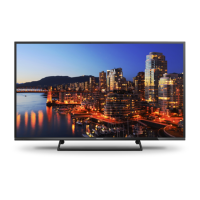
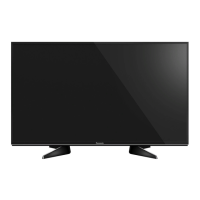
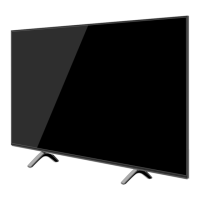
Summary of model, dimensions, mass, power, screen size, and resolution.
Overview of available connection terminals and their types.
Specifications for HDMI, USB ports, Ethernet, and digital audio output.
Details on broadcast reception, CATV, wireless LAN, and Bluetooth specs.
Space to record product model and serial numbers for warranty and identification.
This document describes the Panasonic TH-43GX800H LED TV, an operating instruction manual that covers its functions, usage features, and maintenance.
The Panasonic TH-43GX800H LED TV is designed to provide a comprehensive viewing experience, supporting both digital terrestrial and analogue broadcasting. It features a built-in wireless LAN for internet connectivity, allowing access to various online services and applications. The TV is equipped with multiple HDMI inputs, including HDMI1, HDMI2 (ARC), and HDMI3, which support 4K content, Deep Colour, and x.v.Colour™. HDMI2 also supports the Audio Return Channel (ARC) function, enabling simplified audio connections with compatible amplifiers. For older devices, the TV includes AV IN (COMPONENT / VIDEO) terminals.
The TV integrates Dolby Atmos, Dolby Vision, and Dolby Audio technologies, enhancing the audio-visual experience with immersive sound and vibrant visuals. Speech Powered by Dragon technology is also incorporated, suggesting voice control capabilities. The built-in wireless LAN supports IEEE802.11a/n/ac and IEEE802.11b/g/n standards, operating on both 2.4 GHz and 5 GHz frequency bands for robust network connectivity. Bluetooth® wireless technology (Bluetooth 4.2) is also available, allowing connection to compatible devices.
For recording purposes, the TV supports USB HDD connection via the USB 1 port, which is a SuperSpeed USB (USB 3.0) port. Other USB ports (USB 2/3) are Hi-Speed USB (USB 2.0) ports. The VIERA Link function, compatible with HDMI1-3, enables integrated control of multiple Panasonic devices connected via HDMI. The TV also includes a DIGITAL AUDIO OUT terminal for connecting to external audio systems, supporting PCM and Dolby Digital formats.
The TV's internal eHELP system provides detailed operating instructions, serving as a comprehensive built-in manual for all features and troubleshooting. This system can be accessed via the remote control and offers keyword search, purpose-based search, and support information like FAQs.
The TH-43GX800H LED TV offers a user-friendly interface for various operations. Initial setup involves an automatic auto-tuning process to search for available TV channels, guided by on-screen instructions. Users can select their viewing environment (Home or Shop) during this process. The remote control is central to operating the TV, featuring dedicated buttons for power, TV Guide, Main Menu, Netflix, Apps, Volume Up/Down, Channel Up/Down, and eHELP. Coloured buttons are provided for selection, navigation, and various functions within menus.
Input mode selection is straightforward, allowing users to switch between Digital TV, Analogue TV, and different AV input modes. The TV's control panel, located on the rear side, includes buttons for input mode selection, channel up/down, volume up/down, and a mains power On/Off switch. An ambient sensor is integrated to adjust picture quality based on room brightness when the "Ambient Sensor" setting is enabled in the Picture Menu.
For 4K and HDR content, users can connect compatible equipment to HDMI1 or HDMI2 terminals. The [HDMI Auto Setting] in the Setup Menu allows users to select between "Mode1" for better compatibility or "Mode2" for precise image output with an expanded colour gamut, depending on the connected equipment. The TV also supports headphones via a 3.5 mm stereo mini jack for private listening.
The network connection setup is initiated during the first-time use, allowing for either wired (Ethernet) or wireless (Wi-Fi) connection to a broadband network. This enables access to internet services and applications. The TV also includes features like "Auto Standby" and "No signal Power off" in the Timer Menu to conserve energy by automatically switching to standby mode after a period of inactivity or no signal.
Maintaining the Panasonic TH-43GX800H LED TV involves simple and regular care to ensure its longevity and optimal performance. The manual emphasizes the importance of disconnecting the mains plug from the socket before performing any maintenance.
For the display panel, cabinet, and pedestal, regular care involves gently wiping the surfaces with a soft cloth to remove dirt or fingerprints. For stubborn dirt, a slightly dampened soft cloth with clean water or diluted neutral detergent (1 part detergent to 100 parts water) can be used. It is crucial to wring out the cloth firmly to prevent liquid from entering the TV, which could cause product failure. After cleaning, all moisture should be carefully wiped away.
Users are cautioned against using hard cloths or rubbing the surface too hard, as this can cause scratches. It is also important to avoid insect repellents, solvents, thinners, or other volatile substances, as these can degrade surface quality or cause paint peeling. The display panel is specially treated and can be easily damaged, so users should avoid tapping or scratching it with fingernails or other hard objects. Additionally, the cabinet and pedestal should not come into contact with rubber or PVC substances for extended periods, as this may degrade their surface quality.
The mains plug should be wiped with a dry cloth at regular intervals to prevent moisture and dust accumulation, which could lead to fire or electrical shock. The manual also provides guidance on battery replacement for the remote control, advising users to use the correct type and polarity, and to remove batteries if the remote control will not be used for a prolonged period to prevent leakage, corrosion, or explosion.
For internal issues or unusual images, the TV has a built-in "Self Test" function to diagnose picture and sound problems. If problems persist, users are advised to turn the TV off and on again using the mains power switch. If necessary, all settings can be initialized via the "Shipping Condition" option in the System Menu. The eHELP system also offers troubleshooting FAQs for common issues.
 General
| Screen Size | 43 inches |
|---|---|
| Display Type | LED |
| Resolution | 3840 x 2160 (4K UHD) |
| Smart TV | Yes |
| HDMI Ports | 4 |
| USB Ports | 2 |
| Ethernet Port | Yes |
| Wi-Fi | Yes |
| Bluetooth | Yes |
| HDR Support | HDR10+, Dolby Vision, HLG |
| Audio Output | 20W |
| Refresh Rate | 60Hz |


 To Next Page