TH-55FX600M
9
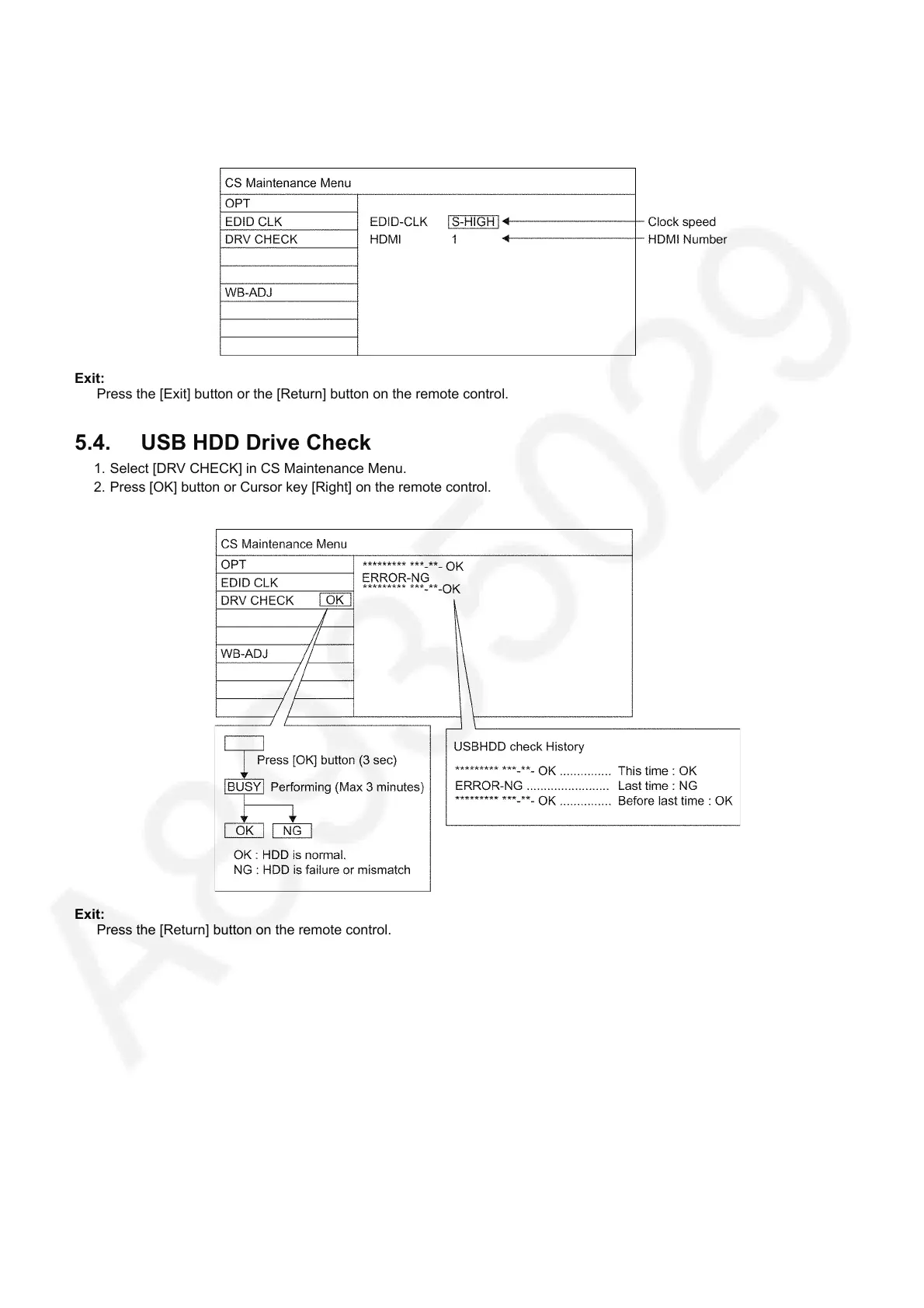
5.3. EDID Clock
1. Select [EDID CLK] in CS Maintenance Menu.
2. Press [OK] button or Cursor key [Right] on the remote control.
Exit:
Press the [Exit] button or the [Return] button on the remote control.
5.4. USB HDD Drive Check
1. Select [DRV CHECK] in CS Maintenance Menu.
2. Press [OK] button or Cursor key [Right] on the remote control.
Exit:
Press the [Return] button on the remote control.


 To Next Page