
 Need help?
Do you have a question about the Panasonic TX-24E302B and is the answer not in the manual?
Covers essential safety warnings for operating the TV, including handling and environment.
Details the meaning of various safety symbols found on the product for user awareness.
Specific warnings and instructions related to securely mounting the TV on a wall.
Guidance on ensuring TV stability and safe placement on furniture to prevent accidents.
Instructions for cleaning the display panel, cabinet, pedestal, and mains plug.
Step-by-step guide for assembling and removing the TV's pedestal.
Details on required dimensions and specifications for wall-hanging brackets.
Information on how to reduce energy consumption using TV settings.
Overview of the main features and capabilities of the LED TV.
Lists all items included in the product packaging with the TV.
Explains messages displayed when the TV enters or exits standby mode automatically.
Describes the functions of the physical control buttons on the TV set itself.
Guidance on using the remote control to navigate menus and options.
Instructions for selecting input sources and controlling channels and volume.
Steps for connecting the TV to the main power supply.
Instructions for connecting the aerial or cable TV input.
Information regarding HDMI and Dolby trademarks used in the product.
EU declaration of conformity for the radio equipment type TFT IDTV.
Guidelines for proper disposal of electronic waste and batteries in the EU.
Information on how to contact customer support and purchase accessories.
Details on TV broadcasting standards, digital reception, and channel capacity.
Technical specifications including power consumption, dimensions, and operating conditions.
Information regarding DVB-T/T2 and DVB-C standards and potential compatibility issues.
A comprehensive guide to the function of each button on the remote control.
Instructions for connecting devices via Scart, VGA, and Side AV ports.
Details on connecting via HDMI, PC/YPbPr audio, and headphone sockets.
Guide for connecting USB devices, CI modules, and Ethernet cables.
Steps for turning the TV on/off and the initial setup process.
Instructions for selecting and searching for digital aerial, digital cable, or analogue broadcasts.
Guide on connecting USB storage devices for media playback and file format support.
How to use the Media Player menu and its loop/shuffle playback options.
Explains CEC control, Audio Return Channel, and System Audio Control features.
Covers picture mode, contrast, brightness, sharpness, and color settings.
Details advanced settings like noise reduction, color temperature, and picture zoom.
Specific settings for optimizing picture quality when connected to a PC.
Adjusting volume, equalizer modes, and speaker balance for optimal sound.
Settings for headphone output, dynamic bass, and surround sound effects.
Configuration options for digital audio output formats.
Options for setting parental locks, PIN codes, and sleep timers.
Settings for network, accessibility features, and other system options.
Procedures for automatic and manual channel scanning and tuning.
Scanning network channels and fine-tuning analogue broadcasts.
Managing service lists, selecting networks, and viewing signal information.
Editing channel lists, creating favorite lists, and filtering channels.
How to configure parental controls for viewing and menu access.
Accessing and using the EPG for viewing broadcast schedules and event details.
Using event options in EPG and accessing teletext services.
Instructions for searching and installing TV software upgrades.
Solutions for common problems like no power, poor picture, no sound, or remote issues.
Illustrates typical video display modes supported for PC input.
Compatibility of AV and HDMI signals, indicating supported formats.
Lists supported file formats for video, audio, and picture playback via USB.
Table showing supported resolutions when connecting via DVI input.
Details on mains lead wiring colors, terminal connections, and fuse replacement.
Crucial safety precautions for connecting to the mains supply and general use.
Identifies the supplier, model, and energy efficiency class of the TV.
Provides information on power consumption and screen resolution.
This document provides operating instructions for the Panasonic TX-24E302B LED TV. It covers various aspects from initial setup and basic operation to advanced features and troubleshooting.
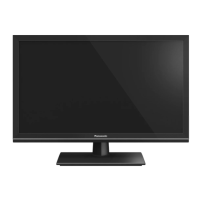
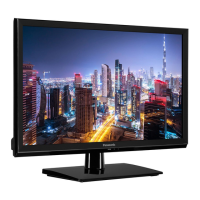
The Panasonic TX-24E302B is a remote-controlled LED TV designed for household and similar general use, though it may also be used in public places. It features a fully integrated digital terrestrial/cable TV tuner (DVB-T-T2/C) capable of receiving digital terrestrial and cable services, including MPEG2, MPEG4-AVC(H.264), and MPEG HEVC(H.265). The TV supports HDMI inputs for connecting external devices, a USB input for media playback, and a Scart socket for older external devices like DVD players or video game consoles. It incorporates an OSD (On-Screen Display) menu system for easy navigation and configuration. The TV also includes a stereo sound system, Teletext services, and a headphone connection. For interactive services on digital channels, it offers Ethernet (LAN) connectivity.
The TV offers a comprehensive set of features to enhance the viewing experience. It includes an automatic programming system for easy channel setup and manual tuning for fine-grained control. The TV has an automatic power-down feature that can be set to activate after up to eight hours of inactivity, and a sleep timer for scheduled power-off. A child lock function allows for parental control over channels and menus. The TV automatically mutes the sound when there is no transmission. It supports NTSC playback and includes AVL (Automatic Volume Limiting) to maintain a consistent volume level across different programs. A PLL (Frequency Search) feature aids in channel scanning. The TV also provides a PC input for use as a computer monitor and an optional Game Mode for optimized gaming performance. A "Picture off" function allows users to turn off the screen while still listening to audio.
Initial setup involves a First Time Installation wizard that guides the user through language selection, country settings, and channel scanning for digital aerial, digital cable, or analogue broadcasts. The TV can automatically switch to standby mode if no input signal is received or if there is no operation for a certain period, displaying a notification message.
The remote control provides full functionality, including power on/off, menu navigation, input selection, volume and channel control, and direct access to features like Teletext, Media Player, and the Electronic Programme Guide (EPG). Coloured buttons on the remote correspond to on-screen instructions for specific functions. Numeric buttons allow for direct channel selection and text input.
The TV's control switch, located on the device, offers basic control over volume, channel, source selection, and standby/on functions, useful if the remote control is unavailable.
Media playback is supported via the USB input, allowing users to play photo, music, and movie files stored on a USB disk. The Media Player menu provides options for loop and shuffle playback modes.
The TV supports CEC (Consumer Electronics Control) and CEC RC Passthrough, enabling control of CEC-enabled devices connected via HDMI using the TV's remote control. The ARC (Audio Return Channel) feature allows audio to be sent from the TV to a connected audio system via HDMI. System Audio Control further integrates external audio amplifiers or receivers, allowing the TV's remote to control their volume.
The TV menu is organized into Picture, Sound, and Setup sections. The Picture menu offers various picture modes (Cinema, Game, Sports, Dynamic, Natural) and settings for contrast, brightness, sharpness, colour, and backlight. It also includes advanced settings like Dynamic Contrast, Noise Reduction, Colour Temp, White Point, Picture Zoom, Film Mode, Skin Tone, Colour Shift, and RGB Gain. For PC input, specific settings like Autoposition, H/V Position, Dot Clock, and Phase are available. The Sound menu allows adjustment of volume, equalizer settings, balance, headphone volume, sound modes, AVL, Dynamic Bass, Surround sound, and Digital Out type. The Setup menu includes options for Conditional Access, Language, Parental settings (Menu Lock, Maturity Lock, Child Lock, Guidance, PIN management), Timers, Date/Time, Sources, Network/Internet Settings, Accessibility (Hard of Hearing, Audio Description), Menu Timeout, Software Upgrade, Application Version, Subtitle Mode, Auto TV OFF, Store Mode, Power Up Mode, CEC, CEC Auto Power On, Speakers, and OSS information.
The EPG (Electronic Programme Guide) displays broadcast schedules with different layouts (Timeline, List, Now/Next Schedule) and offers features like zooming, filtering, genre highlighting, event details, and search. Event options allow users to select channels or set/delete timers for future events.
Teletext services provide digital teletext information, operable with coloured buttons and cursor controls, and can be viewed in a mix mode with the TV broadcast.
Regular maintenance ensures the longevity and optimal performance of the TV. The display panel, cabinet, and pedestal should be gently wiped with a soft cloth to remove dirt and fingerprints. For stubborn dirt, a soft cloth dampened with water or diluted neutral detergent can be used, ensuring no liquid enters the TV. It is crucial to avoid hard cloths, excessive rubbing, insect repellents, solvents, thinners, or other volatile substances, as these can damage the surface quality or paint. The display panel is particularly delicate and should not be tapped or scratched with hard objects. Prolonged contact between the cabinet/pedestal and rubber or PVC substances should also be avoided. The mains plug should be wiped with a dry cloth regularly to prevent moisture and dust accumulation, which could lead to fire or electrical shock.
The TV also supports software upgrades, which can be found and installed automatically via the broadcast signal or manually through the Setup menu. The TV can search for new upgrades at 3:00 AM if the automatic scanning option is enabled and connected to an aerial signal.
 General
| Screen Size | 24 inches |
|---|---|
| Resolution | 1366 x 768 pixels |
| Display Type | LED |
| Smart TV | No |
| HDMI Ports | 2 |
| USB Ports | 1 |
| HD Type | HD Ready |
| Refresh Rate | 50 Hz |
| Built-in Wi-Fi | No |
| Energy Efficiency Class | A |
| Power Consumption (Standby) | 0.5 W |






 To Next Page