EasyManua.ls Logo

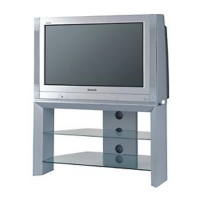
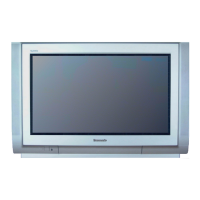
Panasonic TX-28PB50 - User Manual

Panasonic TX-28PB50
61 pages
Print Icon
To Next Page IconTo Next Page
Loading...
Colour Television
TX-28PB50
TX-32PB50/PB50N
TX-36PB50/PB50N
EURO-7 Chassis
SPECIFICATIONS
Power Source: 220-240V a.c., 50Hz
Power Consumption: 145W (28”) , 149W (32”) , 175W (36”)
Stand-by Power
Consumption: 2.8W
Aerial Impedance: 75 unbalanced, Coaxial Type
Receiving System: PAL I, PAL-525/60 UHF
M.NTSC
NTSC (AV only)
Receiving Channels: UHF E21-E69
Intermediate Frequency:
Video/Audio
Video 39.5MHz
Audio 33.5MHz
32.95MHz (NICAM)
Colour 35.07MHz (PAL)
Terminals:
AV1 IN Video (21 pin) 1V p-p 75
Audio (21 pin) 500mV rms 10k
RGB (21 pin)
AV1 OUT Video (21 pin) 1V p-p 75
Audio (21 pin) 500mV rms 1k
AV2 IN Video (21 pin) 1V p-p 75
Audio (21 pin) 500mV rms 10k
S-Video IN Y: 1V p-p 75
(21-pin) C: 0.3V p-p 75
AV2 OUT Video (21 pin) 1V p-p 75
Audio (21 pin) 500mV rms 1k
Selectable output (21 pin)
AV3 IN S-Video IN Y: 1V p-p 75
(4-pin) C: 0.3V p-p 75
Audio (RCAx2) 500mV rms 1Video
Video (RCAx2) 1V p-p 75
AV4 IN Video (21 pin) 1V p-p 75
Audio (21 pin) 500mV rms 10k
S-Video IN Y: 1V p-p 75
(21-pin) C: 0.3V p-p 75
RGB (21 pin)
AV4 OUT Video (21 pin) 1V p-p 75
Audio (21 pin) 500mV rms 1k
High Voltage: 30.5kV ± 1kV (28”) , 32kV ± 1Kv (32/36”)
Picture Tube: W66EKT10X71 66cm (28”)
W76EKW10X72 76cm (32”)
W86LPX955X07 86cm (36”)
Audio Output: Front Left/Right 2 x 20W
(Music Power) 8 Impedance
Digital Audio Input Coaxial / Optical
Headphones: 8 Impedance
3.5mm
Accessories
supplied : Remote Control
2 x R6 (UM3) Batteries
Dimensions: 28” 32” 36”
Height: 509mm 558mm 623mm
Width: 763mm 850mm 950mm
Depth: 512mm 549mm 582mm
Net weight: 45kg 58.5kg 79.5kg
Specifications are subject to change without notice.
Weights and dimensions shown are approximate.
NOTE: This Service Manual should be used in conjunction with
the EURO-7 Technical guide.
ORDER No. SM-01022

All manuals and user guides at all-guides.com
all-guides.com

Questions and Answers

  • A
    Anthony YoderAug 15, 2025
    What to do if my Panasonic TX-28PB50 TV has no picture?
    • E
      Eric McmahonAug 15, 2025
      If your Panasonic TV shows no picture, there might be several reasons. * First, ensure that the TV is not set to AV mode; change it to the correct mode. * Check that the TV is properly plugged into the A.C. outlet. * Make sure the TV is switched on and not in standby mode. * Also, verify that the Picture / Sound controls are not set at minimum levels and adjust them accordingly.
  • J
    James ThompsonAug 18, 2025
    Why is there normal picture but no sound on my Panasonic TX-28PB50?
    • M
      Mrs. Crystal BoydAug 18, 2025
      If you have a normal picture but no sound on your Panasonic TV, ensure that the sound mute is switched off and check the volume level.
  • W
    William SmallAug 21, 2025
    How to fix a snowy picture on Panasonic TV?
    • K
      Kimberly SimpsonAug 21, 2025
      If your Panasonic TV displays a snowy picture, check the aerial location, direction, and connection.
  • C
    Carl DeckerAug 25, 2025
    What to do if my Panasonic TV picture is poor or distorted?
    • R
      Robert CarterAug 25, 2025
      If you are experiencing a poor or distorted picture on your Panasonic TV, retune the channels.
  • M
    Molly MillerAug 28, 2025
    How to reduce interference on my Panasonic TX-28PB50?
    • S
      Stacey DyerAug 28, 2025
      If you are experiencing interference on your Panasonic TV, which may be caused by electrical appliances, cars, motorcycles, or fluorescent lights, switch on P---NR in the Picture menu to reduce picture noise.
  • O
    Olivia Mcdonald MDAug 31, 2025
    What causes multiple images on my Panasonic TX-28PB50?
    • A
      Allison BurgessAug 31, 2025
      If your Panasonic TV is showing multiple images, check the aerial location, direction, and connection.
  • D
    Douglas MoyerSep 4, 2025
    How to fix no color on my Panasonic TX-28PB50?
    • R
      ruizamandaSep 4, 2025
      If your Panasonic TV has no color, adjust the color controls, as they may be set at minimum levels.
  • L
    Lisa SilvaSep 7, 2025
    What causes coloured patches on my Panasonic TX-28PB50 TV screen?
    • D
      Diana HuffmanSep 7, 2025
      If your Panasonic TV displays colored patches, this could be due to magnetic interference from unshielded equipment or because the TV was moved while switched on. Try switching the TV off for 30 minutes. Alternatively, use the Geomagnetic Correction feature.
  • E
    Ethan PetersenSep 10, 2025
    What to do if sound reception deteriorated on my Panasonic TX-28PB50 TV?
    • K
      kwiseSep 12, 2025
      If you are experiencing deteriorated sound reception with a normal picture on your Panasonic TV, switch the NICAM setting (Sound menu) to Off until reception improves.

Panasonic TX-28PB50 Specifications

General IconGeneral
BrandPanasonic
ModelTX-28PB50
CategoryTV
LanguageEnglish

Related product manuals