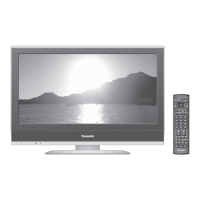
This document serves as the operating instructions for a Panasonic LCD Television, specifically models TX-40CS620B, TX-50CS620B, TX-55CS620B, and TX-65CS620B. The television is designed for home use and offers a range of features for viewing and entertainment.
Function Description
The Panasonic LCD Television is a digital television capable of receiving DVB (Digital Video Broadcasting) and supporting data broadcasting and IPTV functions. It adheres to digital service standards as of August 2014, though not all features may be available depending on the country, area, broadcaster, service provider, and network environment. Compatibility with future services is not guaranteed. The TV is equipped with a built-in wireless LAN, allowing for network connectivity and access to internet services. It also supports VIERA Link, enabling integrated control with other Panasonic "HDAVI Control" compatible equipment connected via HDMI.
The television features a comprehensive remote control for easy navigation and operation. Key functions include:
- Standby On / Off switch: To power the TV on or off.
- TV Guide: Displays the Electronic Programme Guide.
- [Main Menu]: Provides access to Picture, Sound, Network, Timer, Setup, and Help Menus.
- Text service button: For teletext services.
- Information: Displays channel and programme information.
- APPS: Shows the applications list, offering various features of the TV.
- OK: Confirms selections and choices, and quickly changes channels after selection.
- [Option Menu]: Offers easy optional settings for viewing, sound, etc.
- Coloured buttons (red-green-yellow-blue): Used for selection, navigation, and operation of various functions.
- Volume Up / Down: Adjusts the sound level.
- Numeric buttons: Changes channels, teletext pages, and sets characters. Also switches the TV on from Standby mode.
- [eHELP]: Displays the built-in operating instructions.
- Input mode selection (TV / AV): Switches between DVB/Analogue mode and AV input modes.
- Aspect: Changes the aspect ratio of the display.
- Subtitles: Displays subtitles.
- Exit: Returns to the Home Screen.
- Netflix: Direct access to the Netflix service (requires a broadband network environment).
- HOME: Displays the Home Screen.
- Cursor buttons: For making selections and adjustments.
- Return: Returns to the previous menu or page.
- Channel Up / Down: Changes channels.
- Sound Mute On / Off: Mutes or unmutes the sound.
- Last view: Switches to the previously viewed channel or input mode.
- Operations for contents, connected equipment, etc.: Controls various media and devices.
The TV also has a control panel on the rear side with buttons for Input mode selection, Channel Up/Down, Volume Up/Down, and Mains power On/Off switch. An ambient sensor is integrated to adjust picture quality based on room brightness when the [Ambient Sensor] setting is enabled.
Usage Features
The television offers a user-friendly experience starting with an automatic setup process upon first use. This includes selecting the viewing environment (Home or Shop), setting up network connections, and selecting the country and region. The "my Home Screen" feature allows for customization to display desired information and easily access features.
For more detailed instructions, the TV includes an [eHELP] system, which is a built-in operating manual providing comprehensive explanations for each feature. Users can navigate through categories and items to find specific information.
Connectivity options include:
- SCART (AV1): For audio/video input and output, and RGB input.
- COMPONENT / VIDEO (AV2): For video input (Y, PB/CB, PR/CR) and audio L-R input.
- HDMI (1, 2, 3): For digital audio/video input. HDMI2 supports ARC (Audio Return Channel) for connecting to an amplifier.
- CI slot: For Common Interface modules and smart cards, enabling access to encrypted channels.
- ETHERNET (RJ45): For wired network connection.
- USB (1, 2): For connecting USB devices.
- DIGITAL AUDIO output: For optical audio output (PCM / Dolby Digital).
- Headphone jack: For connecting headphones.
- Aerial input: For terrestrial aerial connection (UHF for UK, VHF/UHF for Ireland).
The TV supports various receiving systems including DVB-T/T2, PAL I, M.NTSC, and NTSC (AV input only).
Maintenance Features
Proper maintenance ensures the longevity and optimal performance of the television.
- Display panel, Cabinet, Pedestal: For regular care, gently wipe surfaces with a soft cloth to remove dirt and fingerprints. For stubborn dirt, use a soft cloth dampened with clean water or diluted neutral detergent (1 part detergent to 100 parts water), wring it firmly, wipe the dirt, and then wipe away any moisture. Avoid using hard cloths, rubbing too hard, or exposing surfaces to insect repellent, solvent, thinner, or other volatile substances, as these can damage the surface quality or paint. Do not allow liquids to enter the TV. The display panel is specially treated and can be easily damaged, so avoid tapping or scratching it with fingernails or hard objects. Prevent rubber or PVC substances from prolonged contact with the cabinet and pedestal.
- Mains plug: Wipe the mains plug with a dry cloth at regular intervals to prevent fire or electrical shock caused by moisture and dust.
Safety Precautions
The manual emphasizes several safety precautions:
- Mains plug and lead: Always insert the mains plug fully into the socket and ensure it's easily accessible. Disconnect the plug when cleaning the TV. Do not touch the plug with wet hands. Avoid damaging the mains lead by placing heavy objects on it, placing it near high-temperature objects, pulling on it, or moving the TV while it's plugged in. Do not twist, bend, or stretch the lead excessively. Do not use a damaged plug or socket. Only use the supplied mains lead. If the plug or lead is damaged, purchase a replacement from an authorized dealer. The moulded 3-pin mains plug contains a 5 amp fuse; ensure replacements are 5 amp rated and approved.
- Take care: Do not remove covers or modify the TV. Avoid exposing the TV to rain or excessive moisture. Do not place liquid-filled objects on or above the TV. Do not insert foreign objects into air vents. Use only approved pedestal/mounting equipment installed by a local Panasonic dealer. Avoid applying strong force or impact to the display panel. Ensure children do not climb on the TV. Place the TV on stable, level surfaces and ensure it does not hang over the edge. The TV is designed for table-top use.
- Environmental: Do not expose the TV to direct sunlight or other heat sources. Keep candles or other open flames away from the product to prevent fire.
- Suffocation / Choking Hazard: Keep packaging and small parts out of reach of young children.
- Pedestal: Do not disassemble or modify the pedestal. Use only the supplied pedestal. Do not use a warped or damaged pedestal. Ensure all screws are securely tightened during setup. Prevent impact to the pedestal during installation. Ensure children do not climb on the pedestal. Install or remove the TV with at least two people following the specified procedure.
- Radio waves: Do not use the TV in medical institutions or near automatic control equipment due to potential interference. Keep at least 22 cm away from the TV if you have a cardiac pacemaker. Do not disassemble or alter the TV.
- Built-in wireless LAN: Do not connect to unauthorized wireless networks. Avoid high temperatures, direct sunlight, or moisture. Data transmitted over radio waves may be intercepted. Keep the TV away from other 2.4 GHz and 5 GHz devices to avoid interference. If problems occur due to static electricity, turn the TV off and on again at the mains power switch.
- Ventilation: Allow sufficient space around the TV to prevent excessive heat. Do not cover ventilation openings. Ensure bottom vents are not blocked.
- Moving the TV: Disconnect all cables and move the TV with at least two people.
- When not in use for a long time: Remove the mains plug from the wall socket when the TV is not in use for a prolonged period, as it still consumes power in Off mode.
- Excessive volume: Do not expose ears to excessive volume from headphones to prevent irreversible damage. Turn down volume if drumming noise is heard.
- Battery for the Remote Control: Incorrect installation may cause leakage, corrosion, or explosion. Replace with the same or equivalent type. Do not mix old and new batteries, or different battery types. Do not use rechargeable batteries. Do not burn or break up batteries. Avoid excessive heat. Dispose of batteries correctly. Remove batteries if not using for a prolonged period.
The television is intended for use in Ireland and the United Kingdom. The wireless LAN feature is exclusively for indoor use.

 Need help?
 General

 To Next Page