How to use
You can check useful information using Info Frame while watching TV.
1. Press and hold HOME.
●
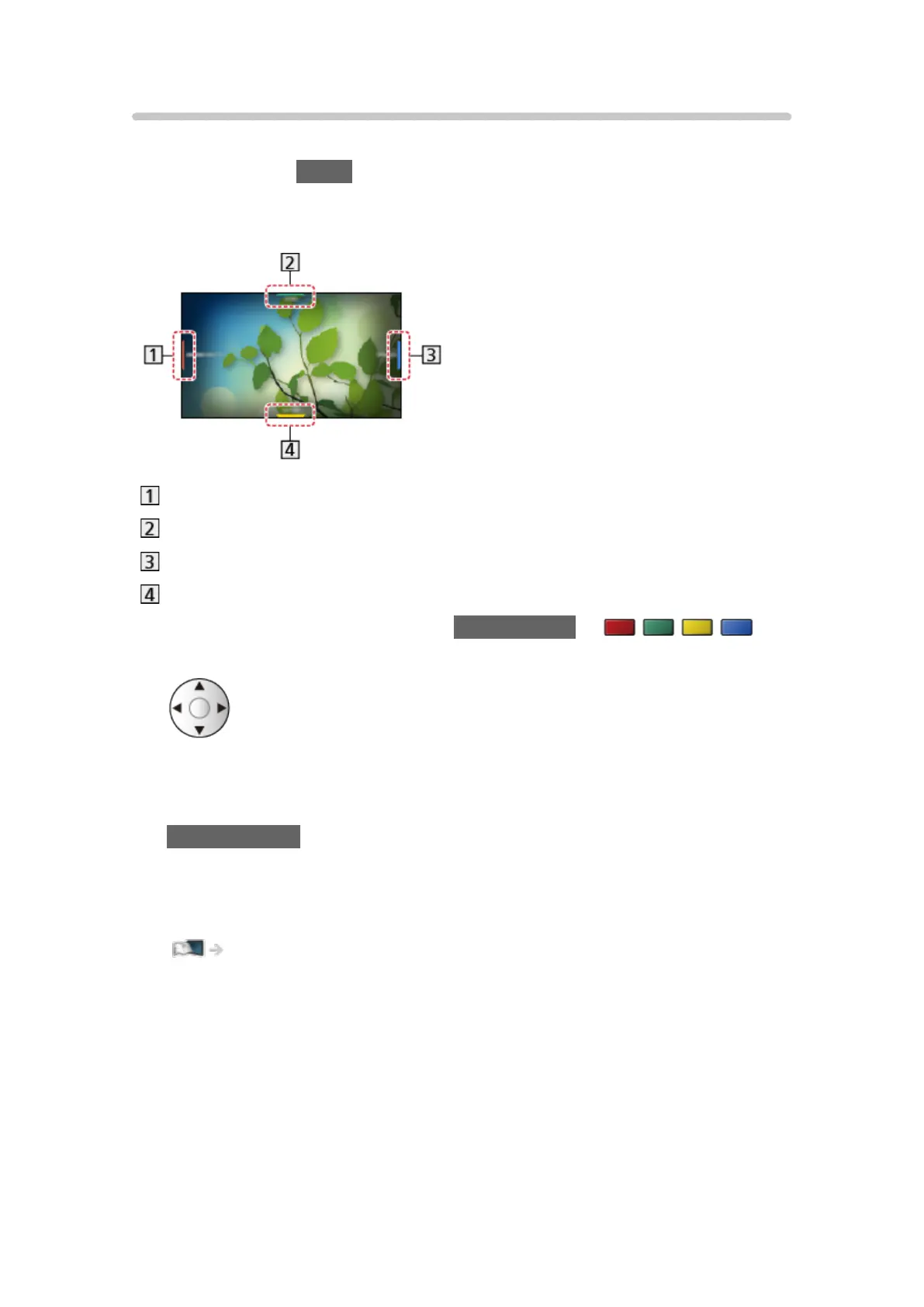
Info Frame is displayed on the edge of screen.
(Example)
Current programme information, etc.
Relevant information (weather forecast, etc.)
Notification message
Recommended content (TV programme, internet content, etc.)
2. Select one side of Info Frame with Cursor buttons or
(coloured buttons) while Info Frame is displayed.
3. Follow the on-screen instructions.
●
To exit Info Frame
BACK/RETURN
= Note =
●
Info Frame is displayed for several seconds each time the TV is turned on.
Functions > Info Frame > Settings
- 217 -








 To Next Page