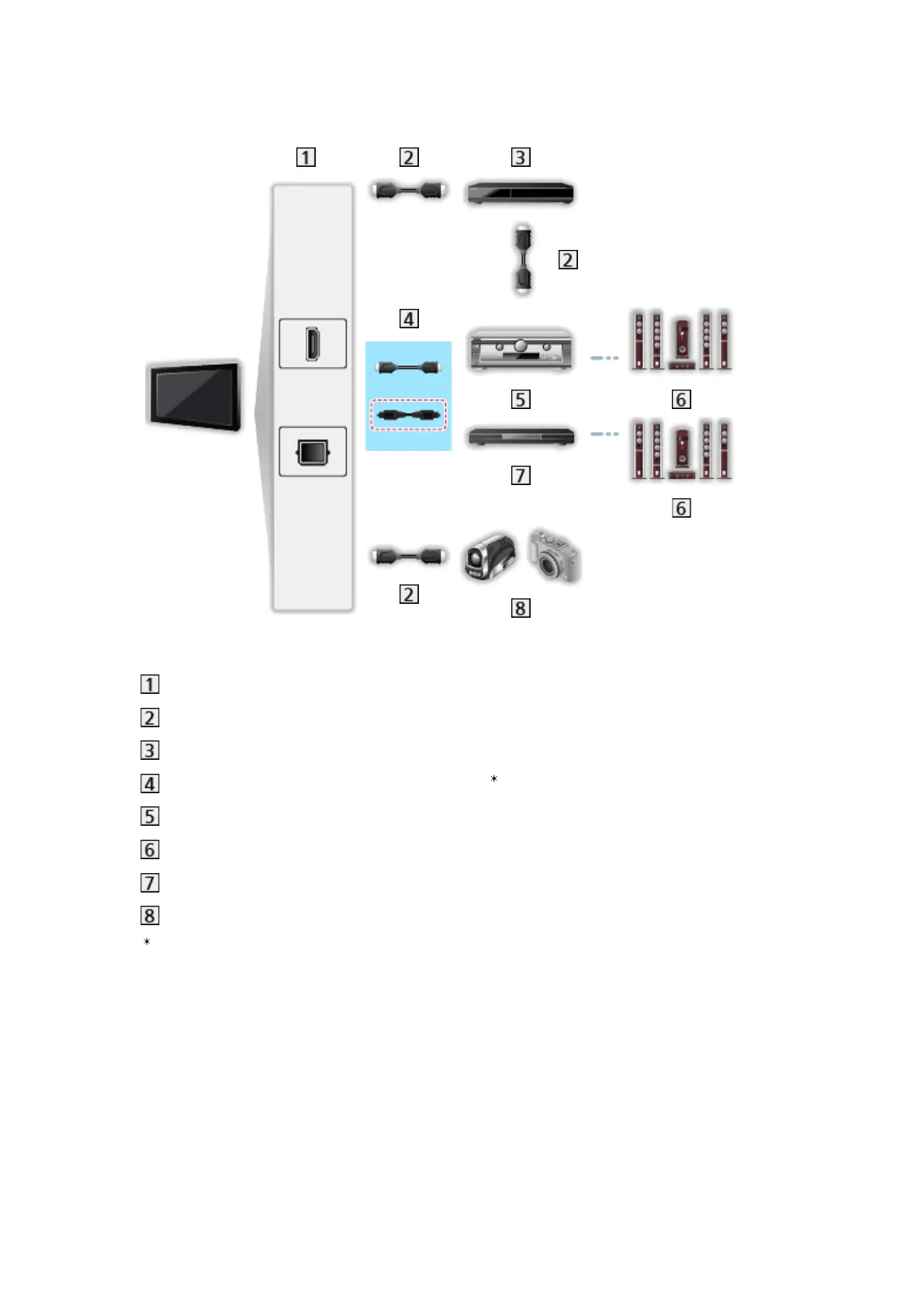
●
Use the optical digital audio cable for audio output from the TV.
HDMI terminal / DIGITAL AUDIO
HDMI cable
DVD Recorder with VIERA Link function
HDMI cable (Optical digital audio cable )
Amplifier with VIERA Link function
Speaker system
Player theatre / Blu-ray Disc theatre with VIERA Link function
HD Video Camera / LUMIX Camera with VIERA Link function
: If the connected equipment has “HDAVI Control 5” function, you do not
have to use this audio cable (Optical digital audio cable). In this case,
connect the equipment to the TV’s HDMI2 terminal via an HDMI cable.
- 205 -










 To Next Page