EasyManua.ls Logo

Panasonic TX-49EX580B - User Manual

Panasonic TX-49EX580B
24 pages
Print Icon
To Next Page IconTo Next Page
Loading...
TQB0E2774U
Operating Instructions
LED TV
Thank you for purchasing this Panasonic product.
Please read these instructions carefully before operating this product and retain them
for future reference.
Please carefully read the “Safety Precautions” of this manual before use.
The images shown in this manual are for illustrative purposes only.
English
Model No.
TX-49EX580B
TX-55EX580B
For more detailed instructions, please refer to
[eHELP] (Built-in Operating Instructions).
How to use [eHELP] (p. 16)
M0817-0 English
Question and Answer IconNeed help?

Do you have a question about the Panasonic TX-49EX580B and is the answer not in the manual?

Summary

Operating Instructions

LED TV Overview

Basic information about the LED TV model.

Built-in Operating Instructions (eHELP)

Accessing detailed instructions within the TV.

Important Notice

Product Features and Compatibility

Details on digital service standards and future compatibility.

Copyright and Licensing

Information on content usage rights and licensing.

Safety Precautions

Mains Plug and Lead Safety

Guidelines for safe use and maintenance of the power cord and plug.

General Electrical and Environmental Safety

Precautions against electric shock, moisture, dust, and heat.

Furniture and Placement Safety

Advice on TV placement to prevent falls and damage.

Physical Hazards

Warnings about suffocation, choking, and handling the TV.

Installation and Handling Precautions

Guidance on pedestal, ventilation, movement, and volume.

Wireless and Network Safety

Safety advice regarding built-in wireless LAN and radio waves.

Accessories

Standard Supplied Accessories

List of items included with the TV, like remote and batteries.

Declaration of Conformity

Statement of compliance with EU directives.

Assembling and Removing the Pedestal

Pedestal Assembly Preparations

Steps before assembling the TV pedestal.

Pedestal Installation Styles

Instructions for attaching the pedestal to the TV.

Removing the TV Pedestal

Procedure for detaching the pedestal from the TV.

Connections

Basic Connection Guide

Instructions for connecting the TV to power and aerial.

Terminal Identification

Overview of all available input and output ports on the TV.

Connecting AV Devices

How to connect DVD players, Blu-ray recorders, etc.

Connecting Satellite Receivers and Network

Guidance for satellite TV and internet connectivity.

4 K Equipment Connections

How to connect devices for high-definition 4K and HDR content.

Other AV Connections

Connecting component devices like DVD players for viewing and listening.

Connecting Audio and Video Equipment

Connecting camcorders, game consoles, amplifiers, and headphones.

Common Interface and USB HDD Usage

Using CI modules and USB drives for recording.

VIERA Link Functionality

Information on connecting compatible devices for integrated control.

Identifying Controls

Remote Control Overview

Identification and function of buttons on the remote control.

Remote Control Functions

Detailed explanation of each remote control button's operation.

Installing and Removing Batteries

Indicator and Control Panel

Location and function of the TV's on-unit controls and indicator lights.

Control Panel Component Functions

Explains the purpose of signal receiver, ambient sensor, power LED, and basic controls.

First-time Auto Setup

Initial TV Setup Steps

Guide to plugging in, selecting viewing environment, and country settings.

Network Configuration and Tuning

Setting up network connection and automatic channel tuning.

Watching TV

Powering On and Channel Selection

Steps to turn on the TV and select channels.

How to Use eHELP

Accessing and Navigating eHELP

Guide to displaying, searching, and selecting content within eHELP.

eHELP Features and Navigation

How to scroll, open reference screens, and find related information.

Frequently Asked Questions (FAQs)

Troubleshooting Common Issues

Solutions for problems like TV not switching on, remote issues, and image display.

Performance and Setup Queries

Answers to questions about heat, panel movement, and re-tuning Freeview.

Maintenance

Cleaning and Care Instructions

Guidelines for cleaning the display, cabinet, pedestal, and mains plug.

Specifications

TV Model and Physical Dimensions

Details on model numbers, weight, and physical size.

Power, Panel, and Sound

Technical specifications for power source, panel type, and audio output.

Connection Terminals Overview

Detailed list of input/output ports and their specifications.

Input and Output Interfaces

Specifications for HDMI, Ethernet, USB, and audio outputs.

Receiving Systems and Band Names

Information on TV broadcast standards and terrestrial aerial input.

Operating Conditions and Wireless LAN

Details on operating temperature, humidity, and wireless network standards.

Wall-Hanging Bracket Installation

Recommended Bracket and Hole Specifications

Information on wall-hanging bracket compatibility and TV mounting hole dimensions.

Installation Warnings and Precautions

Safety advice and warnings for installing the wall bracket to prevent injury or damage.

Disposal of Old Equipment and Batteries

European Recycling Guidelines

Instructions for disposing of old electronics and batteries in the EU.

Sales and Support Information

Customer Support Contact Details

Phone numbers and website for customer assistance and accessory orders.

Customer Record Section

Space for recording model and serial numbers for warranty purposes.

Summary

Operating Instructions

LED TV Overview

Basic information about the LED TV model.

Built-in Operating Instructions (eHELP)

Accessing detailed instructions within the TV.

Important Notice

Product Features and Compatibility

Details on digital service standards and future compatibility.

Copyright and Licensing

Information on content usage rights and licensing.

Safety Precautions

Mains Plug and Lead Safety

Guidelines for safe use and maintenance of the power cord and plug.

General Electrical and Environmental Safety

Precautions against electric shock, moisture, dust, and heat.

Furniture and Placement Safety

Advice on TV placement to prevent falls and damage.

Physical Hazards

Warnings about suffocation, choking, and handling the TV.

Installation and Handling Precautions

Guidance on pedestal, ventilation, movement, and volume.

Wireless and Network Safety

Safety advice regarding built-in wireless LAN and radio waves.

Accessories

Standard Supplied Accessories

List of items included with the TV, like remote and batteries.

Declaration of Conformity

Statement of compliance with EU directives.

Assembling and Removing the Pedestal

Pedestal Assembly Preparations

Steps before assembling the TV pedestal.

Pedestal Installation Styles

Instructions for attaching the pedestal to the TV.

Removing the TV Pedestal

Procedure for detaching the pedestal from the TV.

Connections

Basic Connection Guide

Instructions for connecting the TV to power and aerial.

Terminal Identification

Overview of all available input and output ports on the TV.

Connecting AV Devices

How to connect DVD players, Blu-ray recorders, etc.

Connecting Satellite Receivers and Network

Guidance for satellite TV and internet connectivity.

4 K Equipment Connections

How to connect devices for high-definition 4K and HDR content.

Other AV Connections

Connecting component devices like DVD players for viewing and listening.

Connecting Audio and Video Equipment

Connecting camcorders, game consoles, amplifiers, and headphones.

Common Interface and USB HDD Usage

Using CI modules and USB drives for recording.

VIERA Link Functionality

Information on connecting compatible devices for integrated control.

Identifying Controls

Remote Control Overview

Identification and function of buttons on the remote control.

Remote Control Functions

Detailed explanation of each remote control button's operation.

Installing and Removing Batteries

Indicator and Control Panel

Location and function of the TV's on-unit controls and indicator lights.

Control Panel Component Functions

Explains the purpose of signal receiver, ambient sensor, power LED, and basic controls.

First-time Auto Setup

Initial TV Setup Steps

Guide to plugging in, selecting viewing environment, and country settings.

Network Configuration and Tuning

Setting up network connection and automatic channel tuning.

Watching TV

Powering On and Channel Selection

Steps to turn on the TV and select channels.

How to Use eHELP

Accessing and Navigating eHELP

Guide to displaying, searching, and selecting content within eHELP.

eHELP Features and Navigation

How to scroll, open reference screens, and find related information.

Frequently Asked Questions (FAQs)

Troubleshooting Common Issues

Solutions for problems like TV not switching on, remote issues, and image display.

Performance and Setup Queries

Answers to questions about heat, panel movement, and re-tuning Freeview.

Maintenance

Cleaning and Care Instructions

Guidelines for cleaning the display, cabinet, pedestal, and mains plug.

Specifications

TV Model and Physical Dimensions

Details on model numbers, weight, and physical size.

Power, Panel, and Sound

Technical specifications for power source, panel type, and audio output.

Connection Terminals Overview

Detailed list of input/output ports and their specifications.

Input and Output Interfaces

Specifications for HDMI, Ethernet, USB, and audio outputs.

Receiving Systems and Band Names

Information on TV broadcast standards and terrestrial aerial input.

Operating Conditions and Wireless LAN

Details on operating temperature, humidity, and wireless network standards.

Wall-Hanging Bracket Installation

Recommended Bracket and Hole Specifications

Information on wall-hanging bracket compatibility and TV mounting hole dimensions.

Installation Warnings and Precautions

Safety advice and warnings for installing the wall bracket to prevent injury or damage.

Disposal of Old Equipment and Batteries

European Recycling Guidelines

Instructions for disposing of old electronics and batteries in the EU.

Sales and Support Information

Customer Support Contact Details

Phone numbers and website for customer assistance and accessory orders.

Customer Record Section

Space for recording model and serial numbers for warranty purposes.

Overview

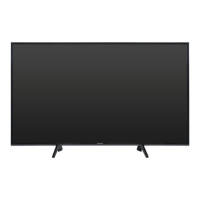
This document serves as the operating instructions for the Panasonic LED TV models TX-49EX580B and TX-55EX580B. It provides essential information for setup, usage, maintenance, and troubleshooting.

Function Description:

The Panasonic LED TV is designed for home entertainment, offering DVB, data broadcasting, and IPTV functionalities. It supports various input modes for connecting external equipment such as DVD/Blu-ray recorders, camcorders, game equipment, and satellite receivers. The TV features a built-in wireless LAN for internet connectivity, enabling access to online services like NETFLIX and other applications. It also includes an eHELP system, which provides detailed operating instructions directly on the TV. The TV is capable of displaying 4K content and supports HDR, with specific HDMI settings ([HDMI Auto Setting]) to optimize image quality for compatible equipment. It also offers recording capabilities when a USB HDD is connected to the USB 2 port. VIERA Link (HDAVI Control™) is supported for integrated control of compatible Panasonic equipment connected via HDMI.

Important Technical Specifications:

  • Model Numbers: TX-49EX580B (49-inch model), TX-55EX580B (55-inch model).
  • Power Source: AC 220-240 V, 50 / 60 Hz.
  • Panel: LED LCD panel.
  • Speaker Output: 20 W (10 W + 10 W).
  • Headphones: M3 (3.5 mm) stereo mini Jack × 1.
  • Dimensions (W × H × D):
    • TX-49EX580B: 1102 mm × 699 mm × 351 mm (With Pedestal), 1102 mm × 644 mm × 77 mm (TV only).
    • TX-55EX580B: 1240 mm × 777 mm × 351 mm (With Pedestal), 1240 mm × 722 mm × 78 mm (TV only).
  • Mass:
    • TX-49EX580B: 15.0 kg Net (With Pedestal), 14.0 kg Net (TV only).
    • TX-55EX580B: 18.0 kg Net (With Pedestal), 17.0 kg Net (TV only).
  • HDMI Inputs: TYPE A Connectors (HDMI1/3 for 4K, Content Type, Deep Colour, x.v.Colour™; HDMI2 for 4K, Content Type, Audio Return Channel, Deep Colour, x.v.Colour™). Supports "HDAVI Control 5" function.
  • Card Slot: Common Interface slot (complies with CI Plus) × 1.
  • ETHERNET: RJ45, IEEE802.3 10BASE-T/100BASE-TX.
  • USB Ports:
    • USB1: DC 5 V, Max. 500 mA [Hi-Speed USB (USB 2.0)].
    • USB2: DC 5 V, Max. 900 mA [SuperSpeed USB (USB 3.0)] (recommended for USB HDD recording).
  • DIGITAL AUDIO Output: PCM / Dolby Digital, Fibre optic.
  • AV Input (COMPONENT / VIDEO):
    • VIDEO: RCA PIN Type × 1, 1.0 V[p-p] (75 Ω).
    • AUDIO L - R: RCA PIN Type × 2, 0.5 V[rms].
    • Y: 1.0 V[p-p] (including synchronisation).
    • PB/CB, PR/CR: ±0.35 V[p-p].
  • Receiving Systems: DVB-T/T2 (Digital terrestrial services), PAL I (UHF E21-68 in UK, VHF A-J, CATV S1-S20, UHF E21-E69, CATV S21-S41 (Hyperband) in Ireland), PAL 525/60, M.NTSC, NTSC (AV input only).
  • Operating Conditions: Temperature 0 °C - 35 °C, Humidity 20% - 80% RH (non-condensing).
  • Built-in Wireless LAN: IEEE802.11a/n (5.180 GHz - 5.320 GHz, 5.500 GHz - 5.580 GHz, 5.660 GHz - 5.700 GHz), IEEE802.11b/g/n (2.412 GHz - 2.472 GHz). Supports WPA2-PSK (TKIP/AES), WPA-PSK (TKIP/AES), WEP (64 bit/128 bit) security. Note that 5.15-5.35 GHz band is restricted to indoor operation in Ireland and United Kingdom.

Usage Features:

  • First Time Auto Setup: Guides users through initial setup, including channel search, network connection, and country/region selection. Users can choose between "Home" (for home viewing) and "Shop" (for shop display) viewing environments.
  • eHELP System: A comprehensive built-in operating manual accessible via the remote control, providing detailed explanations for all features. It includes keyword search, search by purpose, and support information (FAQs).
  • Remote Control: Features dedicated buttons for Standby On/Off, Aspect ratio, Main Menu, Text service, Information, Netflix, Option Menu, Coloured buttons, Volume Up/Down, Numeric buttons, HELP, My App (assignable to a favorite application), Input mode selection, APPS, Subtitles, Exit, HOME, TV Guide, Cursor buttons, Return, Channel Up/Down, Sound Mute On/Off, Last view, and content/connected equipment operations.
  • Control Panel: Located on the rear side of the TV, it includes Input mode selection, Main Menu access, Channel Up/Down, Volume Up/Down, and Mains power On/Off switch. An Ambient sensor adjusts picture quality based on room brightness.
  • Automatic Standby: The TV enters Standby mode after 4 hours of no operation ([Auto Standby] in Timer Menu) or 10 minutes of no signal ([No signal Power off] in Timer Menu).
  • Wall-hanging Bracket Installation: Provides specifications for wall-hanging bracket holes (400 mm x 200 mm for 49-inch model, 400 mm x 400 mm for 55-inch model) and screw depth (minimum 8 mm, maximum 16 mm, Diameter M6). Emphasizes professional installation to maintain performance and safety.
  • Safety Precautions: Includes warnings regarding mains plug and lead handling, avoiding exposure to moisture or foreign objects, proper ventilation (at least 10 cm clearance), stable placement, and safe battery usage. It also advises against disassembling or modifying the TV or pedestal. Radio wave interference warnings are provided for medical institutions and pacemakers.

Maintenance Features:

  • Display Panel, Cabinet, Pedestal:
    • Regular care: Gently wipe with a soft cloth to remove dirt or fingerprints.
    • Stubborn dirt: First clean dust, then dampen a soft cloth with clean water or diluted neutral detergent (1 part detergent to 100 parts water), wring firmly, wipe the dirt, and finally wipe away all moisture.
    • Cautions: Do not use hard cloths, rub too hard, or use insect repellent, solvent, thinner, or other volatile substances. Avoid tapping or scratching the display panel. Prevent rubber or PVC substances from prolonged contact with the cabinet and pedestal.
  • Mains Plug: Wipe with a dry cloth at regular intervals to prevent fire or electrical shock from moisture and dust.
  • Battery Replacement: Instructions for installing and removing batteries in the remote control, emphasizing correct polarity, using the same type, and not mixing old/new or different types of batteries. Advises removing batteries if not used for a prolonged period.
  • Disposal: Provides guidance for the proper disposal of old equipment and batteries in accordance with European Union recycling systems, highlighting the importance of using designated collection points to conserve resources and prevent environmental harm.

Panasonic TX-49EX580B Specifications

General IconGeneral
BrandPanasonic
ModelTX-49EX580B
CategoryLED TV
LanguageEnglish

Related product manuals