English
18
Watching TV
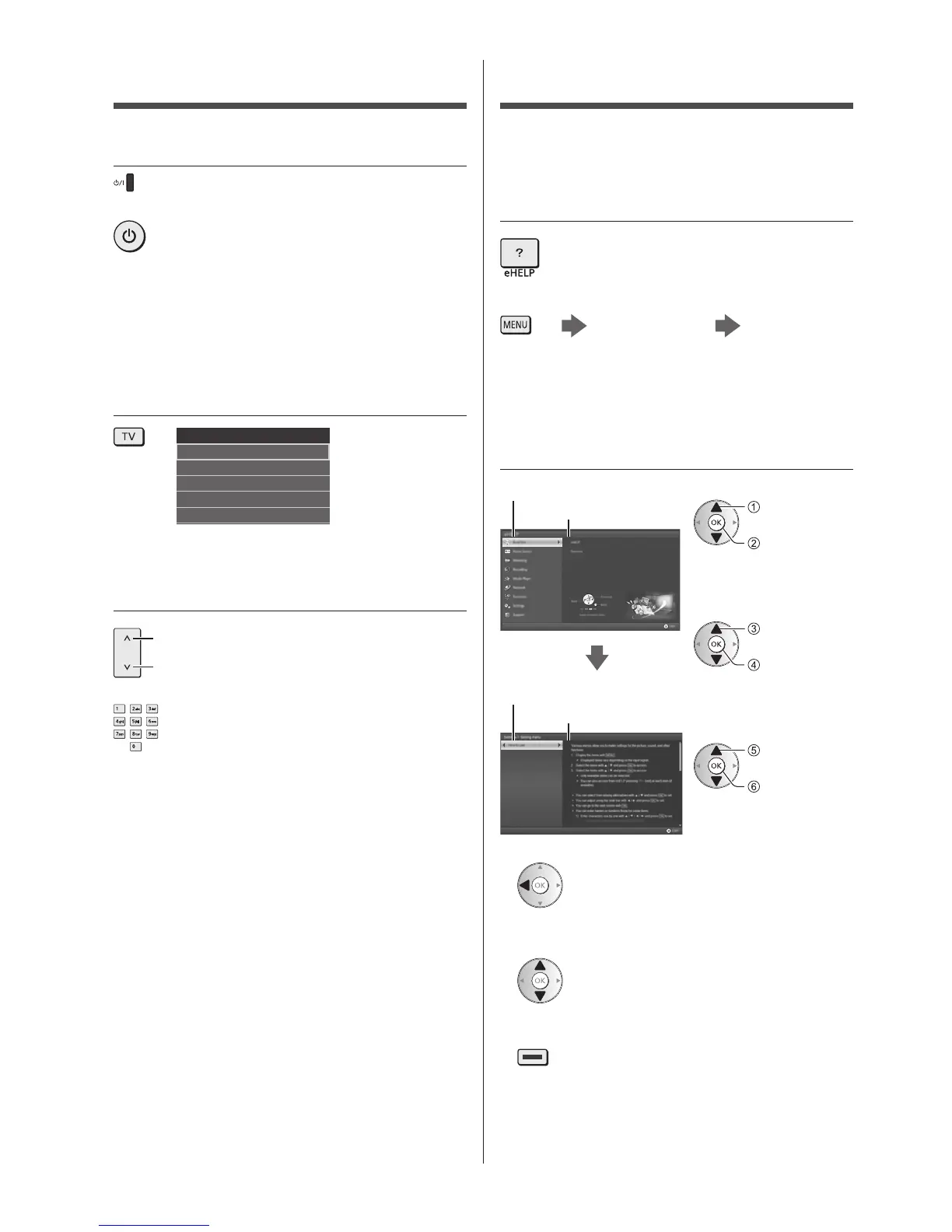
1 Turn power on
(TV)
or
(Remote Control)
●
Mains power On / Off switch should be on.
(p. 16)
Displays information bar on the edge of screen for
several seconds.
●
For information about the operation and settings, refer
to [eHELP]. (Read first > Features)
2 Select the mode
TV Selection
Freesat
DVB
Analogue
Other Sat.
Satellite
●
Selectable modes vary depending on the stored
channels and selected country.
3 Select a channel
up
down
or
●
Freesat channel position numbers are in the 101 -
999 and 0101 - 0999 ranges. DVB and Other Sat. /
Satellite channel position begin from number 1
upward. Analogue channel position numbers are in
the 0 - 99 range.
How to Use eHELP
[eHELP] is the detailed operating instructions built into
the TV, and gives a more detailed explanation for a
better understanding of the operation of each feature.
1 Display [eHELP]
or
[Help] [eHELP]
●
If the [eHELP] has been accessed previously since
the TV was turned on, the confirmation screen is
displayed to select whether to go to the [First page] or
to the [Last viewed page].
2 Select the category and item
Category field
Item field
select
category
access
select item
access
select sub
item
access
Sub item field
Description
●
To return to the previous field
●
To scroll the description (if more than 1 page)
While the description is highlighted
●
To display the menu related to the description (only
for some descriptions)
(red)
●
To check the features of this TV
Read first > Features








 To Next Page