Service Hints
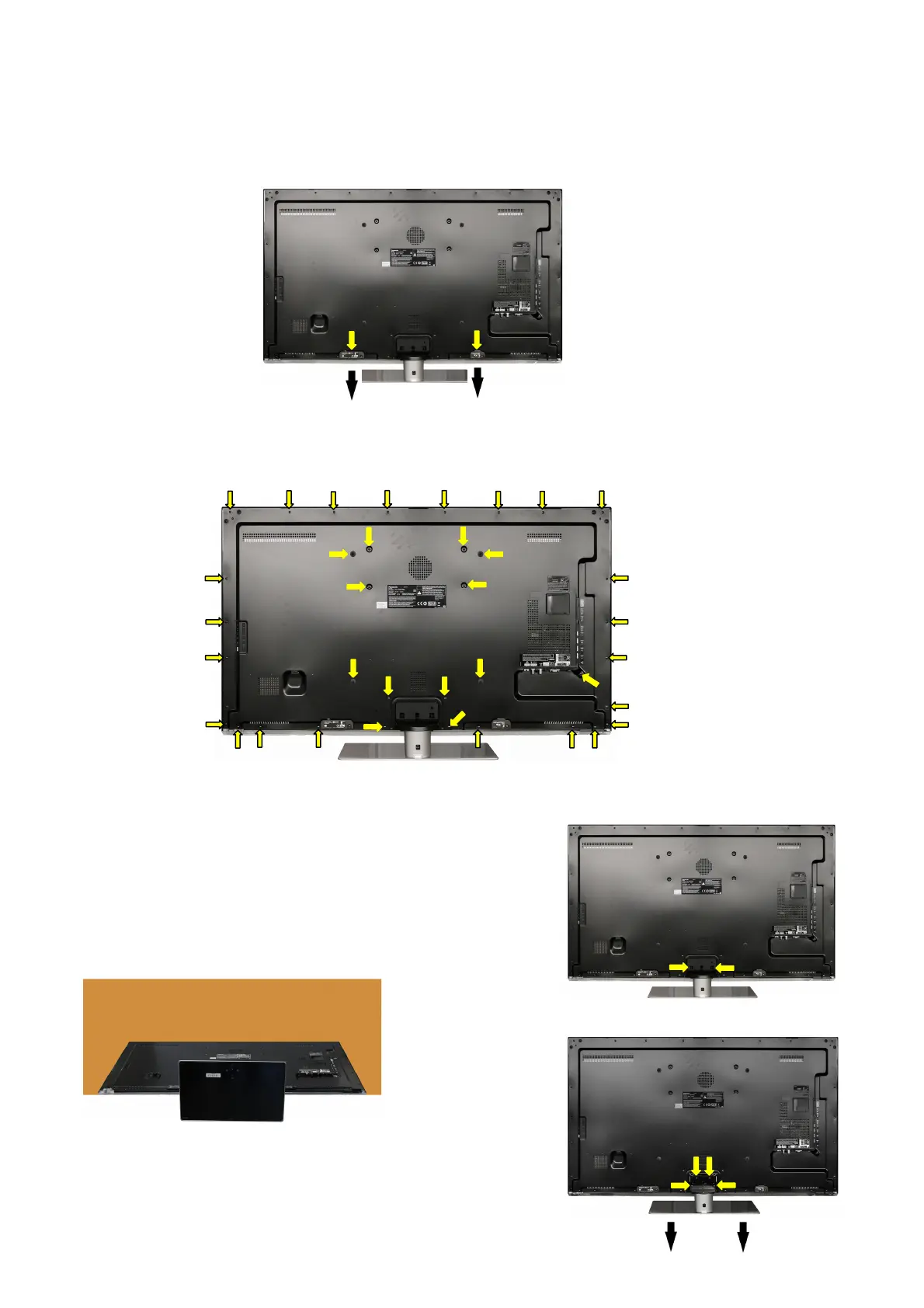
How to remove the backcover
Remove the 1 fixing screw and WIFI DONGLE. (see Fig.5)
Remove the 1 fixing screw and BT DONGLE. (see Fig.5)
Remove the 31 fixing screws, 4 caps and the backcover. (see Fig.6)
How to remove the pedestal assembly.
Lay the main unit face down. (see Fig.7)
Remove the 2 fixing screws and the cover of the stand. (see Fig.8)
Remove the 4 fixing screws and the pedestal assembly. (see Fig.9)
Fig.5
(2)
(2)
SCREWS
(2) THEC1509 /2pcs/
Fig.6
SCREWS
(1) THEC1509 /31pcs/
(3) TKKL55351 /4pcs/
Fig.7
SCREWS
4
XYN4+F10FJK /6
cs/
Fig.8
(4)
(4)
(4)
(4)
Fig.9
(4)
(4)
(1)
(1)
(1)
(1)
(1)
(1)
(1)
(1)
(1)
(1)
(1)
(3)
(3)
(3)
(1)
(1)
(1)
(1)
(1)
(1)
(3)
(1)
(1)
(1)
(1)
(1)
(1)
(1)
(1)
(1)
(1)
(1)
(1)
(1)
(1)
(1)




 To Next Page