- 22 -
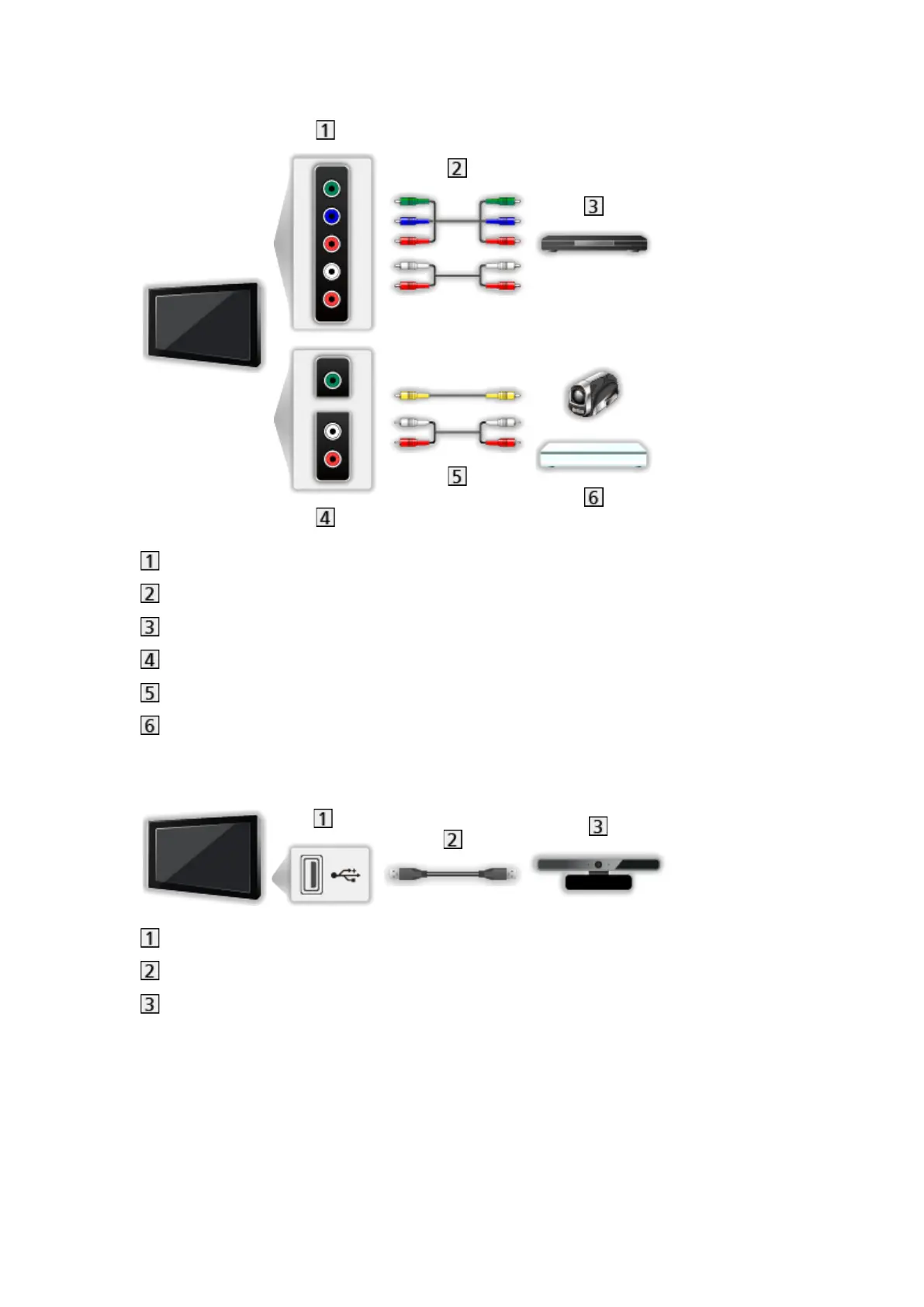
■ AV devices
AV2 (COMPONENT) terminals
Component cables
DVD player
AV2 (VIDEO) terminals
Composite cables
Camcorder / Game equipment
■ USB devices
USB port
USB cable
Communication Camera
= Note =
●
It is recommended to connect the devices to the TV’s USB ports directly.
●
You cannot use two or more of the same kind of USB devices
simultaneously except USB Flash Memory.
●
Use USB 1 port for connecting the Communication Camera.
●
Some USB devices or USB HUB may not be used with this TV.



 To Next Page