EasyManua.ls Logo

Panasonic TY-ST58PF20 - User Manual

Panasonic TY-ST58PF20
122 pages
Go to English
Print Icon
To Next Page IconTo Next Page
Loading...
TY-ST58PF20
Model No.
組み立て設置工事説明書
プラズマディスプレイ用移動式スタンド
Installation Instructions
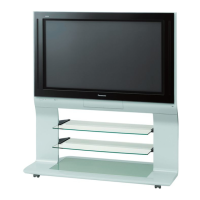
Mobile stand for Plasma Display
Installationsanleitung
Mobiler Ständer für Plasmadisplay
Installatiehandleiding
Mobiele standaard voor plasmascherm
Istruzioni per I’installazione
Supporto mobile per lo schermo al plasma
Manuel d’installation
Pied mobile pour l’écran plasma
Instrucciones de instalación
Pedestal móvil para la pantalla de plasma
Installationsanvinsningar
Flyttbart stativ för Bred plasmaskärmen
Monteringsvejledning
Rullebord til plasmaskærm
Инструкция по установке
Мобильная подставка плазменного дисплея
Орнату нұсқаулары
Плазмалық дисплейдің жылжымалы тіреуіші
Інструкції з встановлення
Переносна підставка плазмового дисплея
安裝說明書
安裝說明書
電漿顯⽰器移動式台架
電漿顯⽰器移動式台架
日本語
English
TQZJ228
Deutsch
Nederlands
ItalianoFrançaisEspañolSvenskaDanskРусский
Казахский
Українська
中⽂
Question and Answer IconNeed help?

Do you have a question about the Panasonic TY-ST58PF20 and is the answer not in the manual?

Summary

Safety Precautions

WARNING

General warnings for installation, modification, and location of the plasma display stand.

CAUTION

Specific cautions regarding usage, weight limits, potential damage, and handling.

Requests Regarding Handling

Advice on display placement, cleaning methods, and avoiding impact or deterioration.

Precautions for Mobile Stand Assembly and Setup Work

Guidance on assembly location, environmental considerations, and secure installation practices.

Components

Assembly

Assembling the Stand Base

Instructions for connecting the base unit and base joint using specified bolts.

Attaching the Support Columns

Securing the vertical support columns to the stand base using bolts.

Perpendicular Adjustment and Fixing of the Support Columns

Ensuring columns are vertical and tightening them securely.

Attachment of Brackets for Plasma Display (Top;Bottom)

Mounting brackets for different screen sizes onto support columns.

Preparation of the Shelf Plate

Attaching the shelf plate using wood screws to the side brackets.

Shelf Plate Fitting

Adjusting the shelf plate height and fitting it securely.

Preparing the Plasma Display

Attaching insulation spacers to the display before mounting.

Fitting to the Stand

Locking casters and carefully mounting the display onto the stand.

Fixing of the Plasma Display

Securing the mounted display to the top bracket with screws.

Setup and Wiring of Connected Devices

Installing cable management clamps and cover stickers.

Preventing Falling Over

Securing the stand to walls or pillars for earthquake safety.

Removing the Plasma Display

External Dimensions Drawing

Summary

Safety Precautions

WARNING

General warnings for installation, modification, and location of the plasma display stand.

CAUTION

Specific cautions regarding usage, weight limits, potential damage, and handling.

Requests Regarding Handling

Advice on display placement, cleaning methods, and avoiding impact or deterioration.

Precautions for Mobile Stand Assembly and Setup Work

Guidance on assembly location, environmental considerations, and secure installation practices.

Components

Assembly

Assembling the Stand Base

Instructions for connecting the base unit and base joint using specified bolts.

Attaching the Support Columns

Securing the vertical support columns to the stand base using bolts.

Perpendicular Adjustment and Fixing of the Support Columns

Ensuring columns are vertical and tightening them securely.

Attachment of Brackets for Plasma Display (Top;Bottom)

Mounting brackets for different screen sizes onto support columns.

Preparation of the Shelf Plate

Attaching the shelf plate using wood screws to the side brackets.

Shelf Plate Fitting

Adjusting the shelf plate height and fitting it securely.

Preparing the Plasma Display

Attaching insulation spacers to the display before mounting.

Fitting to the Stand

Locking casters and carefully mounting the display onto the stand.

Fixing of the Plasma Display

Securing the mounted display to the top bracket with screws.

Setup and Wiring of Connected Devices

Installing cable management clamps and cover stickers.

Preventing Falling Over

Securing the stand to walls or pillars for earthquake safety.

Removing the Plasma Display

External Dimensions Drawing

Panasonic TY-ST58PF20 Specifications

General IconGeneral
BrandPanasonic
ModelTY-ST58PF20
CategoryRacks & Stands
LanguageEnglish

Related product manuals