Using Media Player
12
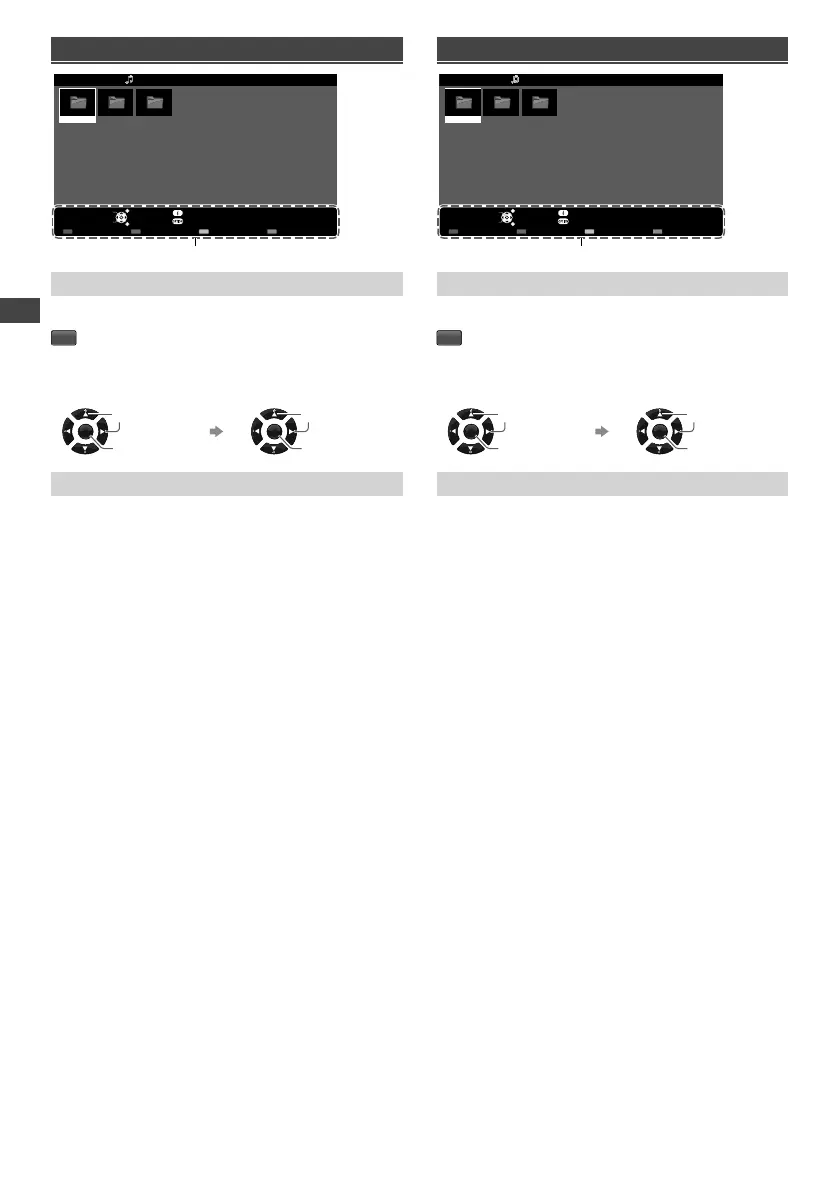
Music mode
My Music_1
My Music_2
My Music_3
Media Player Music Folder view
USB
EXIT
Select
RETURN
Play Folder Contents Select
Info
Access
Option Menu
Drive Select
Operation guide
[Play Folder]
Playbacks all music in the selected folder.
R
■ To playback the selected file only
Select the folder. Select the file.
OK
Access
Select
OK
Play
Select
[Option Menu]
■ [Music Setup Menu]
– [Repeat]
• [One]: Playback repeat on the selected one file.
• [Folder]: Playback repeat within the selected folder.
• [Off]: Playback repeat off.
Movie mode
My Movie_1
My Movie_2
My Movie_3
Media Player Movie Title view
USB
EXIT
Select
RETURN
Play Folder Contents Select
Info
Access
Option Menu
Drive Select
Operation guide
[Play Folder]
Playbacks all movies in the selected folder.
R
■ To playback the selected file only
Select the folder. Select the file.
OK
Access
Select
OK
Play
Select
[Option Menu]
■ [Video Setup Menu]
– [Multi Audio]: Selects the sound tracks (if available)
during video playback.
– [Subtitle]: Selects the subtitle (if available) during
video playback.
– [Aspect Change]: Selects the aspect mode during
video playback. [16:9] / [14:9] / [Just] / [4:3] / [4:3
Full] / [Zoom1] / [Zoom2] / [Zoom3]
• You can also change the aspect by pressing the
ASPECT button repeatedly.
– [Repeat]: Playback repeat options. [Off] / [On]
Us
Fu
1 D
M
Ex
C
2 Se
3 Se
4 C
Exam
●
Cha
Surr
●
Adju
Bass
●
Acce
Child
No
●
Only
TH-32A400AZ.indd 12TH-32A400AZ.indd 12 1/10/2014 5:24:17 PM1/10/2014 5:24:17 PM





 To Next Page