EasyManua.ls Logo

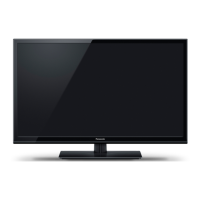
Panasonic Viera TH-L32XM5M - User Manual

Panasonic Viera TH-L32XM5M
16 pages
Print Icon
To Next Page IconTo Next Page
Loading...
Operating Instructions
LED TV
English
Thank you for purchasing this Panasonic product.
Please read these instructions before operating your set and retain them for future reference.
The images shown in this manual are for illustrative purposes only.
CEF
TQB4GC0959
Model No.
TH-L32XM5K
TH-L32XM5M
TH-L32XM5T
TH-L32XM5X
Standard accessories
Remote Control
N2QAYB000802
R6 (AA) batteries (2)
(for Remote Control)
Pedestal
EXITINFO
OPTION
SURROUND
STILL
OFF TIMER
RETURN
P-NR SOUND PICTURE
INPUT
MUTE
LAST VIEW
TV
M
E
N
U
AVTVPC
ASPECT
RGYB
POWER
CH
VOL
H
D
M
I
P
L
A
Y
B
A
C
K
U
S
B
Mains lead
(XM5K/X series) (XM5M series) (XM5T series)
Operating Instructions
Accessories may not be placed all together. Take care not to
throw them away unintentionally.
is product contains possibly dangerous parts (such as
plastic bags), which can be breathed in or swallowed by
young children accidentally. Keep these parts out of reach of
young children.
Safety Precautions .................................................... 2
Attaching / removing the pedestal ......................... 3
Connecting the Aerial & External Equipment ..... 4
Identifying Controls ................................................ 5
Performing Initial Setup..........................................6
Watching TV ............................................................6
Watching External Inputs ....................................... 7
Using the Menu Functions .....................................7
Using Media Player ................................................11
Technical Information ...........................................13
FAQs ........................................................................15
Speci cations .......................................................... 16
Contents
TH-L32XM5KMTX_fold_EN.indd 1TH-L32XM5KMTX_fold_EN.indd 1 6/1/2012 8:26:04 AM6/1/2012 8:26:04 AM
Question and Answer IconNeed help?

Do you have a question about the Panasonic Viera TH-L32XM5M and is the answer not in the manual?

Summary

Safety Precautions

Attaching; removing the pedestal

Assembling the pedestal

Step-by-step guide for pedestal assembly and screw tightening.

Securing the TV

Instructions for securely attaching the TV to the pedestal.

Preventing the TV from falling over

Method to secure the pedestal to the installation surface.

Removing the pedestal from the TV

Procedure for safely detaching the pedestal from the TV.

Connecting the Aerial & External Equipment

Identifying Controls

TV Controls

Identifies buttons and indicators on the TV unit itself.

Remote Control

Details functions and buttons of the remote control.

Performing Initial Setup

Initial Setup Steps

Guide covering power connection, language, and area selection.

Watching TV

Basic TV Operation

Covers turning on, changing channels, aspect ratio, and info banner.

Picture and Timer Settings

Details on freeze function, off timer, and aspect ratio.

Watching External Inputs

Input Selection and Management

Accessing and labeling input sources for external devices.

Using the Menu Functions

Menu Navigation and Operation

Steps for displaying, selecting, and adjusting menu options.

List of Menu Items

Picture Menu - Settings for picture

Details on picture adjustments like contrast, brightness, and color.

Sound Menu - Settings for sound

Options for adjusting sound modes, bass, treble, and surround.

Setup Menu - Settings for TV

PC Setup

Configuration options for connecting and displaying a PC.

Tuning Menu

Settings related to channel tuning and editing.

Display Settings

Options for input labels and banner display.

System Menu

General system settings including shipping condition and power save.

Tuning and Editing Channels

Channel Management Features

Covers channel list editing, auto/manual tuning, and child lock.

Input Labeling

Customizing input terminal names for easier selection.

Using Media Player

Starting Media Player

Steps to insert USB and access the Media Player.

Photo mode

Viewing still pictures from a USB device.

Music mode

Playing music files from a USB device.

Technical Information

HDMI connection

Details on connecting devices via HDMI.

DVI connection

Instructions for connecting devices using DVI to HDMI.

NOTES

Important notes regarding HDMI and DVI connections.

PC connection

PC (from HDMI terminal)

PC signal compatibility with HDMI.

PC (from D-sub 15 P)

PC signal compatibility with D-sub 15-pin connector.

Input signal that can be displayed

List of supported input signals for Component and HDMI.

Media Player

Supported file formats for Media Player.

FAQs

Common Troubleshooting Issues

Solutions for visual noise, no image/sound, remote control problems.

Display and Sound Anomalies

Addressing pixel characteristics, panel movement, and sound issues.

Error Messages and System Behavior

Handling error messages and automatic standby mode.

Specifications

Power and Display Details

Technical data on power, panel type, size, and resolution.

Audio and Reception

Specifications for audio output and TV broadcast channels.

Connections and Physical Data

Details on terminals, PC/USB specs, dimensions, and mass.

Broadcast Systems and Licensing

Supported broadcast systems and trademark information.

Panasonic Viera TH-L32XM5M Specifications

General IconGeneral
Screen Size32 inches
Resolution1366 x 768
Display TypeLED
Refresh Rate50 Hz
HDMI Ports2
USB Ports1
Aspect Ratio16:9
Built-in SpeakerYes

Related product manuals