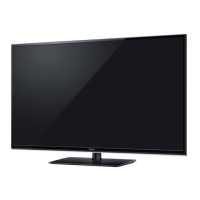
This document is an operating manual for a Panasonic LED TV.
Function Description
This Panasonic LED TV is designed for indoor, table-top use, operating on AC 220-240 V, 50/60 Hz. It offers various viewing modes, including Digital TV and Analogue TV, and supports external input connections for AV/Game equipment, DTV recorders/PVRs/VCRs, and set-top boxes. The TV incorporates VIERA Link (HDAVI Control™) for easy control and interaction with compatible Panasonic equipment, enabling features like easy playback, power on/off link, and reduced power consumption in standby. It also includes a Media Player function for enjoying photos, music, and videos from a USB Flash Memory. The TV features an Electronic Programme Guide (EPG) for Digital TV, displaying broadcast listings for up to seven days. Safety precautions are emphasized throughout the manual, covering mains plug and lead handling, ventilation, and proper pedestal installation.
Important Technical Specifications
Model Numbers:
- Australia: TH-L32XM6A, TH-L39EM6A, TH-L50EM6A
- New Zealand: TH-L32XM6Z, TH-L39EM6Z, TH-L50EM6Z
Power:
- Rating: AC 220 - 240 V, 50/60 Hz
- Normal (Home) mode power consumption:
- TH-L32XM6A/Z: 34 W (0.58 A)
- TH-L39EM6A/Z: 38 W (0.32 A)
- TH-L50EM6A/Z: 60 W (0.51 A)
- Standby power consumption: 0.2 W for all models
Display Panel:
- Type: TFT LCD Module with LED Backlight
- Visible screen size (diagonal):
- TH-L32XM6A/Z: 80 cm (32 inches)
- TH-L39EM6A/Z: 98 cm (39 inches)
- TH-L50EM6A/Z: 126 cm (50 inches)
- Display Resolution:
- TH-L32XM6A/Z: 1,049,088 (1,366 (W) x 768 (H))
- TH-L39EM6A/Z & TH-L50EM6A/Z: 2,073,600 (1,920 (W) x 1,080 (H))
Sound:
- Speaker:
- TH-L32XM6A/Z: (90 mm x 25 mm) × 2 pcs, 8 Ω
- TH-L39EM6A/Z & TH-L50EM6A/Z: (100 mm x 30 mm) × 2 pcs, 8 Ω
- Audio output:
- TH-L32XM6A/Z: 10 W (5 W + 5 W), 10% THD
- TH-L39EM6A/Z & TH-L50EM6A/Z: 20 W (10 W + 10 W), 10% THD
Receiving Systems / Band Name:
- Digital TV: 7 MHz VHF / UHF (Australia) free-to-air TV broadcast reception; 8 MHz UHF (New Zealand) free-to-air TV broadcast reception
- PAL B/G: Reception of Off air broadcasts
- PAL 60 Hz: Playback of NTSC tape from some PAL Video recorders (VCR)
- M.NTSC: Playback from M.NTSC Video recorders (VCR)
- NTSC: Playback from NTSC Video recorders (VCR)
Dimensions (W × H × D):
- With Pedestal:
- TH-L32XM6A/Z: 741 × 513 × 207 mm
- TH-L39EM6A/Z: 890 × 593 × 217 mm
- TH-L50EM6A/Z: 1,159 × 738 × 298 mm
- TV only:
- TH-L32XM6A/Z: 741 × 448 × 55 mm
- TH-L39EM6A/Z: 890 × 531 × 60 mm
- TH-L50EM6A/Z: 1,159 × 693 × 69 mm
Mass (Net):
- With Pedestal:
- TH-L32XM6A/Z: 8.0 kg
- TH-L39EM6A/Z: 12.0 kg
- TH-L50EM6A/Z: 21.0 kg
- TV only:
- TH-L32XM6A/Z: 7.0 kg
- TH-L39EM6A/Z: 10.0 kg
- TH-L50EM6A/Z: 17.5 kg
Aerial Input:
- Australia: Standard Belling & Lee connector
- New Zealand: VHF / UHF
Operating Conditions:
- Temperature: 0 °C - 35 °C
- Humidity: 20 % - 80 % RH (non-condensing)
Connection Terminals:
- AV1 IN: AUDIO L - R (RCA PIN Type × 2, 0.5 V[rms]), VIDEO (RCA PIN Type × 1, 1.0 V[p-p] (75 Ω)), COMPONENT (Y: 1.0 V[p-p] (including synchronization), PB/CB, PR/CR: ±0.35 V[p-p])
- AV2 IN: AUDIO L - R (RCA PIN Type × 2, 0.5 V[rms]), VIDEO (RCA PIN Type × 1, 1.0 V[p-p] (75 Ω))
- AUDIO OUT: AUDIO L - R (RCA PIN Type × 2, 0.5 V[rms])
- DIGITAL AUDIO OUT: PCM / Dolby Digital / DTS, Fibre optic
- HDMI AV IN: TYPE A Connectors × 2 (HDMI1/2, HDMI2 supports ARC)
- USB: USB 2.0 TYPE A Connectors × 1, DC 5 V, Max. 500 mA
- Supported Media Player File Formats:
- Photo: JPEG (.jpg, .jpeg) (8x8 to 30,719x17,279 resolution, DCF and EXIF standards, Sub-sampling: 4:4:4, 4:2:2, 4:2:0). Progressive JPEG not supported.
- Music: MP3 (.mp3), AAC (.m4a), WMA (.wma), LPCM (.wav), FLAC (.flac). Copy-protected files not supported. WMA Pro and WMA Lossless not supported.
- Video: AVI (.avi), MKV (.mkv), ASF (.asf, .wmv), MP4 (.f4v, .m4v, .mp4), FLV (.flv), 3GPP (.3gp, .3g2), TS (.mts, .m2ts, .tp, .trp, .ts, .tts), PS (.mod, .mpg, .mpeg, .vob, .vro). Some subtitles or chapter functions may not be available.
- Subtitles: MicroDVD, SubRip, TMPlayer (.srt, .sub, .txt). Video file and subtitles text file must be in the same folder with the same file names (except extensions). Priority order: ".srt", ".sub", ".txt".
- USB Flash Memory: Format: FAT16, FAT32. Compliance: Supports only USB1.1 or USB2.0 standard. Maximum USB capacity supported is 16GB. USB Hub or card adapter not supported.
Usage Features
Initial Setup:
Upon first power-on, the TV guides the user through a series of steps:
- Plug in mains plug: Connect the TV to an AC 220-240 V, 50/60 Hz socket.
- Turn on TV: Use the remote control.
- Select viewing environment: Choose between [Home] (for normal use) or [Shop] (for shop display).
- Select area: Choose your specific region (e.g., New South Wales, Victoria for Australia; New Zealand).
- Auto Tuning: Tick the desired modes (Digital TV, Analogue TV) and start auto tuning to search and store available channels.
Remote Control Functions:
- POWER: Switches TV On/Standby.
- VIERA TOOLS: Accesses special features.
- INPUT: Displays [Input Selection] screen.
- TV/AV: Switches Digital TV/Analogue TV or displays [Input Selection] screen.
- MENU: Displays [Main Menu].
- TEXT: Switches to teletext mode (New Zealand).
- STTL: Displays subtitles.
- GUIDE: Displays TV Guide (Australia) / Freeview Guide (New Zealand).
- INFO (i): Displays Information banner.
- EXIT: Exits to TV viewing screen.
- Cursor buttons (up/down/left/right): Makes selections or adjustments.
- OK: Confirms selections, quickly changes channels after selecting positions, displays Channel List.
- OPTION: Displays [Option Menu] for quick settings.
- RETURN: Returns to previous menu/page.
- ASPECT: Displays [Aspect Selection] screen to choose aspect ratio (16:9, 14:9, Just, 4:3, Zoom, 4:3 Full, Sidecut Just, Sidecut Zoom).
- Coloured buttons (Red, Green, Yellow, Blue): Performs multiple operations as guided on screen.
- VOL (+/-): Volume Up/Down.
- MUTE: Sound Mute On/Off.
- CH (+/-): Channel Up/Down.
- Numeric buttons (0-9): Changes channel, teletext pages (New Zealand), sets characters, switches TV On from Standby.
- STILL: Freezes/unfreezes picture.
- LAST VIEW: Returns to last viewed channel.
TV Controls (on the TV unit):
- INPUT/OK/HOLD: Displays [Input Selection] screen, confirms selection, displays [Main Menu] when pressed for 3 seconds.
- CH (+/-): Channel Up/Down, Cursor Up/Down.
- VOL (+/-): Volume Up/Down, Cursor Left/Right.
- Mains power On/Off switch: Switches mains power.
- Remote control signal receiver: Receives signals from the remote.
- Ambient sensor: Senses brightness to adjust picture quality.
- Power LED: Red (Standby), Green (On), blinks when receiving remote command.
Watching External Inputs:
- Connect external equipment (HDMI, COMPONENT, COMPOSITE).
- Display [Input Selection] menu and select the connected input.
- HDMI 1-2: For HDMI connections. HDMI2 supports ARC.
- AV1 IN: Supports COMPONENT (Y, PB/CB, PR/CR) and VIDEO (RCA) with AUDIO L-R.
- AV2 IN: Supports VIDEO (RCA) with AUDIO L-R.
- Input labels can be customized or skipped.
TV Guide / Freeview Guide:
- Displays Electronic Programme Guide (EPG) for Digital TV, showing current and forthcoming broadcasts for up to seven days.
- Available in Australia (TV Guide) and New Zealand (Freeview Guide).
- Allows viewing programme listings, descriptions, parental ratings, and captioning information.
VIERA TOOLS:
- Accesses features like Media Player (Photo, Video, Music), ECO NAVI, and VIERA Link.
Media Player:
- Plays photos, music, and videos from a USB Flash Memory.
- Supports various file formats (JPEG, MP3, AAC, WMA, FLAC, AVI, MKV, ASF, MP4, FLV, 3GPP, TS, PS).
- Supports MicroDVD, SubRip, TMPlayer subtitle formats.
- Photo mode: View photos one at a time ([View]) or as a slideshow ([Slideshow]). Sort by folder, date, or month. Options include changing photo size, slideshow settings (frame type, colour effect, transition effect, auto makeup), and background music.
- Video mode: Playback video titles. Options include audio selection, subtitle display, subtitle text type, and repeat playback.
- Music mode: Playback music from selected folders or individual files. Options include repeat playback (folder or one file).
- USB Flash Memory must be FAT16 or FAT32, USB1.1 or USB2.0 standard, max 16GB.
Menu Functions:
-
Picture Menu:
- Viewing Mode: Dynamic, Normal, Cinema, True Cinema, Custom.
- Adjustments: Backlight, Contrast, Brightness, Colour, Sharpness, Tint (NTSC only).
- Colour Temperature: Cool2, Cool1, Normal, Warm1, Warm2.
- Vivid Colour: On/Off.
- Adaptive Backlight Control: On/Off.
- Ambient Sensor: On/Off.
- Noise Reduction: Auto, Max, Mid, Min, Off.
- MPEG Noise Reduction: Auto, Max, Mid, Min, Off.
- Advanced Settings: (available in True Cinema/Custom mode) Adaptive Gamma Control, Black Expander, White Balance, Colour Management, Gamma, Reset Picture Defaults.
- Option Settings: Film Cadence Mode, 1080p Pixel Direct (39" & 50" models), HDMI Content Type (Graphics, Photos, Auto, Off), HDMI RGB Range (Auto, Full, Normal), 3D-COMB, Screen Settings (16:9 Overscan, H-Size, Zoom Adjustments, Screen Display).
- Copy Adjustment: Copies picture adjustments to other inputs.
-
Sound Menu:
- Mode: Standard, Music, Speech, User.
- Adjustments: Bass, Treble.
- Equaliser: Adjusts frequency levels (in User mode).
- Balance: Adjusts volume for left/right speakers.
- Surround: On/Off.
- Auto Gain Control: On/Off.
- Volume Correction: Adjusts volume for channels/inputs.
- Speaker Distance to Wall: Up to 30cm, Over 30cm.
- MPX: Stereo, Mono, M1, M2 (Analogue TV).
- Digital Audio Preference: Dolby D, MPEG (Australia); Dolby D, HE-AAC (New Zealand).
- SPDIF Selection: Auto, PCM.
- Audio Description: On/Off, Volume, Speakers.
- HDMI1/2 Input: Digital, Analogue.
- Reset Sound Defaults: Resets sound settings.
-
Timer Menu:
- Off Timer: Sets duration until TV goes to Standby (15, 30, 45, 60, 75, 90 minutes).
- Daylight Saving Time (Australia): +1 hour, +1/2 hour, Off, Auto.
-
Setup Menu:
- Region Select (Australia): NSW/ACT, Victoria, Queensland, South Australia, Western Australia, Northern Territory, Tasmania.
- Auto Standby: Turns TV off automatically after 4 hours of no button press.
- No signal Power off: Turns TV off if no signal detected for 10 minutes.
- Eco Navigation: Sets TV to energy-saving mode.
- Child Lock: Sets PIN, locks channels/AV inputs, Parental Rating.
- Tuning Menu: Digital TV/Analogue TV tuning options.
- Language (New Zealand): Preferred Audio Language, Preferred Subtitles.
- Display Settings: Teletext (FASTEXT, List), Input Labels (customize input names, skip unconnected inputs), Banner Display Timeout.
- VIERA Link Settings: VIERA Link (On/Off), Power on Link, Power off Link, Standby Power Save, Intelligent Auto Standby.
- System Menu: Shipping Condition (resets all settings), System Update, Licence Menu.
- Other Settings: Power Save (reduces brightness).
Tuning Menu:
- Favourites Edit (Digital TV): Create up to 4 favourite channel lists.
- Channel List: Hide/reveal unwanted channels, Tune (Manual Tuning), Swap/Move, Reveal all, Rename (Analogue TV).
- Auto Tuning: Retunes all channels.
- Manual Tuning (Digital TV/Analogue TV): Manual channel tuning.
- Update Channel List (Digital TV): Adds new RF channels, deletes removed channels, updates channel name and position.
System Update:
- Auto Update Search in Standby: TV automatically searches and downloads updates in Standby mode.
- System Update Search Now: Searches for an update immediately.
Maintenance Features
First, remove the mains plug from the socket outlet.
Regular Care:
- Gently wipe the display panel, cabinet, and pedestal with a soft cloth.
- Wipe the mains plug with a dry cloth regularly to prevent fire or electrical shock.
For Stubborn Dirt:
- Clean dust first.
- Dampen a soft cloth with clean water or diluted neutral detergent (1 part detergent to 100 parts water). Wring the cloth and wipe the surface.
- Finally, wipe away all moisture.
Cautions:
- Do not use a hard cloth or rub the surface too hard to avoid scratches.
- Do not subject TV surfaces to water or detergent; liquid inside can lead to product failure.
- Avoid insect repellent, solvent, thinner, or other volatile substances to prevent surface degradation or paint peeling.
- The display panel is specially treated; avoid tapping or scratching with fingernails or hard objects.
- Do not allow cabinet and pedestal to contact rubber or PVC substances for long periods, as this may degrade surface quality.

 Need help?


 To Next Page
 General