EasyManua.ls Logo

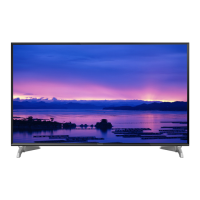
Panasonic VIERA TH-40CS650Z - User Manual

Panasonic VIERA TH-40CS650Z
20 pages
Print Icon
To Next Page IconTo Next Page
Loading...
Thank you for purchasing this Panasonic product.
Please read these instructions carefully before operating this product and
retain them for future reference.
Please carefully read the “Safety Precautions” of this manual before use.
The images shown in this manual are for illustrative purposes only.
For more detailed instructions, please refer to
[eHELP] (Built-in Operating Instructions).
How to use [eHELP] (p. 15)
M0115-0
English
Operating Instructions
LED TV
English
Model No.
Australia
New Zealand
TH-40CS650A TH-40CS650Z
TH-50CS650A TH-50CS650Z
TH-55CS650A TH-55CS650Z
TQB4GC1305
Question and Answer IconNeed help?

Do you have a question about the Panasonic VIERA TH-40CS650Z and is the answer not in the manual?

Summary

Important Safety Information

Mains Plug and Lead Safety

Warnings and cautions for safe handling of the power plug and cord to prevent hazards.

General Care and Precautions

Fire and Suffocation Hazards

Warnings about fire hazards and suffocation risks from packaging or small parts.

Pedestal Safety Guidelines

Cautions regarding the safe installation and use of the TV pedestal to prevent accidents.

Radio Wave Interference Warnings

Warnings about radio wave interference with medical devices and automatic equipment.

Operational Cautions

Built-in Wireless LAN Usage

Cautions for using the TV's built-in wireless LAN features and potential interference.

Ventilation Requirements

Importance of adequate space around the TV for proper heat dissipation and component longevity.

Long-Term Storage Advice

Recommendation to disconnect the mains plug when the TV is not used for extended periods.

Remote Control Battery Handling

Cautions regarding battery installation, type, and disposal for the remote control.

Accessories and Pedestal Setup

Included Accessories Overview

List of items supplied with the TV, such as remote, pedestal, and cables.

Fall-Prevention Parts

Components included for securing the TV to prevent it from falling.

Pedestal Assembly Guide

Step-by-step instructions for attaching the TV pedestal to the unit.

Pedestal Safety and Removal

Preventing TV Tip-Over

Securing the TV to furniture to prevent accidental tipping and potential injuries.

Removing the Pedestal

Instructions for safely detaching the pedestal from the television unit.

Connecting Your TV

Terminal Identification

Identification and description of the TV's various input/output ports.

Basic Connectivity Setup

Guidance on connecting the mains lead and aerial to the TV for basic operation.

Advanced Connection Options

Aerial and Satellite Connections

Instructions for connecting aerials and satellite dishes for TV reception.

AV Devices and Network Setup

Connecting AV devices and setting up wired/wireless network connections.

Other Device Connections

Details on connecting additional external devices like DVD players.

Media and Link Connections

Video Equipment Connection

Connecting video equipment like camcorders and game consoles.

Audio System Connectivity

Connecting the TV to amplifiers and external speaker systems.

USB HDD for Recording

Connecting a USB HDD for recording TV programs.

VIERA Link Functionality

Using HDMI for VIERA Link control of connected devices.

Remote Control Guide

Remote Control Button Identification

Identification and function of buttons on the TV remote control.

Remote Control Button Operations

Detailed explanation of each button's operation on the remote control.

TV Control Panel and Power

Battery Installation

Instructions for installing and removing batteries in the remote control.

Indicator and On-TV Controls

Overview of the TV's indicator lights and on-TV control panel buttons.

Mains Power Switch Operation

Location and function of the main power on/off switch for the TV.

Initial TV Setup Process

First Time Auto Tuning Guide

Guide to automatically tuning TV channels upon initial setup.

Remote Control Usage for Setup

Basic operations for navigating menus and making selections with the remote.

Language and Region Settings

Setting the TV's language and region for optimal viewing.

Network Connection Setup

Steps for connecting the TV to a network for internet services.

Basic TV Operation

Powering the TV On and Off

Procedures for powering the TV on and off using the TV or remote.

Watching TV Content

Steps for selecting the TV viewer and choosing viewing modes.

Channel Selection Methods

How to select TV channels using the remote control.

Accessing TV Features and Apps

How to access and use TV applications and features.

Using the eHELP System

Accessing eHELP Instructions

Instructions on how to access the built-in operating instructions (eHELP).

Navigating eHELP Content

Guide to selecting categories, items, and reading descriptions within eHELP.

Troubleshooting and Maintenance

Frequently Asked Questions (FAQs)

Solutions for common TV issues like no power, remote problems, or no image.

Display Panel and Cabinet Care

Guidelines for cleaning the TV display, cabinet, and pedestal surfaces.

Mains Plug Cleaning

Instructions for cleaning the mains plug to prevent electrical hazards.

Product Specifications

Model and Power Details

Specifications for model numbers, standby power, and power consumption.

Physical Dimensions and Mass

Detailed measurements and weight of the TV with and without the pedestal.

Display and Audio Output

Specifications for screen size, resolution, panel type, and speaker output.

Connection Terminal Details

Information on AV, HDMI, Ethernet, USB, and digital audio output terminals.

Receiving Systems and Wireless LAN

TV Receiving Systems

Details on satellite TV, digital TV, and PAL/NTSC broadcast reception.

Wireless LAN Standards

Specifications for the TV's built-in wireless LAN compliance and frequency ranges.

Wall-Hanging Bracket Installation

Bracket Mounting Guidelines

Information on bracket hole locations and screw depth requirements.

Panasonic Warranty (Australia)

Warranty Terms and Conditions

Details of the 12-month warranty, exclusions, and claims procedure.

Consumer Guarantees

Information on consumer rights and guarantees under Australian Consumer Law.

New Zealand Warranty and Disposal

New Zealand Warranty Terms

Warranty coverage and service procedures for Panasonic TVs in New Zealand.

Product Disposal Information

Guidance on correct disposal methods for electronic products outside the EU.

Summary

Important Safety Information

Mains Plug and Lead Safety

Warnings and cautions for safe handling of the power plug and cord to prevent hazards.

General Care and Precautions

Fire and Suffocation Hazards

Warnings about fire hazards and suffocation risks from packaging or small parts.

Pedestal Safety Guidelines

Cautions regarding the safe installation and use of the TV pedestal to prevent accidents.

Radio Wave Interference Warnings

Warnings about radio wave interference with medical devices and automatic equipment.

Operational Cautions

Built-in Wireless LAN Usage

Cautions for using the TV's built-in wireless LAN features and potential interference.

Ventilation Requirements

Importance of adequate space around the TV for proper heat dissipation and component longevity.

Long-Term Storage Advice

Recommendation to disconnect the mains plug when the TV is not used for extended periods.

Remote Control Battery Handling

Cautions regarding battery installation, type, and disposal for the remote control.

Accessories and Pedestal Setup

Included Accessories Overview

List of items supplied with the TV, such as remote, pedestal, and cables.

Fall-Prevention Parts

Components included for securing the TV to prevent it from falling.

Pedestal Assembly Guide

Step-by-step instructions for attaching the TV pedestal to the unit.

Pedestal Safety and Removal

Preventing TV Tip-Over

Securing the TV to furniture to prevent accidental tipping and potential injuries.

Removing the Pedestal

Instructions for safely detaching the pedestal from the television unit.

Connecting Your TV

Terminal Identification

Identification and description of the TV's various input/output ports.

Basic Connectivity Setup

Guidance on connecting the mains lead and aerial to the TV for basic operation.

Advanced Connection Options

Aerial and Satellite Connections

Instructions for connecting aerials and satellite dishes for TV reception.

AV Devices and Network Setup

Connecting AV devices and setting up wired/wireless network connections.

Other Device Connections

Details on connecting additional external devices like DVD players.

Media and Link Connections

Video Equipment Connection

Connecting video equipment like camcorders and game consoles.

Audio System Connectivity

Connecting the TV to amplifiers and external speaker systems.

USB HDD for Recording

Connecting a USB HDD for recording TV programs.

VIERA Link Functionality

Using HDMI for VIERA Link control of connected devices.

Remote Control Guide

Remote Control Button Identification

Identification and function of buttons on the TV remote control.

Remote Control Button Operations

Detailed explanation of each button's operation on the remote control.

TV Control Panel and Power

Battery Installation

Instructions for installing and removing batteries in the remote control.

Indicator and On-TV Controls

Overview of the TV's indicator lights and on-TV control panel buttons.

Mains Power Switch Operation

Location and function of the main power on/off switch for the TV.

Initial TV Setup Process

First Time Auto Tuning Guide

Guide to automatically tuning TV channels upon initial setup.

Remote Control Usage for Setup

Basic operations for navigating menus and making selections with the remote.

Language and Region Settings

Setting the TV's language and region for optimal viewing.

Network Connection Setup

Steps for connecting the TV to a network for internet services.

Basic TV Operation

Powering the TV On and Off

Procedures for powering the TV on and off using the TV or remote.

Watching TV Content

Steps for selecting the TV viewer and choosing viewing modes.

Channel Selection Methods

How to select TV channels using the remote control.

Accessing TV Features and Apps

How to access and use TV applications and features.

Using the eHELP System

Accessing eHELP Instructions

Instructions on how to access the built-in operating instructions (eHELP).

Navigating eHELP Content

Guide to selecting categories, items, and reading descriptions within eHELP.

Troubleshooting and Maintenance

Frequently Asked Questions (FAQs)

Solutions for common TV issues like no power, remote problems, or no image.

Display Panel and Cabinet Care

Guidelines for cleaning the TV display, cabinet, and pedestal surfaces.

Mains Plug Cleaning

Instructions for cleaning the mains plug to prevent electrical hazards.

Product Specifications

Model and Power Details

Specifications for model numbers, standby power, and power consumption.

Physical Dimensions and Mass

Detailed measurements and weight of the TV with and without the pedestal.

Display and Audio Output

Specifications for screen size, resolution, panel type, and speaker output.

Connection Terminal Details

Information on AV, HDMI, Ethernet, USB, and digital audio output terminals.

Receiving Systems and Wireless LAN

TV Receiving Systems

Details on satellite TV, digital TV, and PAL/NTSC broadcast reception.

Wireless LAN Standards

Specifications for the TV's built-in wireless LAN compliance and frequency ranges.

Wall-Hanging Bracket Installation

Bracket Mounting Guidelines

Information on bracket hole locations and screw depth requirements.

Panasonic Warranty (Australia)

Warranty Terms and Conditions

Details of the 12-month warranty, exclusions, and claims procedure.

Consumer Guarantees

Information on consumer rights and guarantees under Australian Consumer Law.

New Zealand Warranty and Disposal

New Zealand Warranty Terms

Warranty coverage and service procedures for Panasonic TVs in New Zealand.

Product Disposal Information

Guidance on correct disposal methods for electronic products outside the EU.

Overview

This document provides operating instructions for the Panasonic LED TV, models TH-40CS650A, TH-50CS650A, TH-55CS650A (Australia) and TH-40CS650Z, TH-50CS650Z, TH-55CS650Z (New Zealand).

Function Description

The Panasonic LED TV is designed for indoor, table-top use, offering a range of features for home entertainment. It supports digital and analogue TV reception, with specific standards for Australia (7 MHz VHF / UHF) and New Zealand (8 MHz VHF / UHF). For New Zealand models, it also supports satellite TV reception (950 MHz to 2150 MHz, DiSEqC - Version 1.0). The TV can connect to various external devices such as DVD recorders, VCRs, camcorders, game equipment, and amplifiers via HDMI, AV (Component/Video), and Digital Audio Out ports. It includes a built-in wireless LAN for network connectivity, enabling access to internet services and applications. The TV features a "Home Screen" for easy access to content and features, and an "eHELP" system for detailed operating instructions. It also supports USB HDD for recording (USB 2 port) and VIERA Link ("HDAVI Control™") for integrated control of compatible Panasonic devices.
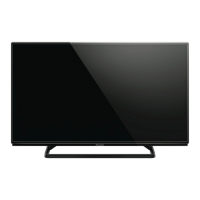

Important Technical Specifications

  • Model Numbers: TH-40CS650A/Z, TH-50CS650A/Z, TH-55CS650A/Z
  • Display: LED backlight Liquid Crystal Display
  • Display Resolution: 1920 (W) × 1080 (H)
  • Visible Screen Size (diagonal):
    • 40-inch model: 100 cm
    • 50-inch model: 126 cm
    • 55-inch model: 139 cm
  • Dimensions (W × H × D):
    • 40-inch model: 904 mm × 567 mm × 235 mm (With Pedestal), 904 mm × 518 mm × 63 mm (TV only)
    • 50-inch model: 1126 mm × 701 mm × 235 mm (With Pedestal), 1126 mm × 652 mm × 63 mm (TV only)
    • 55-inch model: 1242 mm × 768 mm × 235 mm (With Pedestal), 1242 mm × 719 mm × 68 mm (TV only)
  • Mass:
    • 40-inch model: 12.5 kg Net (With Pedestal), 10.5 kg Net (TV only)
    • 50-inch model: 17.5 kg Net (With Pedestal), 15.5 kg Net (TV only)
    • 55-inch model: 19.5 kg Net (With Pedestal), 17.5 kg Net (TV only)
  • Power Rating: AC 220-240 V, 50/60 Hz
    • Australia: 40-inch (0.42 A), 50-inch (0.55 A), 55-inch (0.96 A)
    • New Zealand: 40-inch (0.47 A), 50-inch (0.60 A), 55-inch (1.01 A)
  • Normal (Home) Mode Power Consumption: 40-inch (40 W), 50-inch (56 W), 55-inch (72 W)
  • Standby Power Consumption: 0.20 W
  • Speaker Output: 20 W (10 W + 10 W)
  • Connection Terminals:
    • HDMI 1/2/3 input: TYPE A Connectors (HDMI1/3: Content Type, HDMI2: Content Type, Audio Return Channel)
    • AV IN (COMPONENT / VIDEO): RCA PIN Type × 1 (VIDEO 1.0 V[p-p]), RCA PIN Type × 2 (AUDIO L-R 0.5 V[rms]), Y (1.0 V[p-p]), PB/CB, PR/CR (±0.35 V[p-p])
    • DIGITAL AUDIO OUT: PCM / Dolby Digital / DTS, Fibre optic
    • ETHERNET: 10BASE-T/100BASE-TX
    • USB 1/2: DC 5 V, Max. 500 mA [Hi-Speed USB (USB 2.0)]
    • Aerial input: Standard Belling & Lee connector, VHF / UHF
    • Satellite dish input (New Zealand): Female F-type 75 Ω
  • Operating Conditions:
    • Temperature: 0 °C - 35 °C
    • Humidity: 20% - 80% RH (non-condensing)
  • Built-in Wireless LAN:
    • Standard compliance and Frequency range: IEEE802.11a/n (5.15 GHz - 5.35 GHz, 5.47 GHz - 5.85 GHz), IEEE802.11b/g/n (2.400 GHz - 2.4835 GHz)
    • Security: WPA2-PSK (TKIP/AES), WPA-PSK (TKIP/AES), WEP (64 bit/128 bit)
  • Wall-hanging bracket installation:
    • Holes for 40-inch model: a: 200 mm, b: 200 mm
    • Holes for 50-inch model: a: 400 mm, b: 400 mm
    • Holes for 55-inch model: a: 400 mm, b: 400 mm
    • Type of screw: M6
    • Depth of screw: 40-inch (min 9 mm, max 27 mm), 50-inch (min 9 mm, max 26 mm), 55-inch (min 10 mm, max 16 mm)

Usage Features

  • First-time Auto Tuning: Guides users through initial setup, including language selection, viewing environment (Home/Shop), network connection, and TV channel tuning.
  • Home Screen: A customizable interface to display desired information and access specific features. Users can select a default Home Screen type (e.g., TV Home Screen).
  • Channel Selection: Channels can be selected using the remote control's channel up/down buttons or numeric buttons for direct input.
  • Input Mode Selection: Switch between Digital TV, Analogue TV, Satellite TV (New Zealand), and AV input modes.
  • eHELP: A built-in, detailed operating instruction manual accessible via the remote control. It provides comprehensive explanations for all features and operations.
  • Remote Control: Features standard buttons for power, menu, volume, channel, input selection, aspect ratio, subtitle/audio description, Netflix, and colored buttons for various functions.
  • Control Panel: Located on the rear side of the TV, it includes buttons for input mode selection, channel up/down, volume up/down, and a mains power On/Off switch. An ambient sensor adjusts picture quality based on room brightness.
  • VIERA Link (HDAVI Control™): Allows for integrated control of compatible Panasonic equipment connected via HDMI.
  • USB HDD Recording: Supports connecting a USB HDD to the USB 2 port for recording TV programs.
  • Network Connectivity: Built-in wireless LAN and Ethernet port for wired connection enable access to internet services and applications.
  • Safety Features: Includes warnings against improper installation, exposure to moisture, and damage to the mains lead. Recommendations for securing the TV to furniture to prevent falling are provided.

Maintenance Features

  • Display Panel, Cabinet, Pedestal Care:
    • Regular care: Gently wipe surfaces with a soft cloth to remove dirt or fingerprints.
    • Stubborn dirt: Clean dust first, then dampen a soft cloth with diluted neutral detergent (1 part detergent to 100 parts water), wring firmly, wipe the dirt, and finally wipe away all moisture.
    • Cautions: Do not use hard cloths, rub too hard, or use insect repellent, solvent, thinner, or other volatile substances, as these can damage the surface or paint. Avoid tapping or scratching the display panel. Prevent rubber or PVC substances from prolonged contact with the cabinet and pedestal.
  • Mains Plug Care: Wipe the mains plug with a dry cloth at regular intervals to prevent fire or electrical shock from moisture and dust.
  • Battery Replacement: Instructions for installing and removing batteries in the remote control, emphasizing correct polarity and replacement with the same or equivalent type. Warnings against mixing old/new or different battery types, burning, breaking up, or exposing batteries to excessive heat are given.
  • Ventilation: Ensure sufficient space around the TV for adequate ventilation to prevent overheating and early failure of electronic components. Minimum distance of 10 cm around the TV is recommended.
  • Long-term Storage: Remove the mains plug from the wall socket when the TV is not in use for a prolonged period to save power and prevent battery leakage in the remote control.
  • Troubleshooting (FAQs): The manual includes a section for frequently asked questions to help users diagnose and solve common problems such as the TV not switching on, remote control issues, no image display, or unusual image display. It also mentions the "TV Self Test" feature for picture or sound problem diagnosis.

Panasonic VIERA TH-40CS650Z Specifications

General IconGeneral
BrandPanasonic
ModelVIERA TH-40CS650Z
CategoryLED TV
LanguageEnglish

Related product manuals