EasyManua.ls Logo

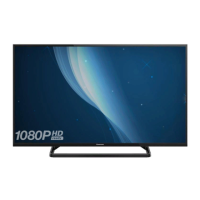
Panasonic VIERA TH-49EX600A - User Manual

Panasonic VIERA TH-49EX600A
24 pages
Print Icon
To Next Page IconTo Next Page
Loading...
Operating Instructions
LED TV
Thank you for purchasing this Panasonic product.
Please read these instructions carefully before operating this product and
retain them for future reference.
Please carefully read the “Safety Precautions” of this manual before use.
The images shown in this manual are for illustrative purposes only.
For more detailed instructions, please refer to
[eHELP] (Built-in Operating Instructions).
How to use [eHELP] (p. 16)
English
M0317-1027
English
Model No.
Australia
New Zealand
TH-49EX600A TH-49EX600Z
TH-49EX640Z
TQB4GC1823-1
Question and Answer IconNeed help?

Do you have a question about the Panasonic VIERA TH-49EX600A and is the answer not in the manual?

Summary

Important Notices and Safety

Important Notice Details

Legal notices, disclaimers, and copyright information.

Safety Symbols and General Precautions

Explains safety symbols and general warnings for mains plug, lead, and environmental hazards.

Installation and Handling

Installation and Environmental Safety

Covers pedestal, ventilation, radio waves, and static electricity precautions.

Accessories and Battery Safety

Lists included accessories and guides on remote battery installation.

Pedestal Assembly and Fall Prevention

Instructions for attaching the TV stand and securing the TV to prevent tipping.

Connecting and Using Your TV

TV Terminal Overview

Identifies all available input and output terminals on the TV.

Basic and Advanced Connections

Details connecting aerials, satellite, AV devices, 4K equipment, and networks.

Other Connections and VIERA Link

Instructions for connecting amplifiers, headphones, and using VIERA Link features.

Controls and Operation

Remote Control and TV Panel Identification

Explains functions of remote control buttons and TV panel controls.

First-Time Auto Tuning

Steps for initial TV setup, language selection, and automatic channel tuning.

Watching TV and Using eHELP

Guide on accessing the built-in help system and basic TV viewing.

Troubleshooting and Maintenance

Troubleshooting FAQs

Provides solutions to common problems and troubleshooting tips.

Maintenance and Cleaning

Instructions for cleaning the display panel, cabinet, and mains plug.

Technical Specifications

Lists key technical details and dimensions of the TV model.

Advanced Features and Information

Technical Details and Connectivity

Details on connection terminal specs, receiving systems, and operating conditions.

Wireless LAN and Wall Mounting

Information on wireless compliance and guidelines for wall-hanging bracket installation.

Warranty and Disposal

Warranty Information (Australia;NZ)

Details Panasonic's warranty coverage, exclusions, and claim procedures for Australia and NZ.

Product Disposal and Customer Record

Guidance on responsible product disposal and recording customer purchase details.

Summary

Important Notices and Safety

Important Notice Details

Legal notices, disclaimers, and copyright information.

Safety Symbols and General Precautions

Explains safety symbols and general warnings for mains plug, lead, and environmental hazards.

Installation and Handling

Installation and Environmental Safety

Covers pedestal, ventilation, radio waves, and static electricity precautions.

Accessories and Battery Safety

Lists included accessories and guides on remote battery installation.

Pedestal Assembly and Fall Prevention

Instructions for attaching the TV stand and securing the TV to prevent tipping.

Connecting and Using Your TV

TV Terminal Overview

Identifies all available input and output terminals on the TV.

Basic and Advanced Connections

Details connecting aerials, satellite, AV devices, 4K equipment, and networks.

Other Connections and VIERA Link

Instructions for connecting amplifiers, headphones, and using VIERA Link features.

Controls and Operation

Remote Control and TV Panel Identification

Explains functions of remote control buttons and TV panel controls.

First-Time Auto Tuning

Steps for initial TV setup, language selection, and automatic channel tuning.

Watching TV and Using eHELP

Guide on accessing the built-in help system and basic TV viewing.

Troubleshooting and Maintenance

Troubleshooting FAQs

Provides solutions to common problems and troubleshooting tips.

Maintenance and Cleaning

Instructions for cleaning the display panel, cabinet, and mains plug.

Technical Specifications

Lists key technical details and dimensions of the TV model.

Advanced Features and Information

Technical Details and Connectivity

Details on connection terminal specs, receiving systems, and operating conditions.

Wireless LAN and Wall Mounting

Information on wireless compliance and guidelines for wall-hanging bracket installation.

Warranty and Disposal

Warranty Information (Australia;NZ)

Details Panasonic's warranty coverage, exclusions, and claim procedures for Australia and NZ.

Product Disposal and Customer Record

Guidance on responsible product disposal and recording customer purchase details.

Overview

This document provides operating instructions and specifications for the Panasonic LED TV, models TH-49EX600A, TH-49EX600Z, and TH-49EX640Z. It covers setup, usage, maintenance, and important safety information.

Function Description

The Panasonic LED TV is designed for indoor, table-top use, offering a range of features for viewing digital and analogue television, connecting external AV devices, and accessing internet services. It includes a built-in wireless LAN for network connectivity and supports 4K resolution content. The TV features an intuitive eHELP system for detailed operating instructions and troubleshooting.

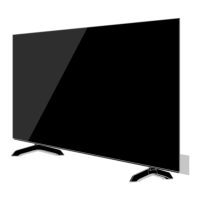
Important Technical Specifications

  • Model Numbers: TH-49EX600A (Australia), TH-49EX600Z (New Zealand), TH-49EX640Z (New Zealand)
  • Dimensions (W x H x D):
    • With Pedestal: 1102 mm x 699 mm x 351 mm
    • TV only: 1102 mm x 644 mm x 77 mm
  • Mass:
    • Net (With Pedestal): 14.0 kg
    • Net (TV only): 13.0 kg
  • Power Rating: AC 220-240 V, 50 / 60 Hz 0.86 A
  • Normal (Home) Mode Power Consumption: 96.2 W
  • Standby Power Consumption: 0.50 W
  • Visible Screen Size (Diagonal): 123 cm
  • Display Resolution: 3840 (W) x 2160 (H)
  • Panel Type: LED backlight Liquid Crystal Display
  • Sound:
    • Speaker Output: 20 W (10 W + 10 W)
    • Headphones: M3 (3.5 mm) stereo mini Jack × 1
  • Connection Terminals:
    • AV IN (COMPONENT / VIDEO): RCA PIN Type × 1 (VIDEO, 1.0 V[p-p], 75 Ω), RCA PIN Type × 2 (AUDIO L - R, 0.5 V[rms]), Y (1.0 V[p-p]), PB/CB, PR/CR (±0.35 V[p-p])
    • HDMI 1/2/3 Input: TYPE A Connectors. HDMI1/3 support 4K, Content Type, Deep Colour, x.v.Colour™. HDMI2 supports 4K, Content Type, Audio Return Channel, Deep Colour, x.v.Colour™. Supports "HDAVI Control 5" function.
    • ETHERNET: 10BASE-T / 100BASE-TX
    • USB 1/2: USB1: DC 5 V, Max. 500 mA [Hi-Speed USB (USB 2.0)], USB2: DC 5 V, Max. 900 mA [SuperSpeed USB (USB 3.0)]
    • DIGITAL AUDIO OUT: PCM / Dolby Digital, Fibre optic
    • Headphone Jack: (p. 12)
    • Satellite Terminal (New Zealand): Female F-type 75 Ω
    • Aerial Input: Standard Belling & Lee connector, VHF / UHF
  • Receiving Systems / Band Name:
    • Satellite TV (New Zealand): Digital satellite services, Receiver frequency range - 950 MHz to 2150 MHz, DiSEqC - Version 1.0
    • Digital TV (Australia): 7 MHz VHF / UHF free-to-air TV broadcast reception
    • Digital TV (New Zealand): 8 MHz VHF / UHF free-to-air TV broadcast reception
    • PAL B/G: Reception of Off air broadcast
    • PAL 60 Hz: Playback of NTSC tape from some PAL Video recorders (VCR)
    • M.NTSC: Playback from M.NTSC Video recorders (VCR)
    • NTSC: Playback from NTSC Video recorders (VCR)
  • Built-in Wireless LAN:
    • Standard compliance and Frequency range*: IEEE802.11a/n (5.15 GHz - 5.35 GHz, 5.47 GHz - 5.85 GHz), IEEE802.11b/g/n (2.400 GHz - 2.4835 GHz)
    • Security: WPA2-PSK (TKIP/AES), WPA-PSK (TKIP/AES), WEP (64 bit/128 bit)
  • Operating Conditions:
    • Temperature: 0 °C - 35 °C
    • Humidity: 20% - 80% RH (non-condensing)

Usage Features

  • First Time Auto Tuning: The TV automatically searches for available channels and guides the user through initial setup, including language selection, viewing environment (Home/Shop), and network connection.
  • Remote Control: A comprehensive remote control (N2QAYB001119 or N2QAYB001133) is provided for power on/off, channel selection, volume control, menu navigation, input mode selection, and access to specific features like Netflix and eHELP.
  • Control Panel: Buttons on the rear side of the TV allow for basic operations such as input mode selection, channel up/down, and volume up/down. An Ambient Sensor adjusts picture quality based on room brightness.
  • eHELP: A built-in operating instructions system provides detailed explanations of all TV features. It can be accessed via a dedicated button on the remote or through the main menu. Users can search by keyword or purpose and access support information.
  • Network Connectivity: Supports both wired (Ethernet) and wireless (built-in wireless LAN) connections for internet services. A broadband network environment is required.
  • 4K Compatible Equipment Connection: Allows connection of 4K compatible equipment via HDMI terminals. The [HDMI Auto Setting] in the Setup Menu can be adjusted for optimal image reproduction with expanded colour gamut.
  • VIERA Link: Supports VIERA Link connection via HDMI1-3 for integrated control with compatible Panasonic equipment.
  • USB HDD Recording: USB 2 port can be used for connecting a USB HDD for recording TV programs.
  • External Audio: Connect to an amplifier via HDMI2 (ARC) or DIGITAL AUDIO OUT for external speakers. Headphones can be connected via the dedicated jack.
  • Pedestal Assembly: The TV offers four different styles for pedestal assembly, allowing for customization of its appearance. Instructions are provided for secure assembly and removal.
  • Fall Prevention: Recommendations are given to secure the pedestal to furniture to prevent the TV from falling over, using provided screws, wood screws, and bands.
  • Safety Precautions: Detailed warnings and cautions are provided regarding mains plug and lead handling, proper ventilation, avoiding foreign objects, safe placement, and battery usage for the remote control. It emphasizes not to disassemble or modify the TV.

Maintenance Features

  • Display Panel, Cabinet, Pedestal:
    • Regular Care: Gently wipe surfaces with a soft cloth to remove dirt or fingerprints.
    • Stubborn Dirt: For stubborn dirt, first dust the surface, then dampen a soft cloth with water or diluted neutral detergent (1 part detergent to 100 parts water), wring it firmly, and carefully wipe the dirt. Finally, wipe away all moisture.
    • Cautions: Avoid hard cloths, excessive rubbing, insect repellent, solvents, thinners, or volatile substances. Do not tap or scratch the display panel. Prevent rubber or PVC substances from prolonged contact with the cabinet and pedestal.
  • Mains Plug: Wipe the mains plug with a dry cloth regularly to prevent fire or electrical shock from moisture and dust.
  • Battery Replacement: Instructions for installing and removing batteries in the remote control, with emphasis on correct polarity and using the same or equivalent type. Advise against mixing old and new batteries or different types.
  • Long-Term Storage: Recommend removing the mains plug from the wall socket when the TV is not in use for a prolonged period to save power. Remove batteries from the remote control to prevent leakage.

Panasonic VIERA TH-49EX600A Specifications

General IconGeneral
BrandPanasonic
ModelVIERA TH-49EX600A
CategoryLED TV
LanguageEnglish

Related product manuals