EasyManua.ls Logo

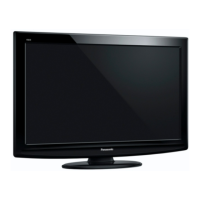
Panasonic Viera TX-L32U2E - User Manual

Panasonic Viera TX-L32U2E
20 pages
Print Icon
To Next Page IconTo Next Page
Loading...
Operating Instructions
LCD Television
English
Thank you for purchasing this Panasonic product.
Please read these instructions carefully before operating this product and retain them for future reference.
The images shown in this manual are for illustrative purposes only.
Please refer to Pan European Guarantee Card if you need to contact your local Panasonic dealer
for assistance.
Contents
Be Sure to Read
Safety Precautions (Warning / Caution)
·························2
Maintenance
···································································3
Quick Start Guide
Accessories / Options
··································· 4
Identifying Controls
······································· 6
Basic Connection
········································· 8
Auto Setup
·················································· 10
How to Use VIERA TOOLS
························ 12
How to Use Menu Functions
······················ 13
For more detailed instructions, refer to the Operating
Instructions on the CD-ROM.
To view the Operating Instructions on the CD-ROM, you
need a computer equipped with a CD-ROM drive, and
Adobe® Reader® (Version 7.0 or later is recommended)
installed on your computer.
Depending on the operating system or settings on your computer,
the Operating Instructions may not start automatically.
In this case, open the PDF file under the “MANUAL” folder
manually to view the instructions.
Model No.
TX-L32U2E
TX-L37U2E
TX-L42U2E
Question and Answer IconNeed help?

Do you have a question about the Panasonic Viera TX-L32U2E and is the answer not in the manual?

Summary

Safety Precautions

Mains Plug and Lead Safety

Proper handling of the mains plug and lead is crucial to prevent electrical shock and fire hazards.

Electrical and Internal Safety

Avoid touching live parts, modifying the TV, or placing foreign objects inside.

Environmental and Placement Safety

Protect the TV from moisture, heat, direct sunlight, and unstable surfaces.

Installation and Child Safety

Use correct installation equipment and keep small parts away from children.

Maintenance

Cleaning TV Components

Instructions for cleaning the display panel, cabinet, and pedestal using soft cloths and mild detergents.

Mains Plug Maintenance

Regularly wipe the mains plug with a dry cloth to prevent electrical hazards.

Accessories and Options

Standard Accessories Included

Lists standard accessories included with the TV, such as remote control and batteries.

Optional Accessories and Installation

Details optional accessories like wall-hanging brackets, with installation notes.

Remote Control Battery Installation

Step-by-step guide on how to install and remove batteries from the remote control.

Attaching the Pedestal

Pedestal Assembly

Step-by-step instructions for assembling the TV pedestal using the provided screws.

Securing the TV to Pedestal

Guidance on securely attaching the TV to the assembled pedestal on a level surface.

Remote Control Functions

Remote Control Overview

Detailed description of the remote control layout and its primary buttons.

Menu Navigation and Selection

Buttons for navigating menus, making selections, and returning to previous screens.

Special Features and Input Control

Buttons for accessing VIERA TOOLS, TV Guide, recording, and changing input modes.

Using On-Screen Displays

Remote Control Interaction with Menus

Guide on using the remote control to navigate and interact with the TV's on-screen menus and settings.

Basic Connection Guide

Connecting Terrestrial Aerial

Instructions for connecting the TV to a terrestrial aerial for signal reception.

Connecting DVD Recorder;VCR

Guide to connecting DVD recorders or VCRs using SCART and RF cables.

Connecting DVD, VCR, and Set Top Box

Detailed connections for DVD recorders, VCRs, and set-top boxes via HDMI, SCART, and RF.

Auto Setup Guide

Initial Setup Steps

Includes plugging in, selecting language, country, and tuning modes.

Launching Auto Setup

Initiates the automatic channel search and storage process.

Auto Setup Modes and Completion

Covers DVB-C, DVB-T, Analogue setups and selecting the Home environment.

How to Use Menu Functions

Navigating Menu Options

Steps to display, select menus, items, and adjust settings using the remote.

Advanced Menu Operations

Covers free text input, resetting settings, and initializing all configurations.

Picture Settings Details

Detailed descriptions of Picture menu options including viewing modes, colour, and sharpness.

Sound Settings Details

Detailed explanations of Sound menu items like Mode, Bass, Treble, Equalizer, and audio output.

Setup and Link Settings

Covers Setup menu items like timers, VIERA Link, power, and standby options.

Tuning Menu Options

Settings for DVB-C, DVB-T, and Analogue channels including tuning, channel lists, and signal management.

Language and Display Settings

Settings for OSD language, subtitles, teletext, input labels, and banner display.

System and Power Settings

Options for system updates, software license, power saving, time zone, and input settings.

Using VIERA TOOLS

Accessing VIERA TOOLS Features

Steps to access and display icons for various VIERA TOOLS features.

Operating VIERA TOOLS Features

Guidance on selecting and performing operations for features like VIERA Link Control, Photo, and Video.

Environmental and User Information

Disposal and Recycling Guidelines

Proper disposal methods for old equipment and batteries, including specific notes for business users.

DVB Functionality and Compatibility

Details on DVB-T/C standards, feature availability, and compatibility with services.

Customer Record and Warranty

Area to record model/serial numbers for warranty service and identification.

Overview

This document provides comprehensive operating instructions for the Panasonic TX-L32U2E, TX-L37U2E, and TX-L42U2E LCD Televisions. It covers essential information for safe operation, maintenance, and various functionalities, ensuring users can maximize their viewing experience. For more detailed instructions, a CD-ROM with the full Operating Instructions is provided, requiring a computer with a CD-ROM drive and Adobe® Reader® (Version 7.0 or later).

Function Description

The Panasonic LCD Television models TX-L32U2E, TX-L37U2E, and TX-L42U2E are designed to provide high-definition visual and audio entertainment. They support various input modes, including DVB-C, DVB-T, and Analogue TV, allowing users to access a wide range of broadcast channels. The televisions are equipped with VIERA Link technology, enabling seamless integration and control of compatible Panasonic equipment. A Media Player function allows for viewing content from an SD Card, enhancing multimedia capabilities. The TV also features Direct TV Recording, which facilitates immediate program recording to a compatible DVD Recorder or VCR with Q-Link or VIERA Link connection.

The television's core functions are managed through a remote control, which provides access to the Main Menu for Picture, Sound, and Setup adjustments. Users can select different aspect ratios, view channel and program information, and navigate through menus using cursor buttons. The remote also includes dedicated buttons for Teletext, Subtitles, and various colored buttons for specific functions. An Auto Power Standby function automatically switches the TV to standby mode if no signal is received or operation is performed in analogue TV mode for 30 minutes, promoting energy efficiency.

Usage Features

The Panasonic LCD Televisions offer a user-friendly interface with on-screen displays for easy navigation and setting adjustments. The "How to Use Menu Functions" section details how to display menus, select items, adjust settings, and enter characters using a free input menu. This allows for personalized configuration of picture, sound, and other functions.

Picture Settings: Users can choose from various viewing modes such as Dynamic, Normal, Cinema, True Cinema, and Game, each optimized for different content and ambient lighting conditions. Within these modes, Contrast, Brightness, Colour, Sharpness, and Tint can be adjusted. The Colour Balance can be set to Cool, Normal, or Warm, and Vivid Colour can be toggled on or off. An Eco Mode automatically adjusts picture settings based on ambient light, further enhancing energy efficiency. Picture Noise Reduction (P-NR) and 3D-COMB functions are available to improve image quality by reducing noise and displaying sharper colors, respectively. The Panel function allows users to turn off the screen while keeping the sound active, which is useful for listening to audio without visual display. All picture settings can be reset to their default values.

Sound Settings: The TV offers different sound modes including Music, Speech, and User. In Music and Speech modes, Bass and Treble settings can be adjusted. The User mode provides a customizable equalizer for fine-tuning sound frequencies. Other sound features include Balance adjustment for left and right speakers, Headphone Volume control, and Surround sound settings (Off / V-Audio) for enhanced spatial effects. Volume Correction adjusts the volume of individual channels or input modes, while Speaker Distance to Wall optimizes low-frequency sound based on the TV's proximity to a wall. MPX selects multiplex sound mode for analogue TV. Audio Preference allows selection of initial settings for audio tracks (Auto / MPEG), supporting Dolby Digital Plus, HE-AAC, and MPEG formats for digital audio. SPDIF Selection configures the digital audio output signal, and MPEG Optical Level adjusts the audio level for MPEG output. HDMI Input settings allow for digital or analogue signal selection, and SPDIF Delay synchronizes sound output with the image. Sound settings can also be reset to defaults.

Setup Features: The "Setup" menu provides extensive options for configuring the TV.

  • Link Settings: VIERA Link enables the use of VIERA Link functions, Power on Link, and Power off Link for connected equipment. Standby Power Save controls power consumption of connected equipment in standby mode. Intelligent Auto Standby automatically puts non-watched or non-used equipment into standby to reduce power consumption. The Download function allows downloading channel, language, country/region settings to compatible Q-Link or VIERA Link equipment. Child Lock restricts access to specific channels or AV inputs.
  • Tuning Menus (DVB-C, DVB-T, Analogue): These menus facilitate channel management, including Favourites Edit, Channel List, Auto Setup, Manual Tuning, and Update Channel List. New Channel Message provides notifications for newly found channels. Signal Condition checks signal strength, and Attenuator reduces DVB-C signals to avoid interference. Add TV Signal allows adding TV modes if they were skipped during initial setup. DVB-T tuning also includes a Favourite Network option.
  • Display Settings: OSD Language changes the on-screen display language. Preferred Audio 1/2 and Preferred Subtitles 1/2 set preferred languages for DVB multi-audio and subtitles. Preferred Teletext selects the teletext language. Preferred Subtitle Type offers Standard or Hard of Hearing options. Teletext display mode can be set to TOP (FLOF) or List. Teletext Character Set allows selection of various character sets. Default Guide sets the default TV Guide type (TV Guide / Channel List). Input Labels allows labeling or skipping input terminals. Banner Display Timeout sets how long the information banner stays on screen. Playing Time Display shows continuous record of time spent using Game mode. Radio Mode sets a timer for turning off the screen automatically when a radio channel is selected. Common Interface is used for pay-TV.
  • Other Settings: Shipping Condition resets all settings, useful when moving the TV. System Update downloads new software. Software Licence displays license information. System Information shows TV details. AV Colour System selects the color system for AV mode. GUIDE Plus+ Settings include Update for schedule and advertising information, Postcode for local advertisements, and System Information for GUIDE Plus+ details. Auto Standby sets the time for the TV to automatically go to standby when inactive. Power Save reduces picture brightness to economize power. 16:9 Overscan adjusts the screen area displaying the image. Time Zone adjusts time data. DVI Input Setting changes black level for HDMI input mode with DVI input signal.

Maintenance Features

Proper maintenance is crucial for the longevity and safe operation of the Panasonic LCD Television. The manual emphasizes several key aspects:

  • Mains Plug and Lead: Always insert the mains plug fully into the socket and ensure it is easily accessible. Avoid touching the plug with wet hands or damaging the lead. Do not move the TV with the lead plugged in, place heavy objects on it, or expose it to high temperatures. If any abnormality is detected, immediately remove the mains plug.
  • Power Source: The TV operates on 220-240V 50Hz AC.
  • Covers and Modification: Users are strictly warned not to remove covers or modify the TV themselves, as high voltage components can cause serious electrical shock. All servicing should be performed by a local Panasonic dealer.
  • Environmental Exposure: The TV must not be exposed to rain, excessive moisture, dripping or splashing water, or objects filled with liquid. Avoid direct sunlight and other heat sources to prevent fire. Keep candles or open flames away from the product.
  • Foreign Objects: Prevent any objects from dropping into the TV through air vents to avoid fire or electric shock.
  • Stability: Do not place the TV on unstable surfaces to prevent it from falling or tipping over.
  • Pedestal / Mounting Equipment: Use only original dedicated pedestal or mounting equipment. Unapproved fixtures can cause instability and injury. Professional setup or installation by a Panasonic dealer is recommended. For wall-hanging brackets, ensure they are installed according to the manual, avoiding ceiling lights and metal within the wall.
  • Children Safety: Keep SD cards and small parts out of reach of young children to prevent accidental swallowing.
  • Cleaning: Always remove the mains plug before cleaning. For regular care, gently wipe the display panel, cabinet, or pedestal with a soft cloth. For stubborn dirt, use a soft cloth dampened with clean water or diluted neutral detergent, then wipe away all moisture. Avoid hard cloths, excessive rubbing, water, detergent, insect repellent, solvent, thinner, or other volatile substances, as these can damage surfaces. Do not allow rubber or PVC substances to contact the cabinet or pedestal for extended periods.
  • Mains Plug Maintenance: Wipe the mains plug with a dry cloth regularly to prevent moisture and dust accumulation, which could lead to fire or electrical shock.
  • Ventilation: Ensure adequate ventilation by maintaining a minimum distance of 10 cm around the TV, especially when placed in a cabinet. Do not block air vents with items like newspapers, tablecloths, or curtains.
  • Display Panel: Avoid applying strong force or impact to the display panel to prevent damage.
  • Headphones: Do not expose ears to excessive volume from headphones to prevent irreversible damage.
  • Transport: Transport the TV set in an upright position.

This comprehensive guide ensures users can safely install, operate, and maintain their Panasonic LCD Televisions, providing a reliable and enjoyable viewing experience.

Panasonic Viera TX-L32U2E Specifications

General IconGeneral
Screen Size32 inches
Resolution1366 x 768 pixels
Display TypeLCD
HDMI Ports3
USB Ports1
Contrast Ratio1000:1
Panel TypeIPS
Aspect Ratio16:9
Refresh Rate50 Hz
Audio Output10W x 2
BacklightCCFL
Built-in TunerYes
Sound Output20W

Related product manuals