
 Need help?
Do you have a question about the PANAVISION Millennium DXL and is the answer not in the manual?
Details compliance with EU directives and European standards for radio and digital devices.
Outlines specific usage restrictions for wireless devices in certain geographical areas like France and Norway.
Covers warnings for water exposure, lasers, vibration, EMI, cleaning, ventilation, heat, and battery handling.
Explains the R3D file format and REDCODE compression for efficient RAW video data handling.
Details how DXL R3D files are processed using the RED SDK and available 3D LUTs.
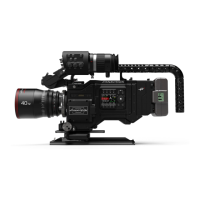
Describes the main camera body and its components, including a reference to input/output connectors.
Details the controls on the right (assistant) and left (operator) sides of the camera body.
Lists compatible SSDs for the Panavision Millennium DXL camera.
Explains the function and mounting of the DXL Hot Swap Module for power distribution.
Covers power priority, consumption, status display, and approved external DC power sources.
Step-by-step guide on how to power on the camera, including LED indicators.
Instructions on the methods for powering down the camera system.
Details the auto boot feature and how to enable or disable it for automatic camera startup.
Overview of the graphical user interface structure on operator and assistant side UIs.
Details the information displayed on the camera's Home Page, including items and their functions.
Explains how to customize the User Page by assigning statuses and shortcuts to slots.
Describes the settings and information displayed on the Monitor Page for SDI outputs and viewfinder.
Describes the Exposure tool for checking image exposure levels using color overlays.
Explains the Video tool's color overlay indicating video levels and IRE values.
Details the Peaking tool for emphasizing contrast and edges to aid in judging focus.
Lists available resolutions and their pixel dimensions for the Panavision Millennium DXL.
Details supported anamorphic aspect ratios and their corresponding resolutions.
Explains how to select the REDCODE compression ratio and its impact on footage quality.
Information on setting the recording frame rate and its relation to the project time base.
Defines the project time base and lists the available frame rates for footage playback.
Explains how to set the timecode source, including RTC, External, and ACN options.
Guides on setting display preferences for various monitor outputs like SDI and Viewfinders.
Instructions on setting up frame lines for composition, including mode, scale, and appearance.
Details camera WiFi connection options, including Ad-Hoc and Infrastructure modes.
Configuration settings for Ethernet connection, including DHCP, Camera to Camera, and External Control.
Explains fan control modes, target temperature settings, and fan speed management for optimal operation.
Provides instructions for sensor calibration, including when to calibrate and the black balance process.
Covers common issues like firmware upgrade failures, module malfunctions, screen freezes, and image graininess.
Pinout and specifications for the USB power output connector.
Pinout and voltage specifications for the DC input connector.
Details the 14V AUX power port on the DXLM module, including pinout and current capacity.
Lists default functions assigned to camera controls on the assistant and operator sides.
Visual representation of the camera's menu hierarchy and navigation paths.
 General
| Brand | PANAVISION |
|---|---|
| Model | Millennium DXL |
| Category | Camcorder |
| Language | English |

 To Next Page

