Panda Wireless User’s Manual
Page 12
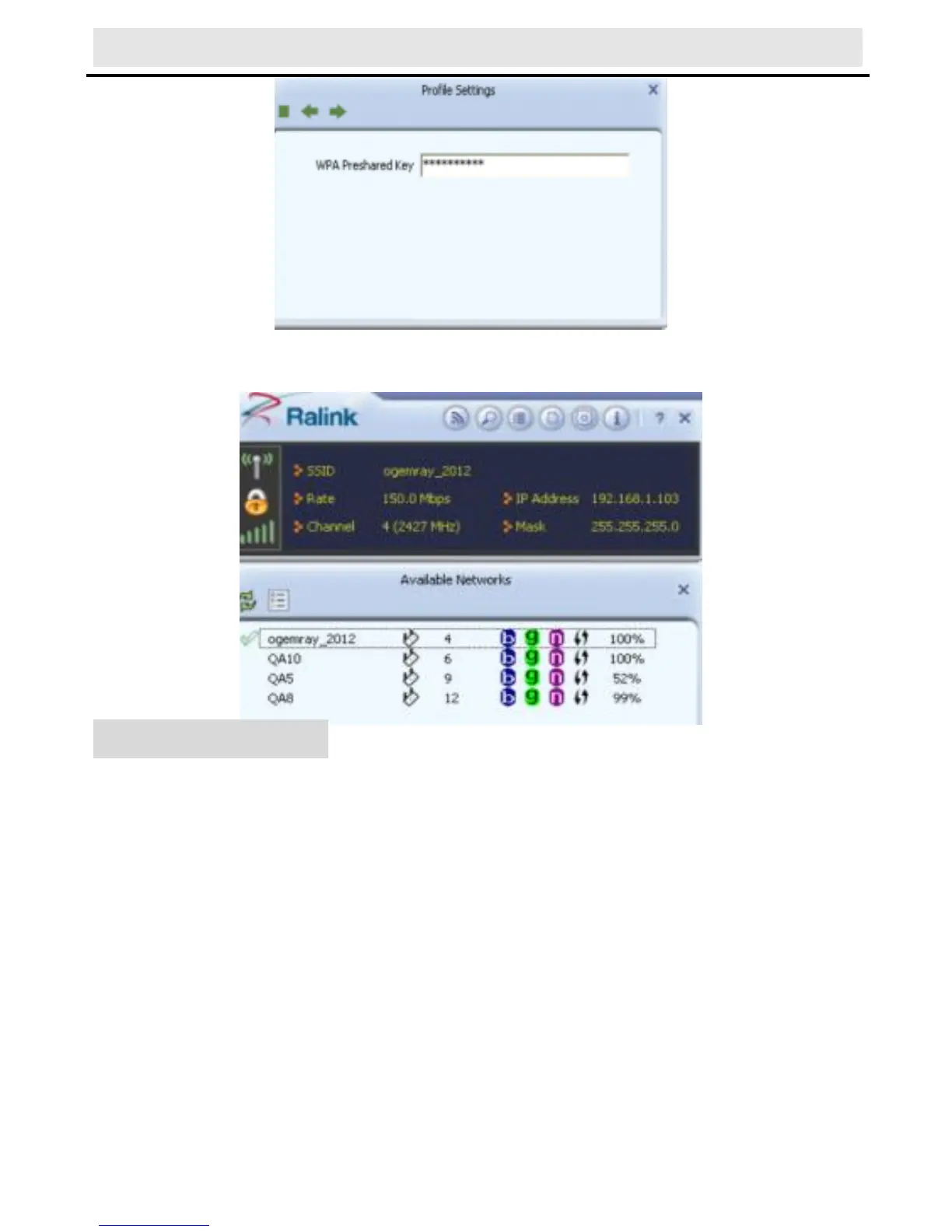
g. Once you are connected the avaliable Networks shows the
status of your connection.
For Windows 7:
Notes : Windows Zero Configuration (WZC) is not
necessary in Windows Vista, Windows 7 or higher
version OS, you can use WZC and the Ralink Utility
to manage the adapter simultaneously .
1) Click on the wireless networks icon in the task bar in the
bottom right hard corner of your screen to display the available
wireless networks.



 To Next Page