Pandaoo GT08 Smart Watch User Guide
8
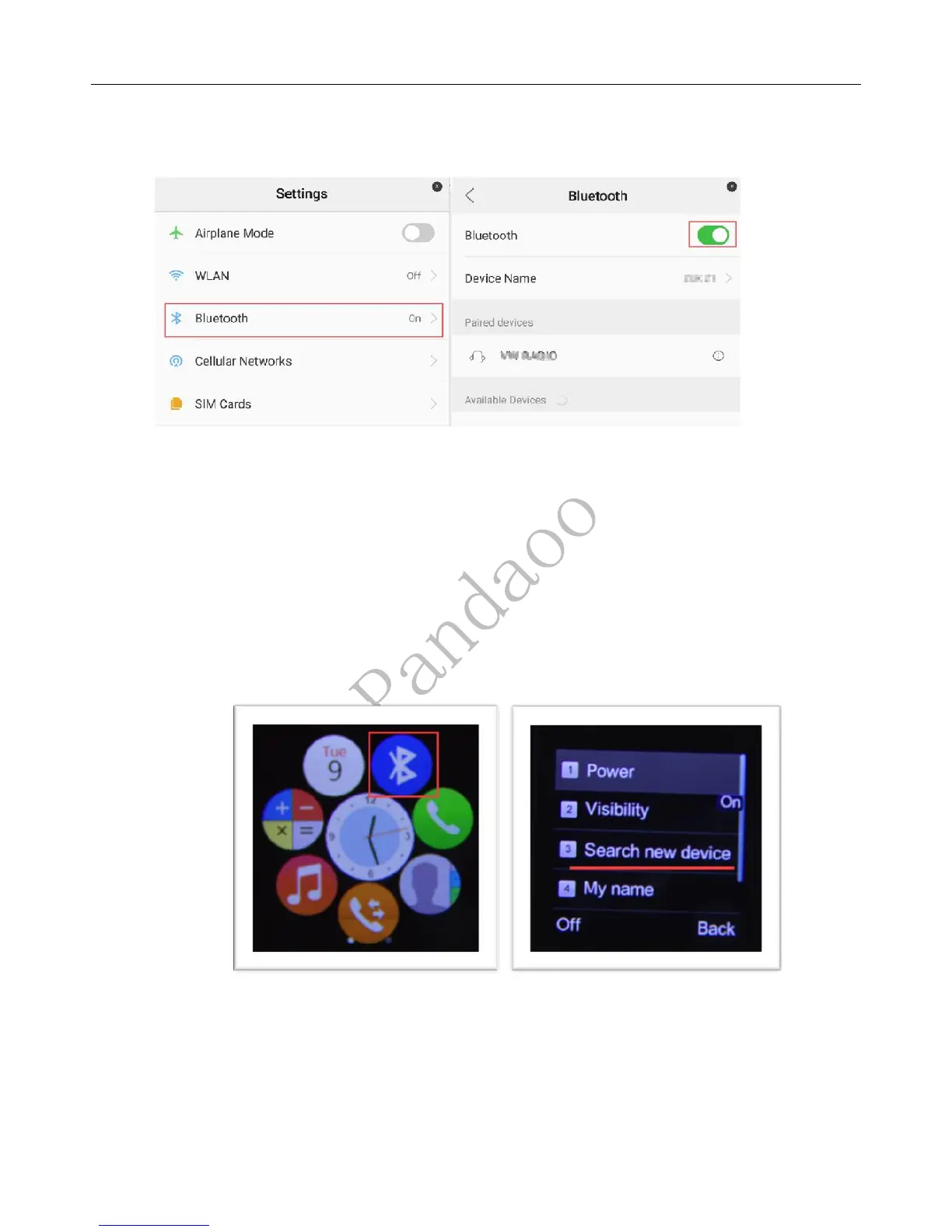
b) Switch on Bluetooth on your smart phones.
Step: Settings -> Bluetooth -> Enable Bluetooth -> stay in this page please
c) Pair your smart watch from smartphone, you are able to see the smart watch name
list in “Available Devices” in above Bluetooth settings, just simple click on the name
to request pairing.
d) Or pair your smartphone from the smart watch, please open Bluetooth setting page
on your smartphone until to pair succeed(Important).
Step: Bluetooth-> Search new device -> Click on Device Name of your smartphone
Click “search new device” and will see the smartphone’s name in the list below, then
click on the smartphone name to pair with it.


 To Next Page