EasyManua.ls Logo

Panduit VS-AVT-C02-L03 - User Manual

Panduit VS-AVT-C02-L03
21 pages
Print Icon
To Next Page IconTo Next Page
Loading...
VeriSafe AVT
B21052
Rev: 08 7-2018
Absence of Voltage Tester
Instruction Manual
Models: VS-AVT-C02-L03, VS-AVT-C02-L03A, VS-AVT-C02-L03E, VS-AVT-C02-L10,
VS-AVT-C08-L10, VS-AVT-C08-L10A, VS-AVT-C08-L10E
© Panduit Corp. 2018
Original Instructions
TO REDUCE THE RISK OF INJURY, USER
MUST READ INSTRUCTION MANUAL
NOTE: In the interest of higher quality and value, Panduit products are
continually being improved and updated. Consequently, pictures may vary
from the enclosed product.
NOTE: Updates to this Instruction Manual may be available. Check
www.panduit.com for the latest version of this manual.
North America Tech Support:
techsupport@panduit.com
Tel: 1-866-405-6654
EU Tech Support :
emeatoolservicecenter
@panduit.com
Tel: +31-546-580-452
Fax: +31-546-580-441
www.panduit.com
Asia Pacific Tech Support:
TechSupportAP@ panduit.com
Telephone:
Singapore: 1-800-Panduit (7263848)
Australia: 1-800-Panduit (7263848)
Korea: 02-21827300
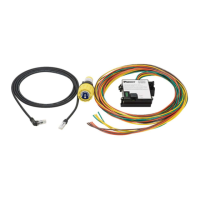
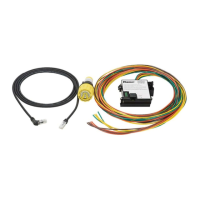
The VeriSafe Absence of Voltage Tester is a permanently-mounted tester that is used to verify a circuit is
de-energized prior to opening an electrical enclosure. Once installed, a push of a button enables qualified
electrical workers to verify the absence of voltage and see an active indication when the absence of voltage is
confirmed. The Indicator Module is designed for a 30-mm notched panel knockout and the Isolation Module can
be mounted to DIN rail or surface mounted using screws.

Questions and Answers

  • M
    Mrs. Ashley Dean PhDAug 11, 2025
    What to do if the Caution Indicator does not illuminate after pressing the Test Button on Panduit Test Equipment?
    • K
      Keith BriggsAug 12, 2025
      If the Caution Indicator on your Panduit Test Equipment doesn't light up when you press the Test Button, ensure the battery tray is correctly inserted and the cap is on. Try replacing the battery, as a low battery can prevent the Indicator Module from working. Also, check that the AVT System Cable is securely connected to both the Indicator and Isolation Modules; the Indicator Module needs this connection to function.
  • W
    welchtrevorAug 17, 2025
    Why is the battery voltage too low to run the test on Panduit Test Equipment?
    • M
      Michael ColemanAug 17, 2025
      If the battery voltage is too low to run a test on your Panduit Test Equipment, replace the battery and try the test again.
  • K
    Kevin HensonAug 23, 2025
    What to do if Panduit Test Equipment detects voltage above the threshold?
    • B
      Brooke StevensonAug 23, 2025
      If your Panduit Test Equipment detects voltage above the threshold, it means the enclosure is energized. You should follow all safety procedures and wear appropriate PPE when checking the voltage source. If the panel has stored energy, allow several minutes for it to dissipate before re-testing.
  • K
    Kristine AllenAug 29, 2025
    What to do if proper installation of the sensor leads could not be verified on Panduit Test Equipment?
    • E
      Elizabeth DonovanAug 29, 2025
      If your Panduit Test Equipment shows that proper installation of the sensor leads could not be verified, it may indicate that the enclosure is energized. Follow safety procedures and use the appropriate PPE to verify the enclosure is de-energized before troubleshooting. Check the Installation Instruction section to confirm the sensor leads are correctly installed and the device is properly grounded.
  • T
    Theresa YoungSep 4, 2025
    What to do if Panduit Test Equipment shows a hardware failure?
    • S
      Shane PhillipsSep 4, 2025
      If your Panduit Test Equipment displays a hardware failure, contact Panduit Technical Support for further assistance.

Panduit VS-AVT-C02-L03 Specifications

General IconGeneral
Product TypeVisual Fault Locator
CategoryTest Equipment
ModelVS-AVT-C02-L03
ManufacturerPanduit
TypeVisual Fault Locator
Wavelength650 nm
Connector Type2.5 mm universal adapter
Operating Temperature0°C to 50°C (32°F to 122°F)
Output Power1 mW
Storage Temperature-20°C to +70°C

Related product manuals