23
© Copyright 2008 Panoramic Corporation
PC-1000/Laser 1000 Installation
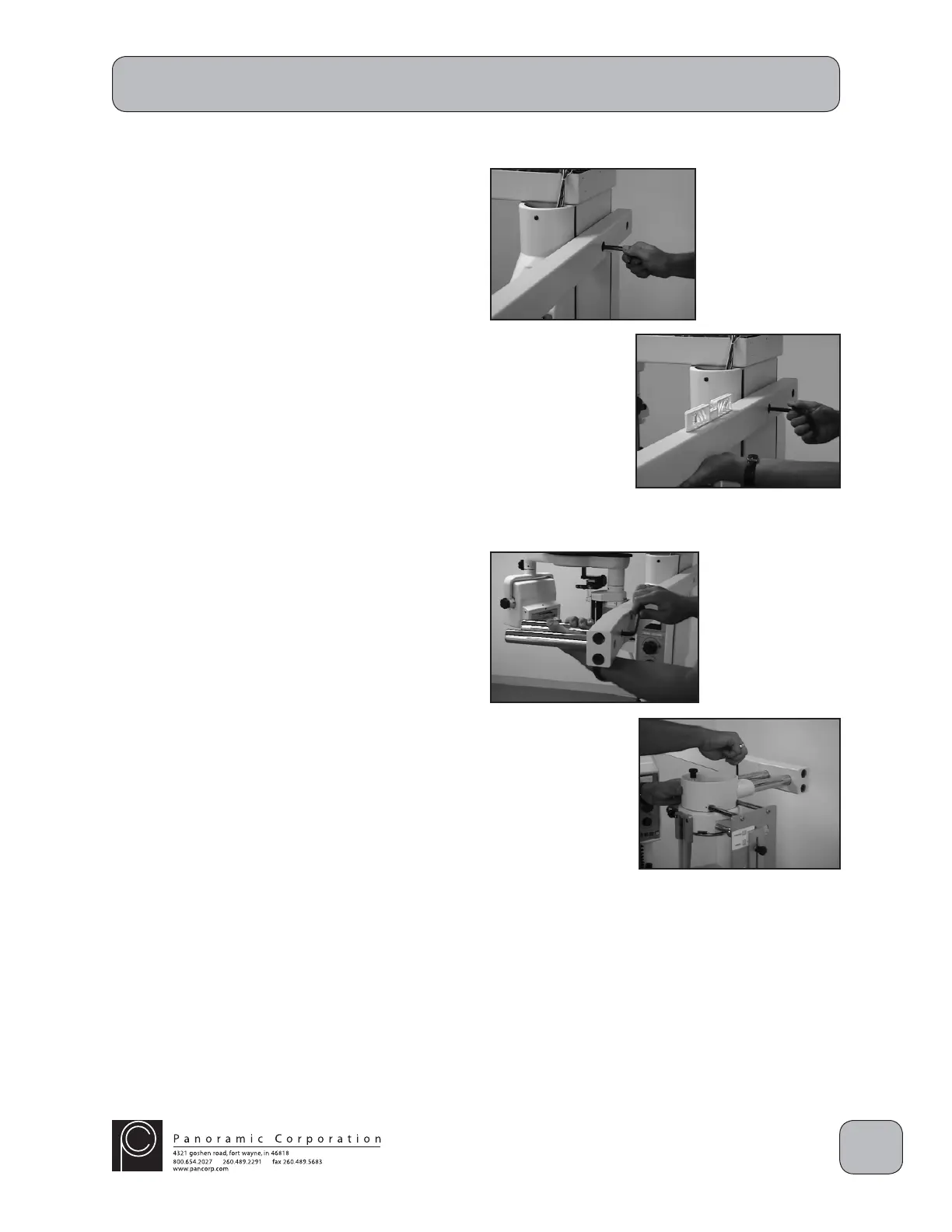
Install Cephalometric Arm
1. Verify with the doctor on which side the
cephalometric arm should be mounted. The
arm is typically installed to extend on the same
side as the control panel.
2. Mount the arm, with the spacers facing the
machine, on the rear of the machine using the
2 3/8" allen bolts with lock washers.
3. Level the cephalometric arm.
Install Cephalostat Head Positioner
1. Install the chrome mounting tubes on the
cephalometric arm with the 2 allen bolts and
lockwashers provided.
2. Slide the head positioner onto the 2 chrome
mounting tubes.
3. Tighten the 2 allen bolts on the top rear of the
head positioner.


 To Next Page
 Loading...