26
© Copyright 2008 Panoramic Corporation
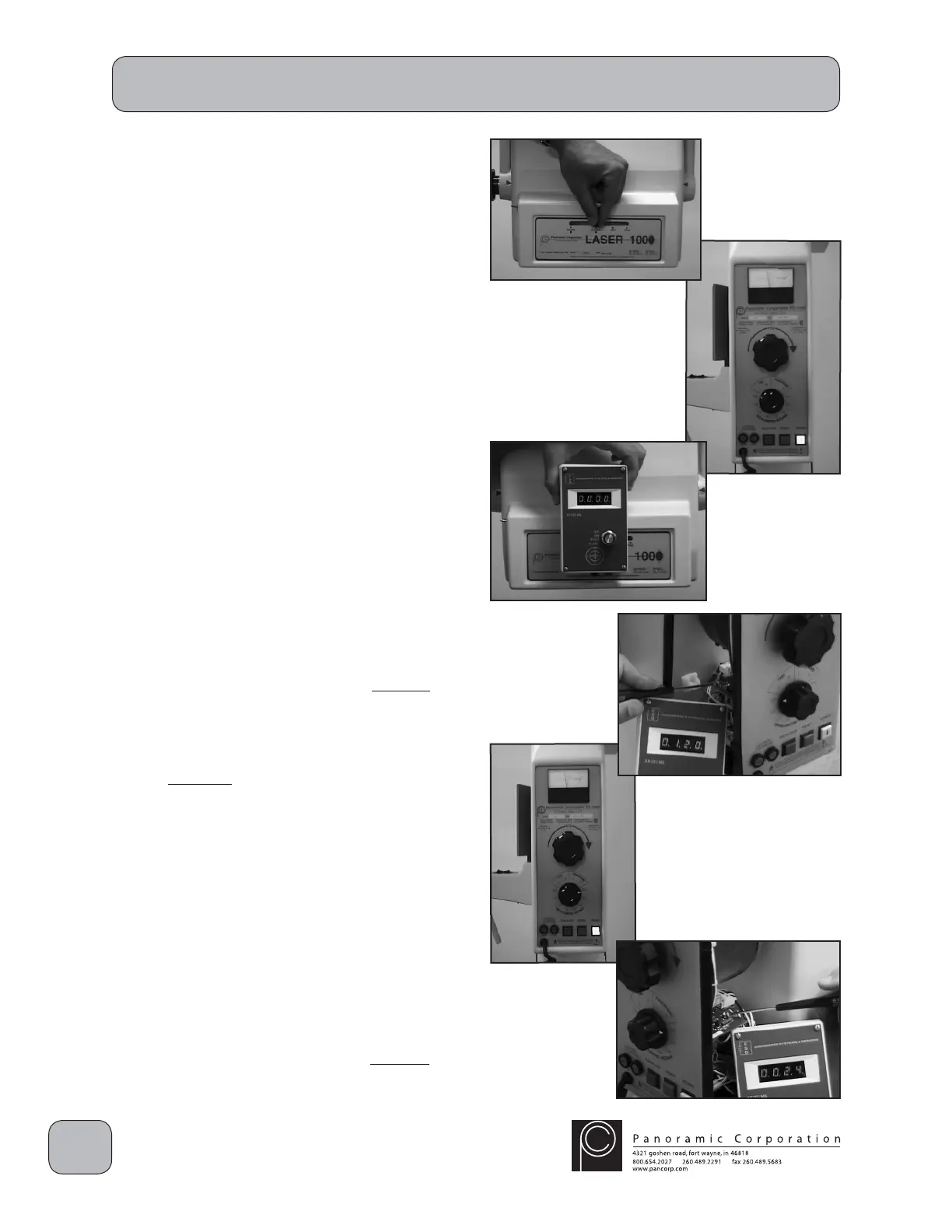
Perform Pulse Count Calibration
1. Power the machine on.
2. Using the lever on the front of the collimator,
select LATERAL.
3. Using the function switch on the control panel,
select CEPHALOMETRIC 2.0.
4. Using the kVp setting knob on the control
panel, set the kVp meter to 70 kVp on the
PANORAMIC scale.
5. Position a radiation pulse counter so that the
X-rays emitted from the tubehead will strike
the pulse counter's target.
6. Locate potentiometers R11 and R20 on the
printed circuit board behind the control panel.
CAUTION: X-rays will be emitted when the
exposure switch is depressed.
7. Depress the exposure switch for the entire 2
second exposure.
8. The pulse counter should show 120 pulses
± 2 pulses. If it does not:
A. Adjust R20 clockwise (CW) to increase the
pulses and repeat the test until the pulse
counter shows 120 pulses ± 2 pulses.
OR
B. Adjust R20 counterclockwise (CCW) to
decrease the pulses and repeat the test
until the pulse counter shows 120 pulses
± 2 pulses.
9. Using the function switch on the control panel,
select CEPHALOMETRIC 0.4.
CAUTION: X-rays will be emitted when the
exposure switch is depressed.
10. Depress the exposure switch for the entire 0.4
second exposure.
11. The pulse counter should show 24 pulses ± 1
pulse. If it does not:
A. Adjust R11 clockwise (CW) to increase the
pulses and repeat the test until the pulse
counter shows 24 pulses ± 1 pulse.
PC-1000/Laser 1000 Installation


 To Next Page
 Loading...