40
© Copyright 2008 Panoramic Corporation
Remote Switch Installation
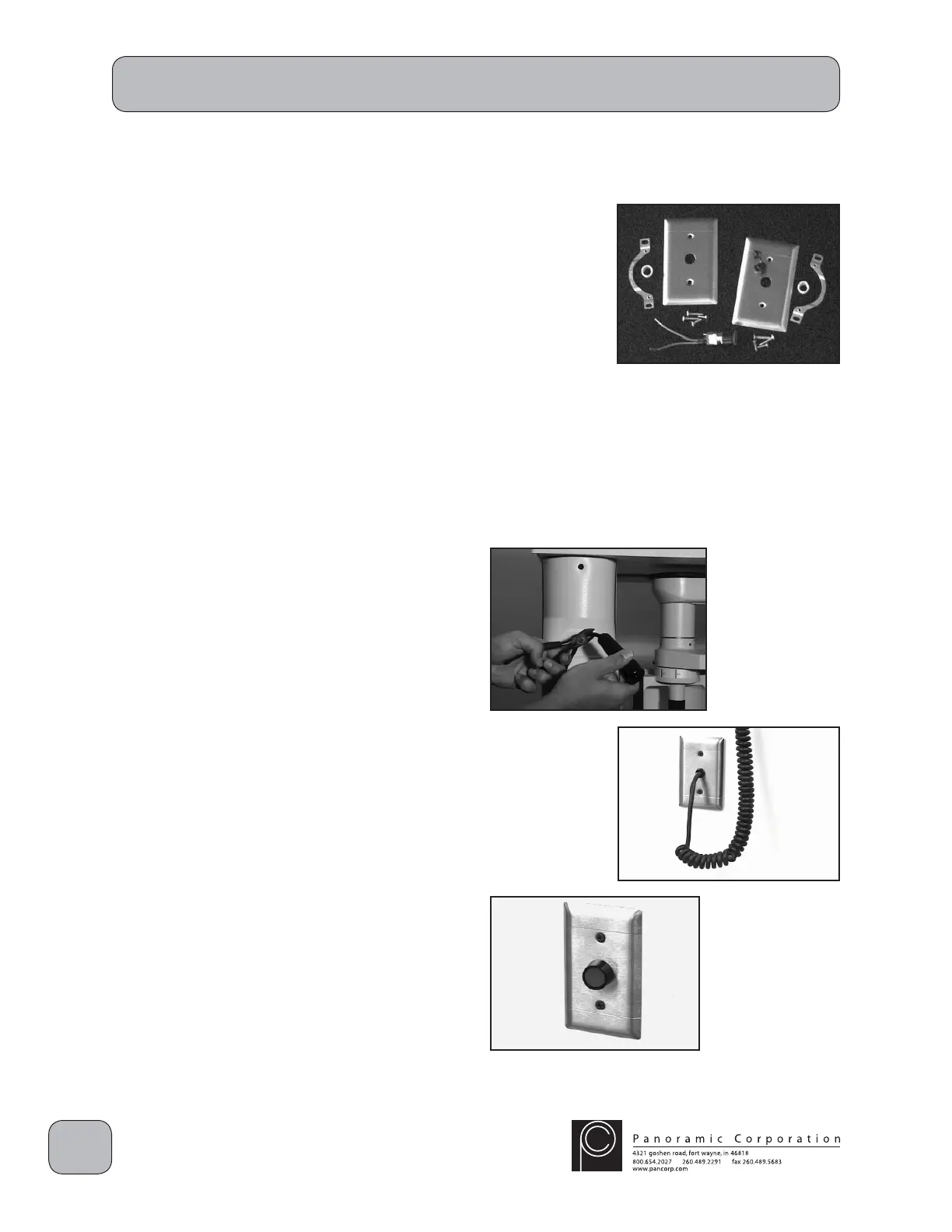
A remote switch kit is available from Panoramic
Corporation. A remote switch must be installed if
state or local regulations require.
Prior to the installation of a PC-1000, an
electrician will need to install the following:
A. A 2" x 4" electrical box at standard outlet
height on the wall directly behind the
PC-1000.
B. A 2" x 4" electrical box at the necessary
location and height for the remote switch.
C. A 2-conductor, low voltage (24 VAC) wire
routed between the 2 boxes with suffi cient
excess at each end to make connections.
Remote Switch Installation
1. Power the PC-1000 off.
2. Cut off the existing exposure switch from the
coiled exposure cord.
3. Install a grommet on one of the faceplates.
4. Insert the coiled cord through the grommet
and connect the coiled cord to the existing
2-conductor, low-voltage wire behind the
machine, previously installed by an electrician.
5. Install a strain relief on the coiled cord behind
the faceplate and mount the faceplate on the
standard electrical box, previously installed by
an electrician, behind the machine.
6. Install the remote switch in the remaining
faceplate.
7. Connect the remote switch to the other end of
the low-voltage wire, previously installed by an
electrician, at the remote location.
8. Mount the faceplate on the remaining electrical
box.
9. Power the PC-1000 on and verify that the
remote switch functions properly.



 To Next Page
 Loading...