41
© Copyright 2008 Panoramic Corporation
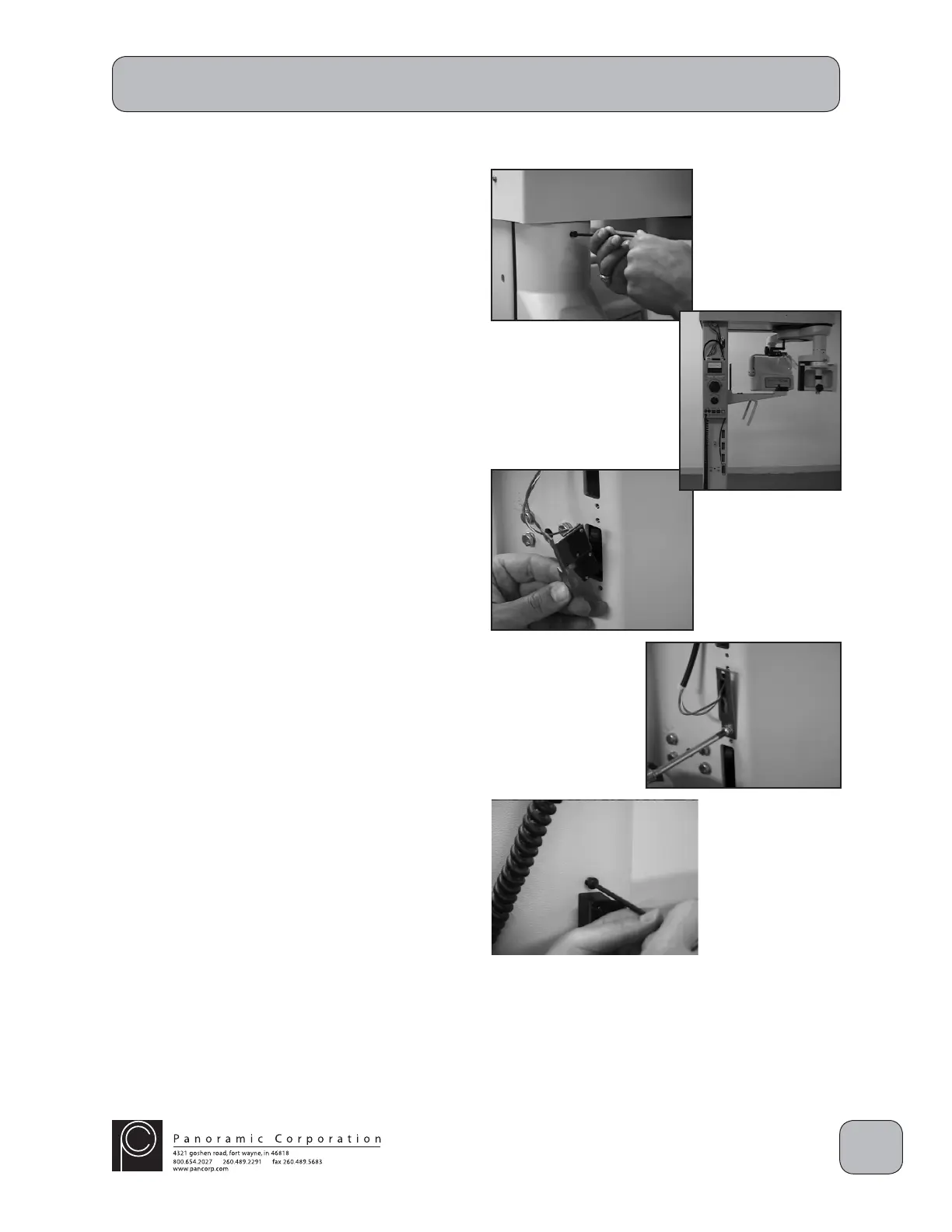
Screw Motor Assembly Height Limit
The PC-1000 incorporates a height adjustment
limit switch that will stop the machine from
raising past a predetermined height. This limit
height, factory set at approximately 92", can be
adjusted for low ceilings in 3" increments down to
approximately 83".
1. Power the PC-1000 off.
2. Remove the 3 allen head bolts in the left side
cover and remove the side cover.
3. There are 2 limit switches on the outside of the
column:
A. The top limit switch terminates the height
adjustment at the lower end of the travel
(machine all of the way down). There is
no adjustment for this switch.
B. The bottom limit switch terminates the
height adjustment at the upper end of the
travel (machine all of the way up).
4. Remove the 2 phillips screws on the bottom
limit switch.
5. Move the bottom limit switch to 1 of the 3
remaining slots. Each slot changes the upper
limit by 3".
6. Reinstall the 2 phillips screws on the bottom
limit switch.
7. Power the PC-1000 on.
8. Using the UP/DOWN switch on the chinrest
arm, raise the machine and verify the height
adjustment is automatically terminated.


 To Next Page
 Loading...