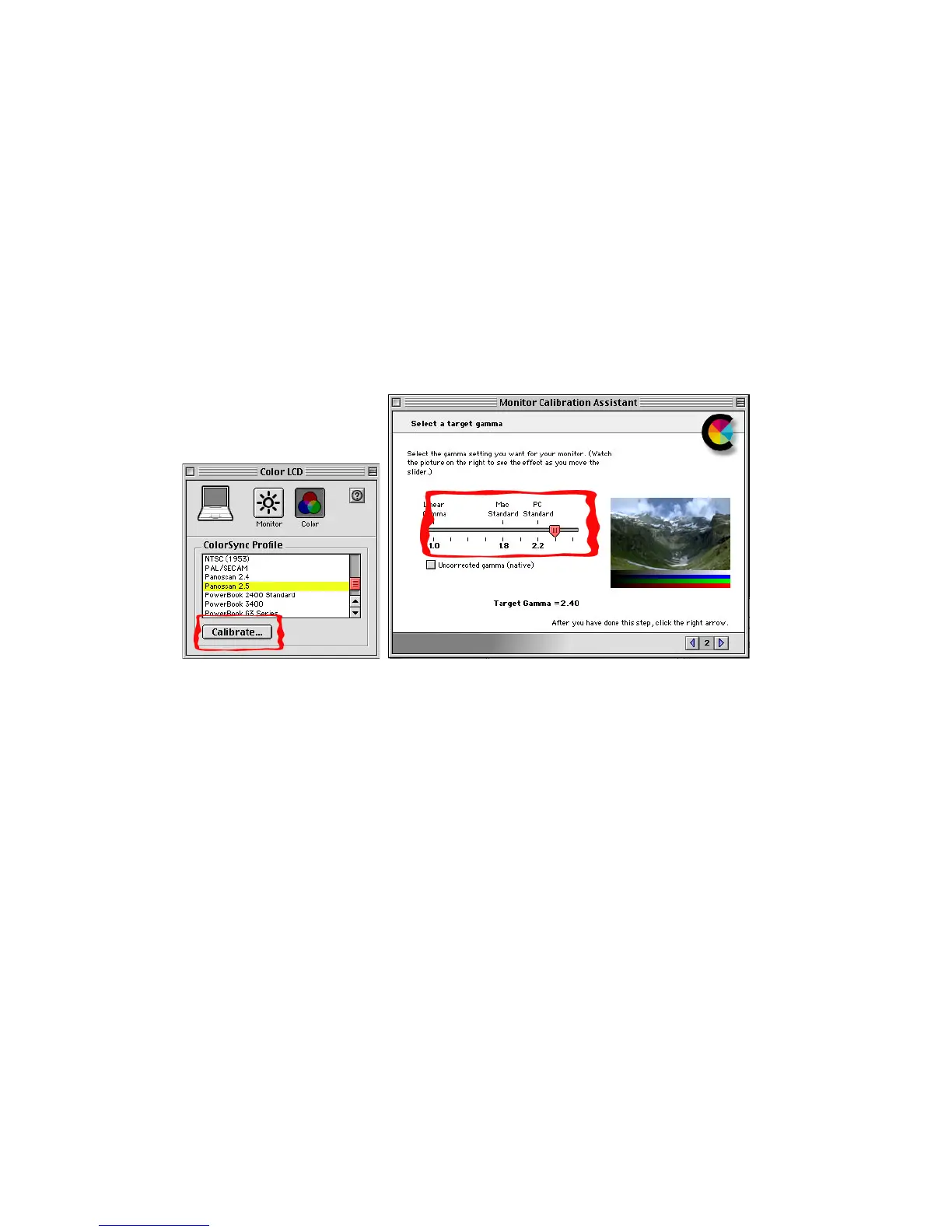
Another preference that can affect your ability to set correct exposure is the computer’s monitor
gamma setting. Macintosh computers come with the screen gamma set to a very bright 1.8 setting.
Most other computers, like Windows machines, use a darker gamma setting of 2.2. Since you
images will most likely be viewed on a Windows machine at some point we recommend settung the
Macintosh’s screen gamma to at least 2.2. We recommend 2.4 on a Powerbook screen. Using the
camera with your screen set to a gamma seyying of 1.8 may result in your images looking under
exposed on other machines. To change the gamma of your monitor use the “Monitors” control
panel to create a custom monitor profile. Be sure to save the profile with an obvious name like
Panoscan2.2 so you can easily select this profile when using the camera.



 To Next Page