www.panthera-automotive.com
Hotline +49 163 33 66 55 6
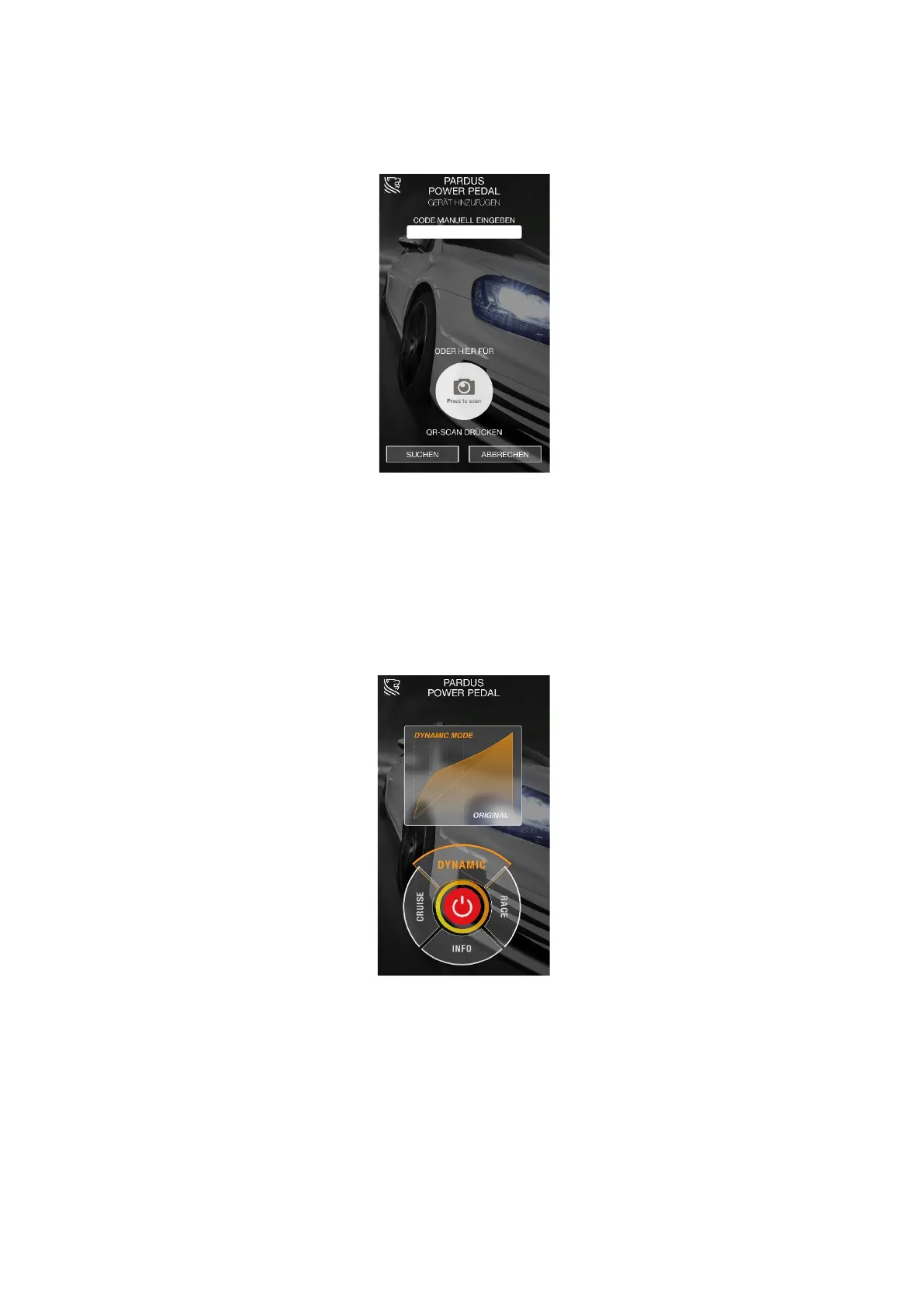
Please scan the QR code (You will find it on a registration card and is also on the
product itself) to connect the power pedal with the app. See illustration 2:
illustration 2
Alternatively, you can enter the code manually. You can also find this on the
registration card or on the product. Turn ignition on, enter the code and press
"SEARCH". Once the power pedal is found, confirm "SAVE".
3.2 Now you are in the main menu. See Illustration 2:
illustration 3
The "Cruise", "Dynamic" and "Race" buttons allow you to select the individual modes.
The corresponding change in the accelerator pedal line is displayed on the screen.
Use the "On / Off" button to turn off and on the power pedal.


 To Next Page
 Loading...