

EasyManua.ls Logo

Pantone PT-BS00B1Y - User Manual

Pantone PT-BS00B1Y
2 pages
Print Icon
To Next Page IconTo Next Page
Loading...
NTONE
B
L
U
E
TOOTH
SPEAKER

PRODUCT OVERVIEW
C




M
s
6
-
1
0
+






+ : 


 







 





OPERATION














 

 

 





Question and Answer IconNeed help?

Do you have a question about the Pantone PT-BS00B1Y and is the answer not in the manual?

Summary

Product Overview

Operation

Power on and Charging

Instructions for charging the speaker for the first time and powering it on.

Bluetooth Mode

Guide to pairing the speaker with Bluetooth devices and basic playback controls.

AUX Mode

TWS (True Wireless Stereo) Mode

Troubleshooting

Specifications

Overview

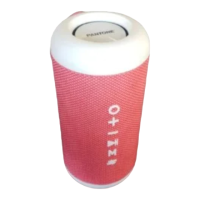
The Pantone Bluetooth Speaker, available in models PT-BS00B1Y, PT-BS00B1P, PT-BS00B1L, and PT-BS00B1N, is a portable audio device designed for wireless and wired music playback.

Function Description:

This speaker allows users to stream audio wirelessly via Bluetooth or connect external audio devices through its AUX port. It features True Wireless Stereo (TWS) mode, enabling two speakers of the same model to pair together for a more immersive stereo sound experience. The speaker is equipped with a rechargeable battery, providing portability and extended usage.

Important Technical Specifications:

  • Battery Capacity: 3.7V, 1500mAh
  • Output Power: 5W
  • Charging Time: Approximately 4 hours for a full charge.
  • Play Time: 5-6 hours on a full charge.
  • Bluetooth Operation Range: Less than 10 meters.
  • Weight: 506 grams.
  • Dimensions (W x H x D): 85mm x 180mm x 85mm.
  • Connectivity: Bluetooth, AUX port (3.5mm), USB-C for charging.
  • Safety Compliance: Complies with Australian Safety Standard AS/NZS 62368.1.

Usage Features:

Power and Charging:

  • To power on/off, press and hold the Power button for 3 seconds.
  • Before first use, the speaker should be charged for 4 hours using the supplied USB-C cable.
  • The LED light indicator glows orange during charging and turns off when fully charged.

Bluetooth Mode:

  • Upon powering on, the speaker automatically enters Bluetooth mode, indicated by a flashing blue LED.
  • To pair, search for "PT-BS00B1" on your Bluetooth device. A notification sound and a solid green LED indicate successful pairing.
  • The speaker remembers previously paired devices and automatically reconnects when both are on.
  • Controls:
    • Press the + button to play the previous song or press and hold to increase volume.
    • Press the - button to play the next song or press and hold to decrease volume.
    • Press the I button to play/pause music.
    • These functions can also be controlled via the connected Bluetooth device.
  • The LED indicator will slowly light up green and light off while music is playing in Bluetooth mode.
  • The speaker automatically turns off if not connected to any Bluetooth device for more than 5 minutes.

AUX Mode:

  • Connect an external audio device to the AUX port using the supplied AUX cable. The speaker automatically switches to AUX mode.
  • Controls:
    • Press the + button to play the previous song or press and hold to increase volume.
    • Press the - button to play the next song or press and hold to decrease volume.
    • Press the I button to play/pause music.
    • These functions can also be controlled via the connected audio device.
  • The speaker automatically turns off if not connected to any audio device for more than 10 minutes.

True Wireless Stereo (TWS) Mode:

  • The speaker supports pairing with another identical speaker for stereo sound.
  • Turn on both speakers.
  • Press and hold the I button on either speaker.
  • A "T successful" sound indicates successful pairing, and the LED light indicator will turn blue.
  • Once paired, the two speakers are ready to connect to your Bluetooth device.

Troubleshooting:

  • Speaker not turning on: Charge the speaker for 4 hours and try again.
  • No audio: Turn the speaker on and adjust the volume.
  • Music dropping out: Move the speaker closer to the connected device.
  • Failed to connect to Bluetooth:
    • Ensure the phone and speaker are close.
    • Check the Bluetooth menu on your phone to confirm connection.
    • Restart the speaker.
    • Turn Bluetooth off and then back on on your device, and search again.

Maintenance Features:

  • The device is designed for ease of use with minimal specific maintenance instructions beyond charging and proper handling.
  • Automatic power-off features in Bluetooth and AUX modes help conserve battery life if the speaker is left idle.
  • For technical and warranty support, users can contact Tempo (Aust) Pty Ltd via phone (1300 886 649) or visit their website (tempo.org/support).

The Pantone Bluetooth Speaker is a versatile and user-friendly audio device, ideal for those seeking a portable sound solution with both wireless and wired connectivity options, enhanced by TWS capabilities.
Pantone PT-BS00B1Y Specifications

General IconGeneral
BrandPantone
ModelPT-BS00B1Y
CategorySpeakers
LanguageEnglish