EasyManua.ls Logo

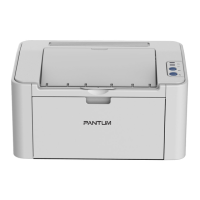
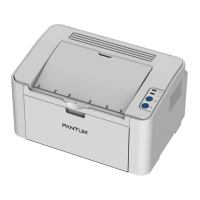
Pantum P2900 Series - User Manual

Pantum P2900 Series
37 pages
Print Icon
To Next Page IconTo Next Page
Loading...
User Guide
It is recommended to carefully read this Guide before using the printer
Pantum P2200/P2500 Series
Pantum P2900 Series
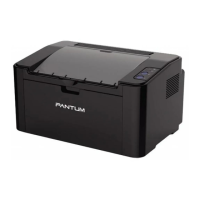
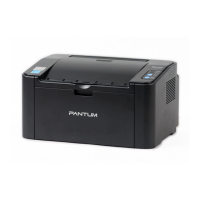
Monochrome Laser Printer

Questions and Answers

  • M
    Melissa Lewis DDSAug 10, 2025
    Why is my Pantum P2900 not working?
    • S
      Sara DavisAug 10, 2025
      If your Pantum Printer isn't working, there could be several reasons. First, ensure the cable connecting your computer to the printer is properly connected by disconnecting and reconnecting it. Also, verify the printer settings to confirm the print job is being sent to the correct port. Check that your printer is online and that 'Use Printer Offline' is not checked.
  • J
    Jacqueline TurnerAug 25, 2025
    What to do if Pantum Printer cartridge chip cannot be recognized?
    • B
      Brittney TerryAug 25, 2025
      If your Pantum Printer cartridge chip cannot be recognized, it might be due to a dirty cartridge chip. Try cleaning the surface of the cartridge chip. Also, the contact spring or copper pillar of the cartridge chip might be dirty, so please clean them as well.

Pantum P2900 Series Specifications

General IconGeneral
Print ResolutionUp to 1200 x 1200 dpi
Printer TypeLaser Printer
Print Speed (Letter)30 ppm (Letter)
ConnectivityUSB 2.0
Paper Input Capacity150 pages
Paper Output Capacity100 sheets
Media SizesA4, Letter, Legal, Executive, Oficio, Envelope (No. 10, DL, C5)
Media Weight60 - 163 g/m²
Print Speed (A4)28 ppm (A4)
Operating Systems SupportedMicrosoft Windows Server2003/Server2008/Server2012/XP/Vista/Win7/Win8/Win8.1/Win10 (32/64 Bit) Mac OS 10.8/10.9/10.10/10.11/10.12 Linux(Ubuntu 12.04/14.04/16.04) (32/64 Bit)
Operating Systems CompatibilityMicrosoft Windows Server2003/Server2008/Server2012/XP/Vista/Win7/Win8/Win8.1/Win10 (32/64 Bit) Mac OS 10.8/10.9/10.10/10.11/10.12 Linux(Ubuntu 12.04/14.04/16.04) (32/64 Bit)

Related product manuals